AI course creator: how to use ChatGPT free for employee training
ChatGPT works as a free AI assistant for generating ideas and content, but it's not a full course creator. Bringing Coassemble into the mix will take your course creation to the next level.
Creating courses people actually complete is still harder than it should be. Nearly 90% of organizations rely on online learning for training, yet most teams still struggle to get knowledge out of documents and into something learners can actually move through.
ChatGPT makes the first part easy. Ask for a course outline and you get structure, lesson ideas, and draft content in seconds. The friction shows up next: that text still needs to become an interactive course. ChatGPT works as a free AI assistant for generating ideas and content, but it's not a full course creator.
This guide shows how to use ChatGPT free for ideation, then pair it with Coassemble to turn AI-generated content into a complete, interactive course without technical skills or long build times.
Can you create a full course in ChatGPT?
Yes. ChatGPT can help you generate course content, outlines, and lesson plans quickly. But it can't turn that content into an interactive course learners can actually move through and complete. For that, you need a course creation tool like Coassemble.
How to create a course with ChatGPT for free
The fastest way to create a course with ChatGPT is to work in three stages: structure your idea, generate the content, then prepare it for assembly.
Step 1: Idea & structure
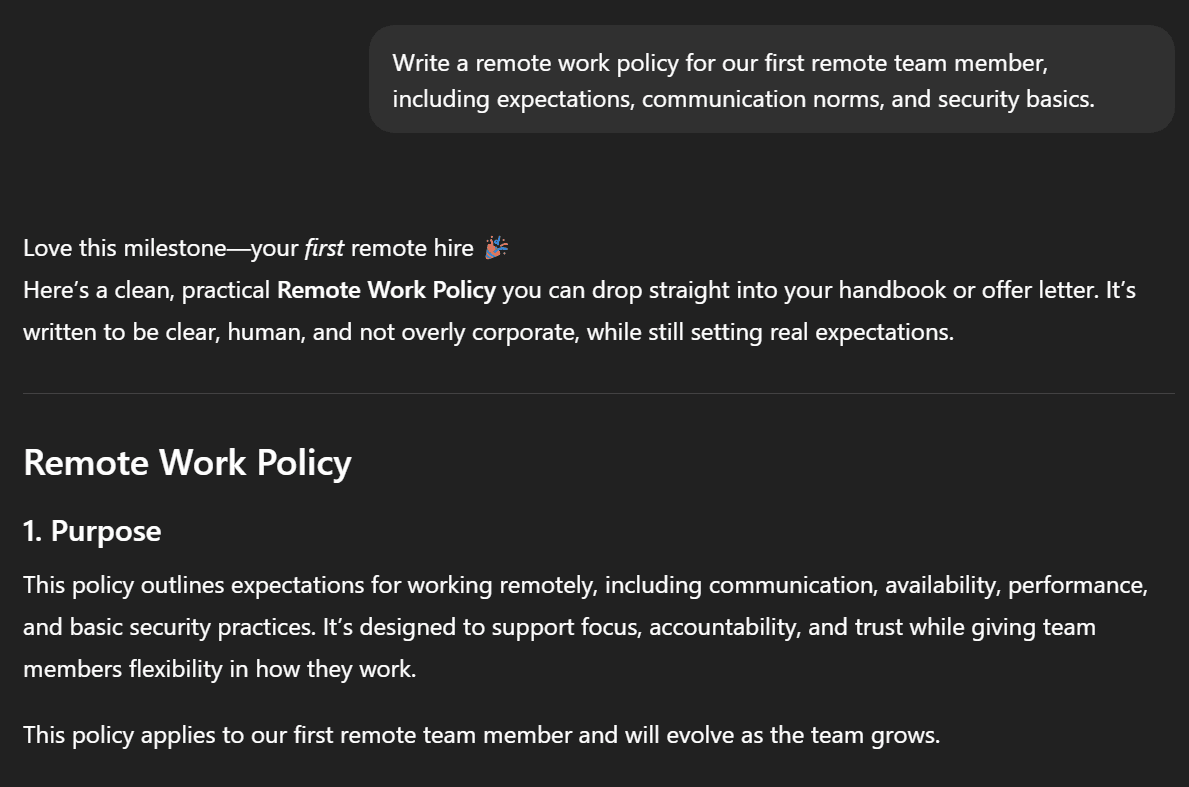
Everything starts with a course idea. ChatGPT helps you shape it fast.
Sample ChatGPT prompts you can use:
- "Write a remote work policy for our first remote team member, including expectations, communication norms, and security basics."
- "Explain our new customer onboarding process step by step, as if you were guiding a new hire through their first week."
- "Draft internal documentation for how our team handles support tickets, from intake to resolution."
- "Write a clear walkthrough of how to use [tool or system] in our company, including common mistakes to avoid."
At this stage, you're defining structure. ChatGPT is strong at organizing ideas into a usable outline.
Step 2: Content generation & polish
Once you have a solid draft or source document, ChatGPT is useful for strengthening the content itself, not designing the course.
At this stage, think of ChatGPT as a way to:
- Expand thin sections
- Clarify unclear ideas
- Add missing context teams often forget to document
You're improving the material before it's transformed into training.
Sample ChatGPT prompts you can use:
- "Add more detail to this remote work policy around data security for laptops and home networks."
- "What are common mistakes new hires make when following this process, and how should we address them?"
- "Rewrite this section to be clearer for someone new to the company."
- "Expand this explanation with a practical example someone could recognize from day-to-day work."
- "What questions might a new team member have about this policy that aren't answered yet?"
This is where free AI adds real value. You can generate text, tighten explanations, and fill knowledge gaps quickly, without worrying about structure or format.
Step 3: Assemble the course
This is the point where most teams hit friction. Your content lives in chat history or Word docs, but it isn't a course yet. It's just text waiting to become something learners can actually use.
ChatGPT can't:
- Turn lesson content into interactive content
- Build AI-generated courses that learners can complete online
- Add flip cards, quizzes, or checkpoints
- Prepare training for mobile devices
- Share training through the AI tools your team already uses, like Slack
To turn this draft into a real course, you need more than text. You need structure, interaction, and a way to deliver it inside the tools your team already works in, starting with Slack.
From ChatGPT draft to interactive course: how Coassemble bridges the gap
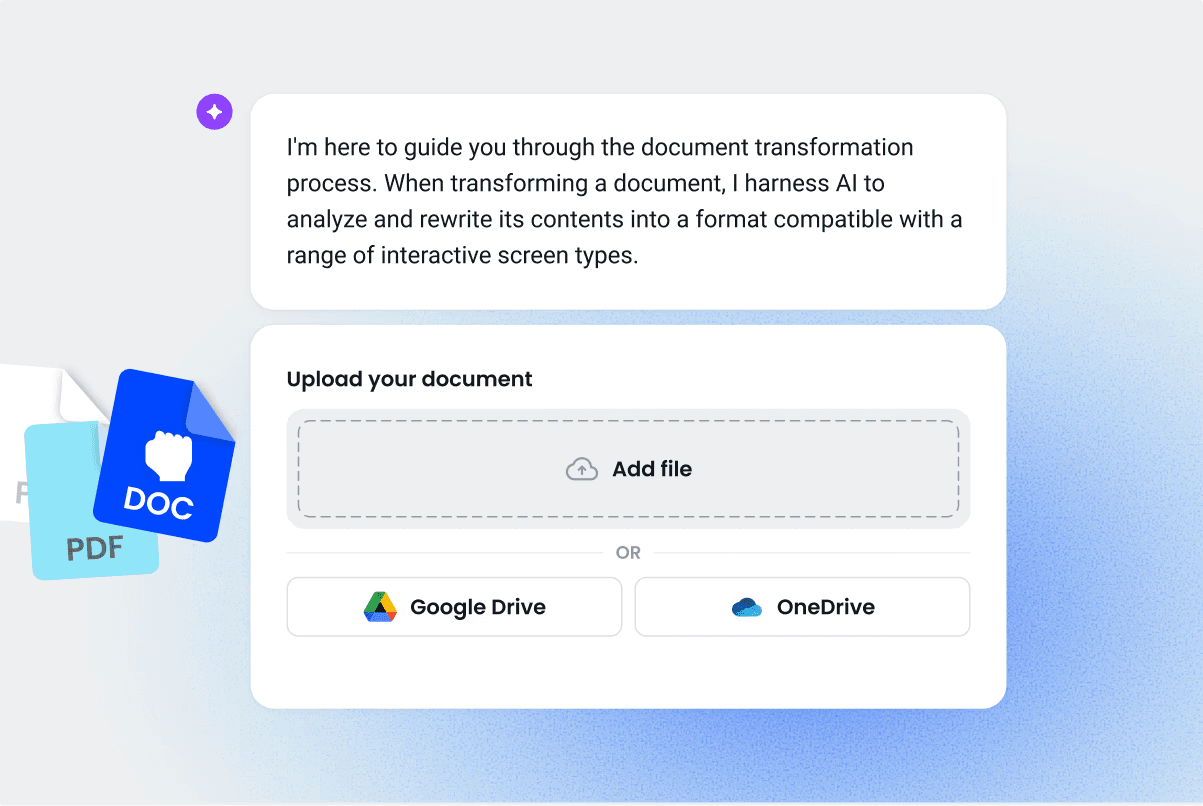
This is where ChatGPT hands off and course creation actually begins.
Up to this point, ChatGPT has helped you generate text. You've outlined lessons, written scripts, and shaped course content. But none of that is usable training yet.
Coassemble is built for this exact moment.
It takes AI-generated content and turns it into an interactive course learners can move through, complete, and revisit.
Why combine ChatGPT + Coassemble?
Each tool plays a clear role. ChatGPT handles the thinking: ideation, outlines, lesson drafts. Coassemble handles the building: turning that content into structured training delivered where your team already works, starting with Slack. Together, they cover the full journey from idea to deployed course.
Step-by-step: from ChatGPT to Coassemble course
The shift from draft to course is simpler than it sounds. Once your content exists, the rest is about assembly, not rewriting.
- Generate your course draft in ChatGPT and save it
Use ChatGPT to generate your course outline and lesson content. When the draft feels solid, copy it into a document or save it as a Word or PDF file. This gives you a single source to work from as you move into course creation.
- Access Coassemble's course builder
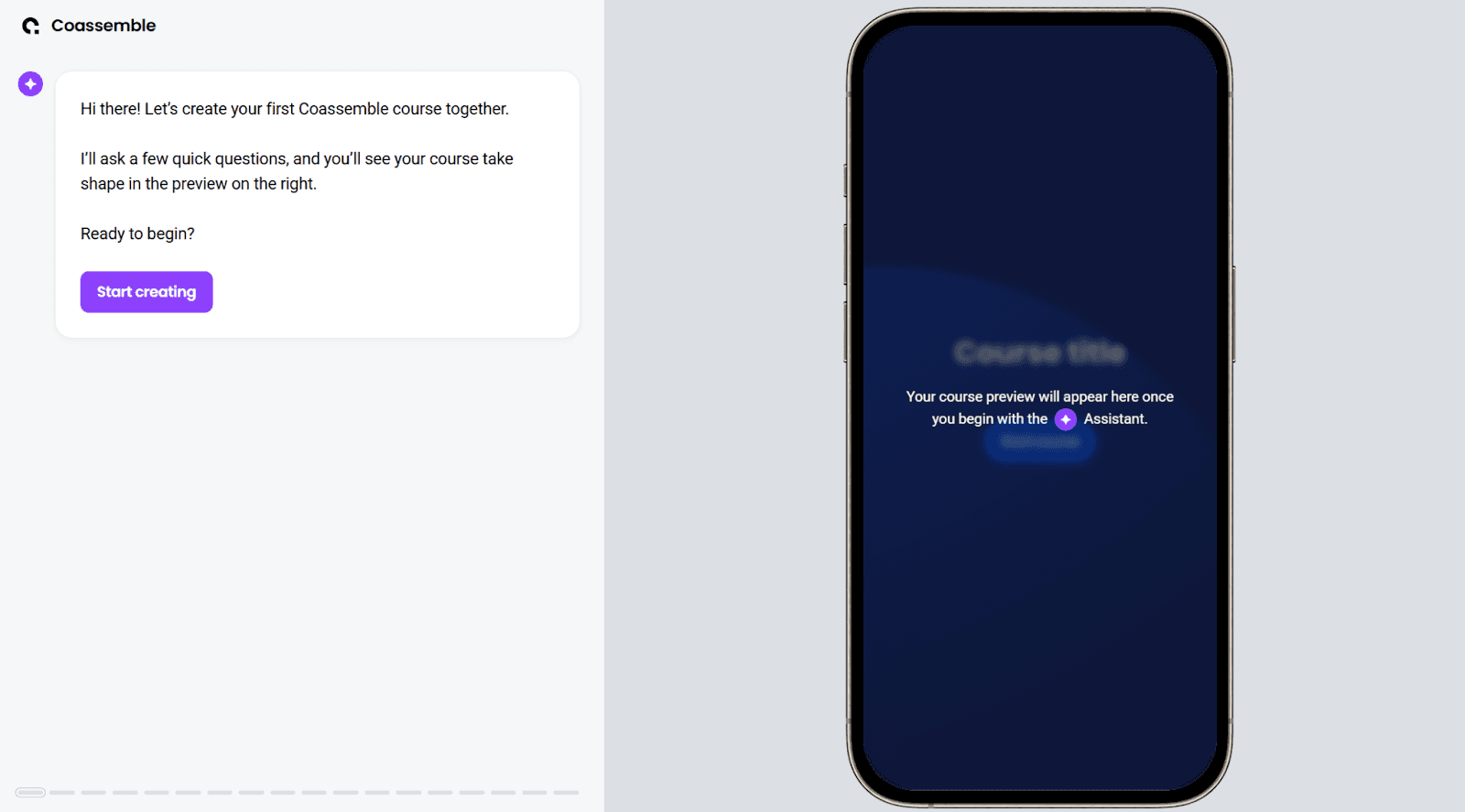
Head to Coassemble and click Start creating. The course builder opens right away, letting you explore the creation software before you commit to anything.
- Choose how you want to create your course
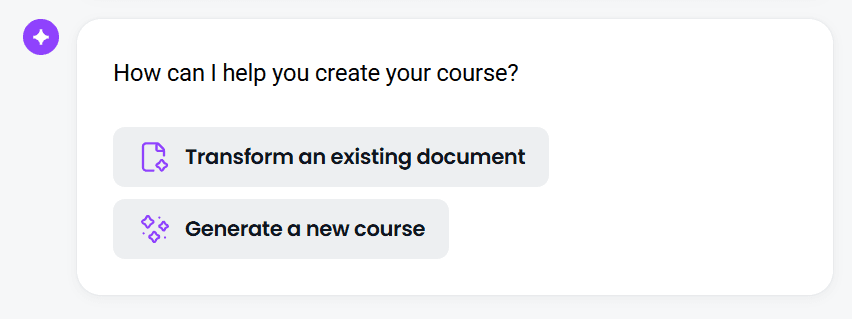
When the builder loads, you'll be asked how you want to create your course. For most use cases, the fastest option is to Transform an existing document. Upload the PDF or Word file. Coassemble scans the content, extracts key points, and turns it into a structured online course.
- Answer a few quick setup questions
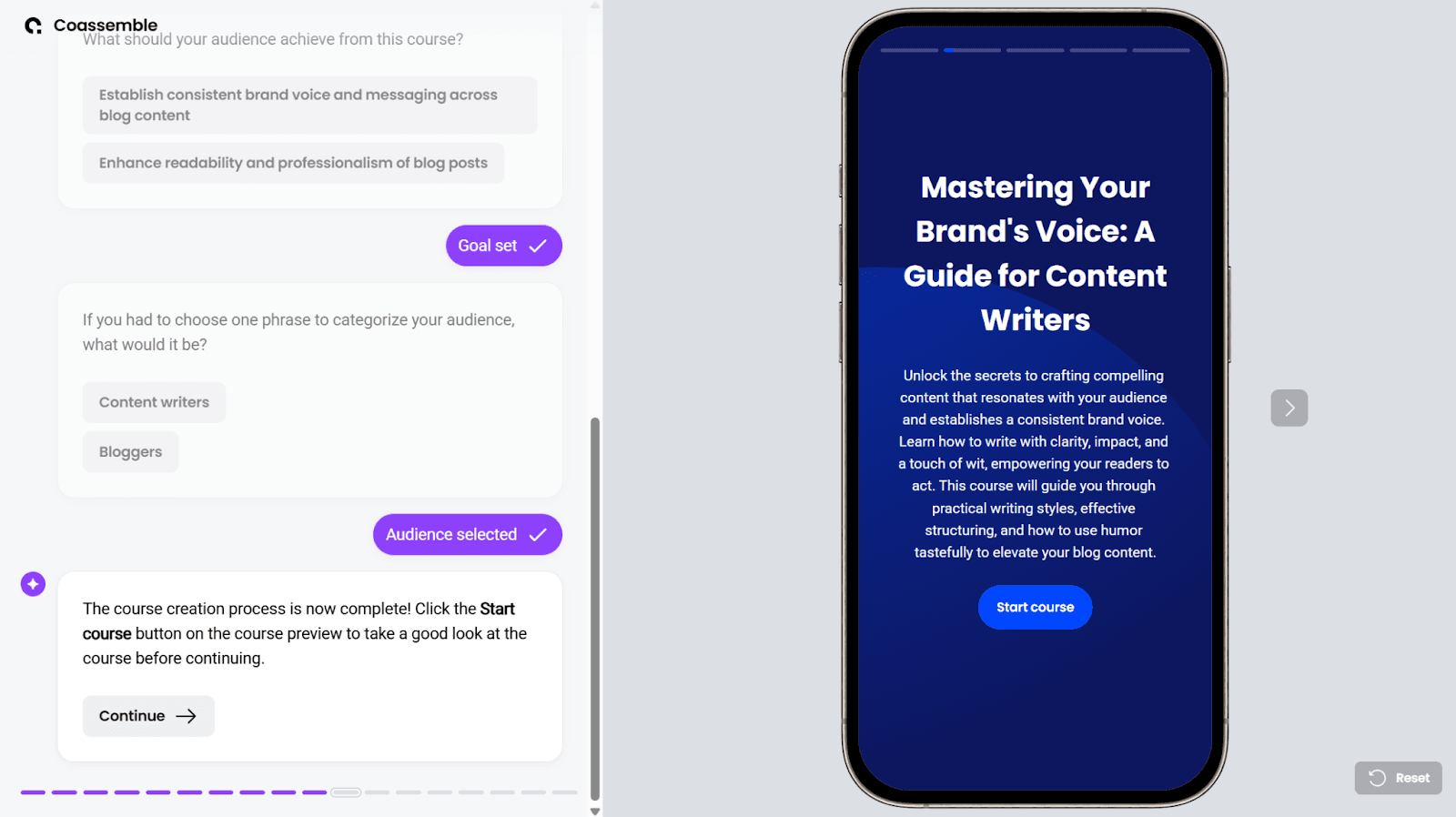
After your content uploads, Coassemble asks a few short questions about your course goals and audience. These selections guide how the AI structures lessons, frames learning objectives, and adapts tone.
- Review the AI-generated course draft
Coassemble's AI then assembles your content into a full course draft. Within moments, you can click through lessons, review the structure, and check how the material flows. When you're satisfied, continue to the next step.
- Choose how to share your course
Once your course is ready, Coassemble makes it easy to deliver it where your team already works: Slack.
Rather than sending learners to a separate platform, you can share your course directly inside Slack as a link. It lands in the channels your team already checks, which means higher completion rates and less chasing people down.
Slack isn't just a distribution channel here. It becomes a structured training hub. You can push course updates as they happen, share role-specific training to relevant channels, and keep knowledge moving inside the tools your team uses every day.
If your team is already using Slack to share updates and documents, this is the natural next step for making that knowledge stick. Learn how to turn Slack into a learning hub.
- Save your course
To keep the course and make it available to learners, you'll need a Coassemble workspace. You can request a free sandbox to build and test a real course on the full platform at no cost, with a quick check to confirm it's a fit. This unlocks editing, personalization, and ongoing updates.
Learners can open the course directly, without extra logins or setup. You also get a simple dashboard showing completions and quiz results, giving you early insight into how the training is landing. More detailed learner tracking is available on paid plans.
At this point, your ChatGPT draft is no longer just text. It's a usable course: structured, interactive, and ready to share.
You can also view a sample course generated using Coassemble here: Sales Rep Onboarding: Foundations for Success

Pros and cons of using ChatGPT as an AI course generator
ChatGPT has become a popular starting point for creating online courses. It's a powerful free AI assistant for planning and drafting, but there's a clear line between generating content and creating training.
Where ChatGPT works well
ChatGPT works best early. It removes the blank-page problem: you get a course idea, outline, and lesson draft in minutes. You can upload documents, search the web for context, and rewrite sections without friction. For planning and writing, it's genuinely fast.
Where it falls short
The limits show up after the writing is done. Content stays as static text: no quizzes, no interactions, no way to publish or track completion. Drafts live in chat history or docs, not in deployed training. And on the free tier, rate limits and interruptions can slow you down at the worst moments.
ChatGPT helps you generate course content. Creating and delivering training requires structure, interaction, and a place for learning to live.
Wrapping up
Writing a complete course isn't the same as delivering one. Left on its own, ChatGPT leaves knowledge sitting still in chat history, in docs, in half-finished drafts. No structure for learners. No interaction. No way to see what's landing.
ChatGPT helps you organize what you know. Coassemble helps you move it straight into the tools your team already uses, starting with Slack.
Your team already has the knowledge. Now it has a way to share it: clearly, quickly, and where work actually happens.
FAQs about AI course creator ChatGPT free
How can I create a course with AI for free?
You can use ChatGPT's free tier to generate a course idea, outline, and lesson content. To turn that draft into an interactive course, request a free Coassemble sandbox to structure, share, and deliver it on the full platform at no cost.
How do I create an online course using ChatGPT?
Start by asking ChatGPT to generate a course outline and lesson content. Save the draft, then use a course creator to turn that text into structured lessons with quizzes and interactive elements.
Is there a truly free AI course creator?
Yes. ChatGPT is free for content generation. To build the interactive course itself, you can request a free Coassemble sandbox to create, share, and update courses on the full platform at no cost — a human just confirms it's a fit first. Paid plans start from $2,500/year (see pricing).
Keep reading
What is the best embeddable training software for SaaS platforms?
Embeddable training software puts course creation, delivery, and tracking inside your product instead of a separate portal. Here's what to look for, and how the top SaaS options compare in 2026.
What is a learning infrastructure, and how is it changing?
Learning infrastructure is the systems that create, deliver, and track training. Here's what it includes, how it differs from an LMS or a learning ecosystem, and how embedded learning and AI agents are changing the model.
What training software has the best API and developer documentation?
A robust API means little if the docs are unclear or support-gated. Six practical checks for evaluating a training platform's API and developer documentation before a sales call.