How do I embed interactive courses inside a web application?
iframe, JavaScript component, API-driven signed URLs, or SCORM? Here's how each approach to embedding a course inside your own web app trades off control, security, and effort.
Most teams building customer-facing software eventually need to train users on it. The usual options assume the course lives somewhere else: a separate portal, a second login, or a link that sends people out of the product they were just using.
For a technical team building inside their own authenticated app, that's not a real option. The course needs to live inside the application itself as a component you control.
This guide covers the real options for embedding a course and what separates a good embed from a bolted-on iframe.
What does it mean to embed interactive courses inside a web application?
It means rendering a course as a native component inside your own product. Learners never get sent to a separate hosted course link or LMS. The course lives where they already are, inside the app they're already using.
Why embed a course inside your own web application?
Embedding keeps learners inside your product, matches your brand instead of looking bolted on, and keeps data in-house. All three come down to control.
Keeps learners inside your product
An external LMS login is a drop-off point. Every redirect is a chance for a learner to lose their place or get distracted. It's also a chance for them to abandon the course before finishing. The pattern isn't unique to training.
Okta reports that 66% of users abandon a signup if registration feels too complex. Keeping the course inside your app removes that friction entirely.
Training feels native to your brand and workflow
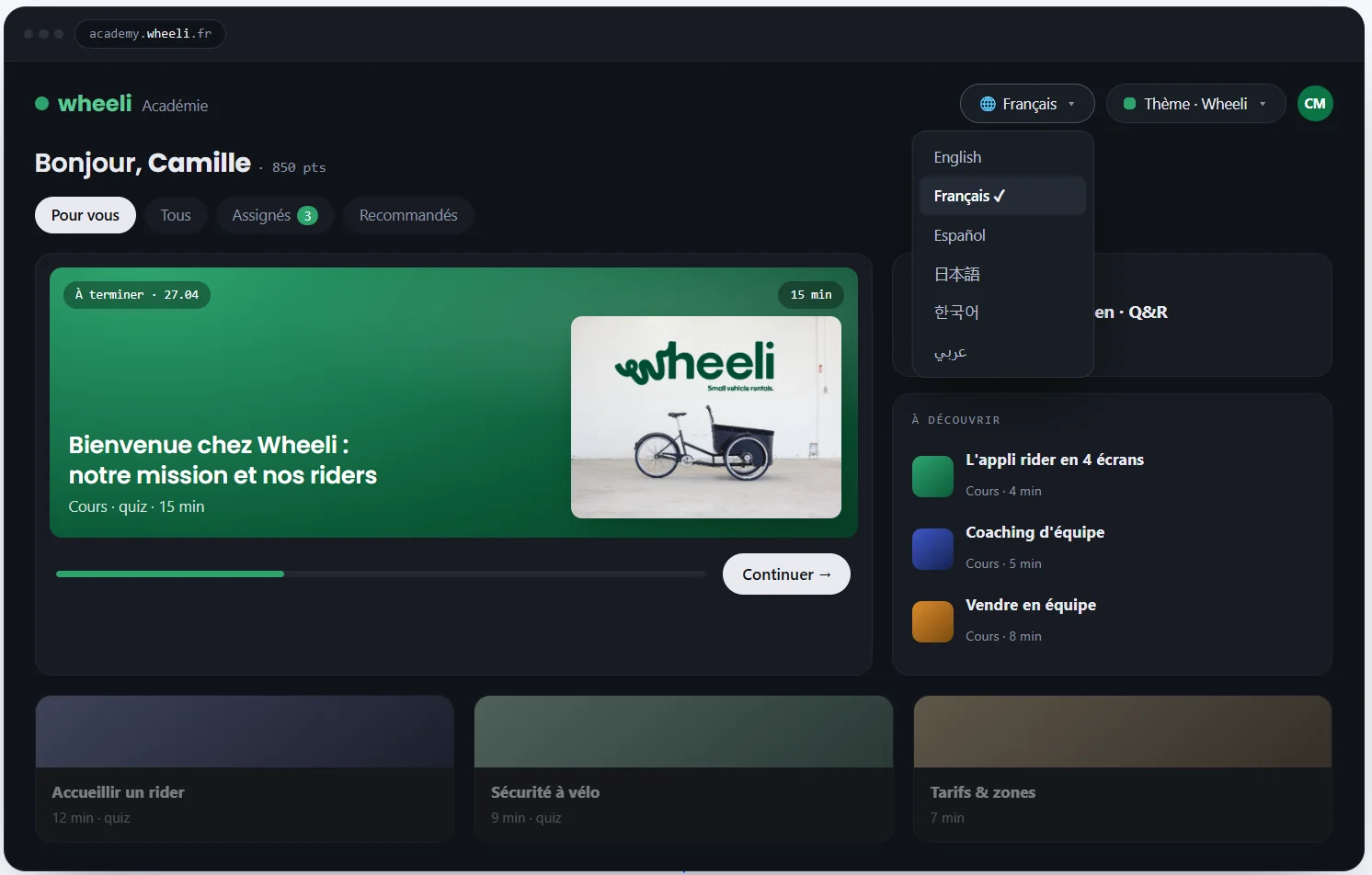
A course that looks like it belongs to someone else feels bolted on, not built in. When the course matches your product's look and sits inside your existing navigation, it reads differently. It becomes part of the experience instead of an add-on.
You control the data
Completions and progress data stay inside your own systems instead of living on a third-party platform. Reporting pulls straight from your own database. Compliance audits don't depend on exporting records from someone else's platform.
It also matters for teams that want to trigger workflows off that data. A completed onboarding course, for example, could automatically flag a new hire as ready for their first shift. No one has to check a separate dashboard manually.
What are your options for embedding a course in your app?
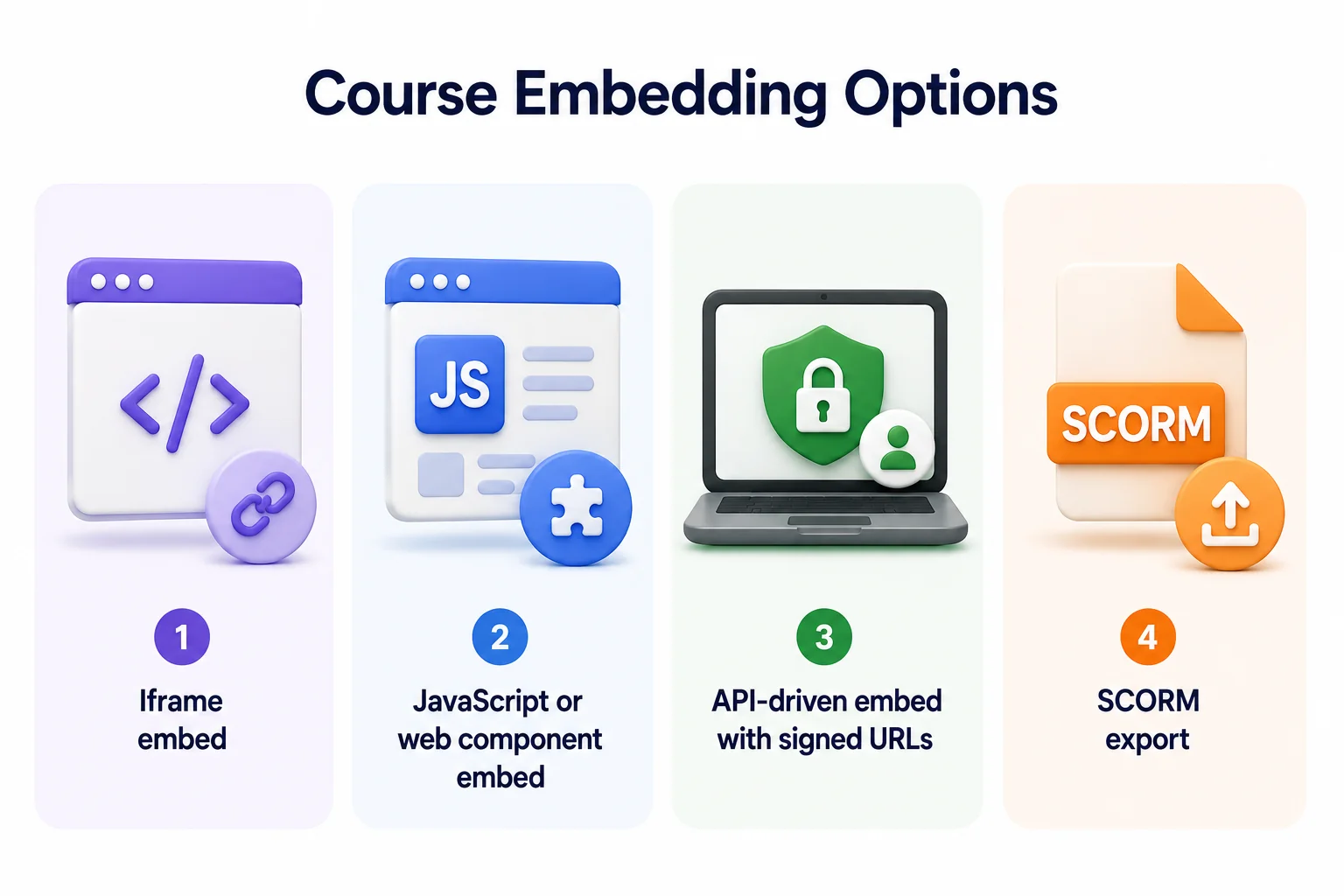
Four approaches cover most situations: iframe embeds, JavaScript components, API-driven embeds with signed URLs, and SCORM. Each trades off control, security, and effort differently.
iframe embed
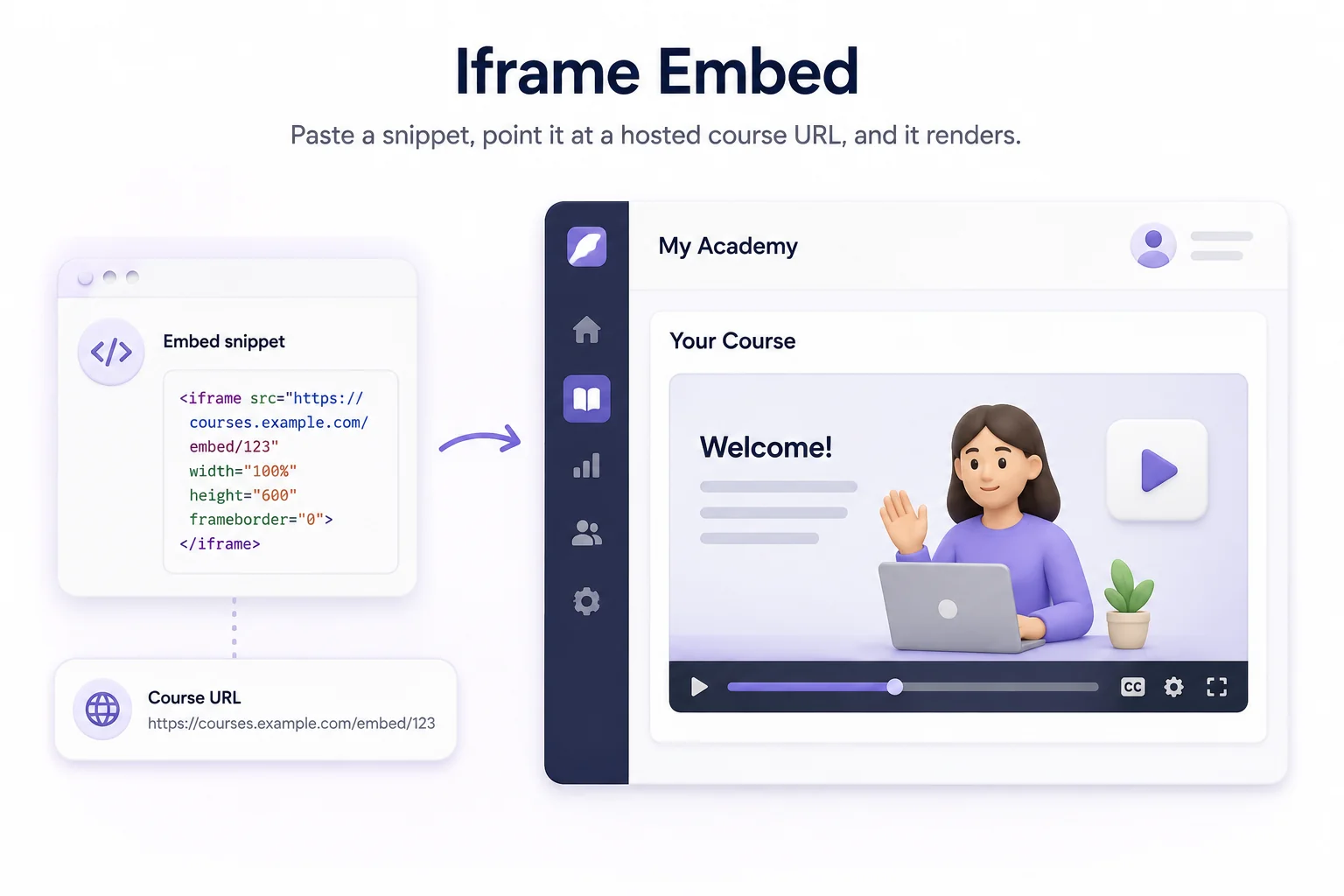
An iframe is the fastest way to get a course inside your app. You paste a snippet, point it at a hosted course URL, and it renders.
For developers:
- Fastest to implement, often just a single line of code
- No API integration or authentication logic required
- Limited control over theming and security
- Tracking data is only as good as what the host platform exposes
For users:
- Course appears quickly, with no setup delay
- Often looks and feels disconnected from the rest of the product
- May require a separate login if the host platform isn't authenticated against your app
JavaScript or web component embed
Some platforms offer a JavaScript component instead of a plain iframe. It renders inline using a tag or script, and can be themed to match your product.
For developers:
- More setup than an iframe, but still straightforward
- Can be themed to match your product's look
- Emits events your app can listen for
- Still limited by what the component's API exposes
For users:
- Looks and feels closer to a native part of the product
- Smoother than an iframe, though not fully seamless
- Login experience depends on how the component handles authentication
API-driven embed with signed URLs
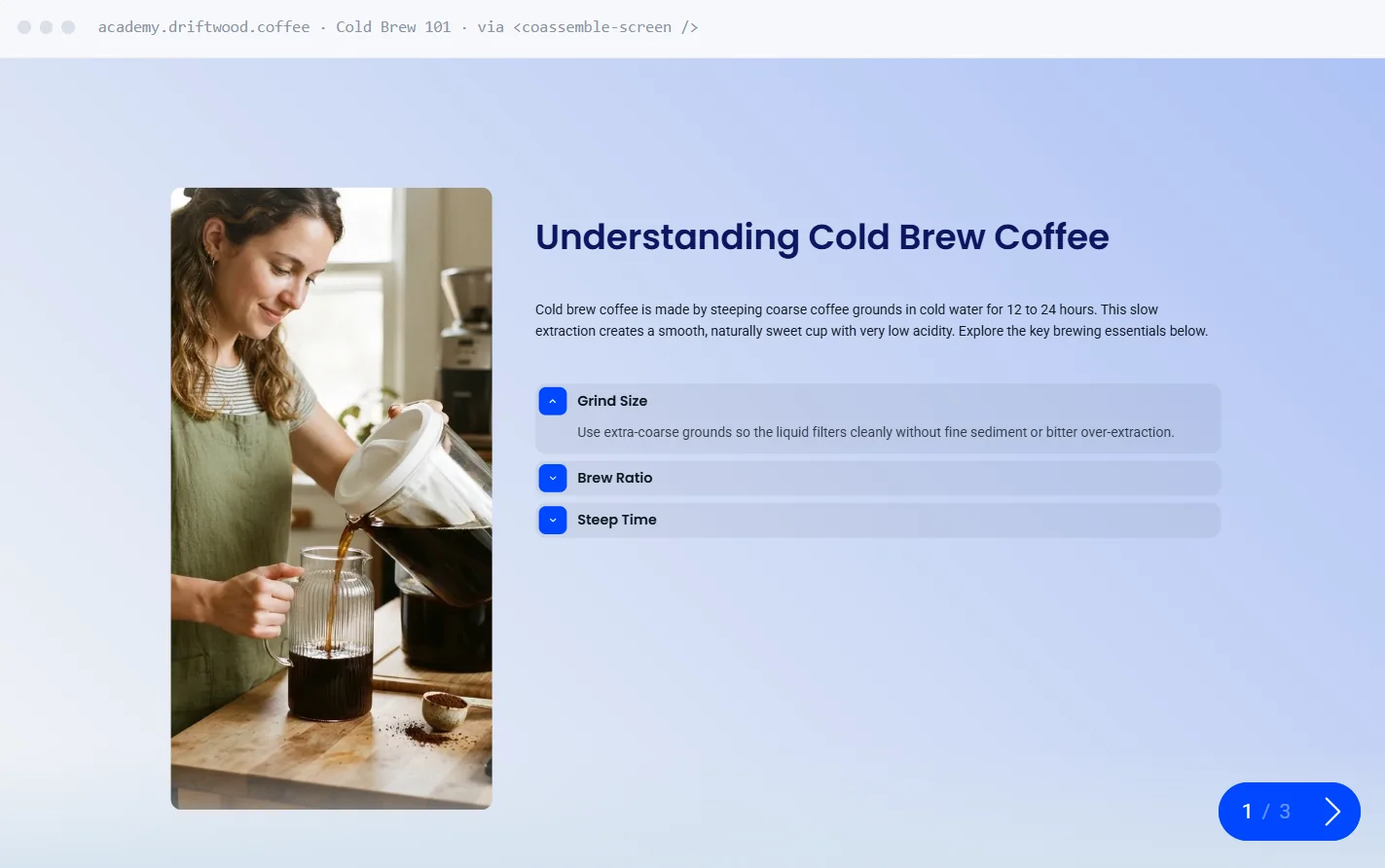
This is the most controlled approach. Your backend requests a signed, per-learner URL from an embed API, then renders it inside your app.
For developers:
- More setup work upfront, including backend integration
- Full control over branding, access, and security
- Per-user access control through signed URLs
- Progress and completion data streamed back through emitted events
For users:
- No separate login, no redirect
- Course behaves like any other part of the product
- Fully native experience, indistinguishable from the rest of the app
Coassemble's Course Player works this way. Your backend calls the embed API to mount a course for a specific learner. The player sends course events like start, progress, and complete back to your app.
SCORM export
SCORM solves a different problem than an API embed. It's built for importing a course into a third-party LMS you don't control.
For developers:
- A single API call returns a downloadable SCORM file, rather than a live embed
- Not built for embedding inside an app you own
- Limited to whatever the destination LMS supports
For users:
- Familiar experience, but only inside the destination LMS
- Not applicable if the course needs to live in your own product
This SCORM vs. API embed distinction trips people up, since SCORM often shows up in embedding search results. If you're building your own product and want the course to live inside it, SCORM isn't the tool. It's built for handing a course off to someone else's system.
What should you look for in an embeddable course player?
Four things separate a good embed from a bolted-on iframe: branding, secure access, tracking, and reach beyond the player itself.
Branding and theming control
A course embed should look native to your product, not like an external iframe dropped on top. If learners can tell they've left your interface, the embed isn't doing its job.
Look for theming that goes beyond a logo swap. Colors, fonts, and layout should match your product's design system, not the vendor's default template. If you serve multiple customers or workspaces, each one should be able to look different.
Secure, per-learner access
A signed URL tied to a specific learner identifier is a different security posture than a public, unauthenticated iframe link. Anyone with a public link can view the content behind it.
Signed URLs solve this by expiring and scoping access to one learner. Your backend has to request them, which keeps gated content gated.
Progress and completion tracking
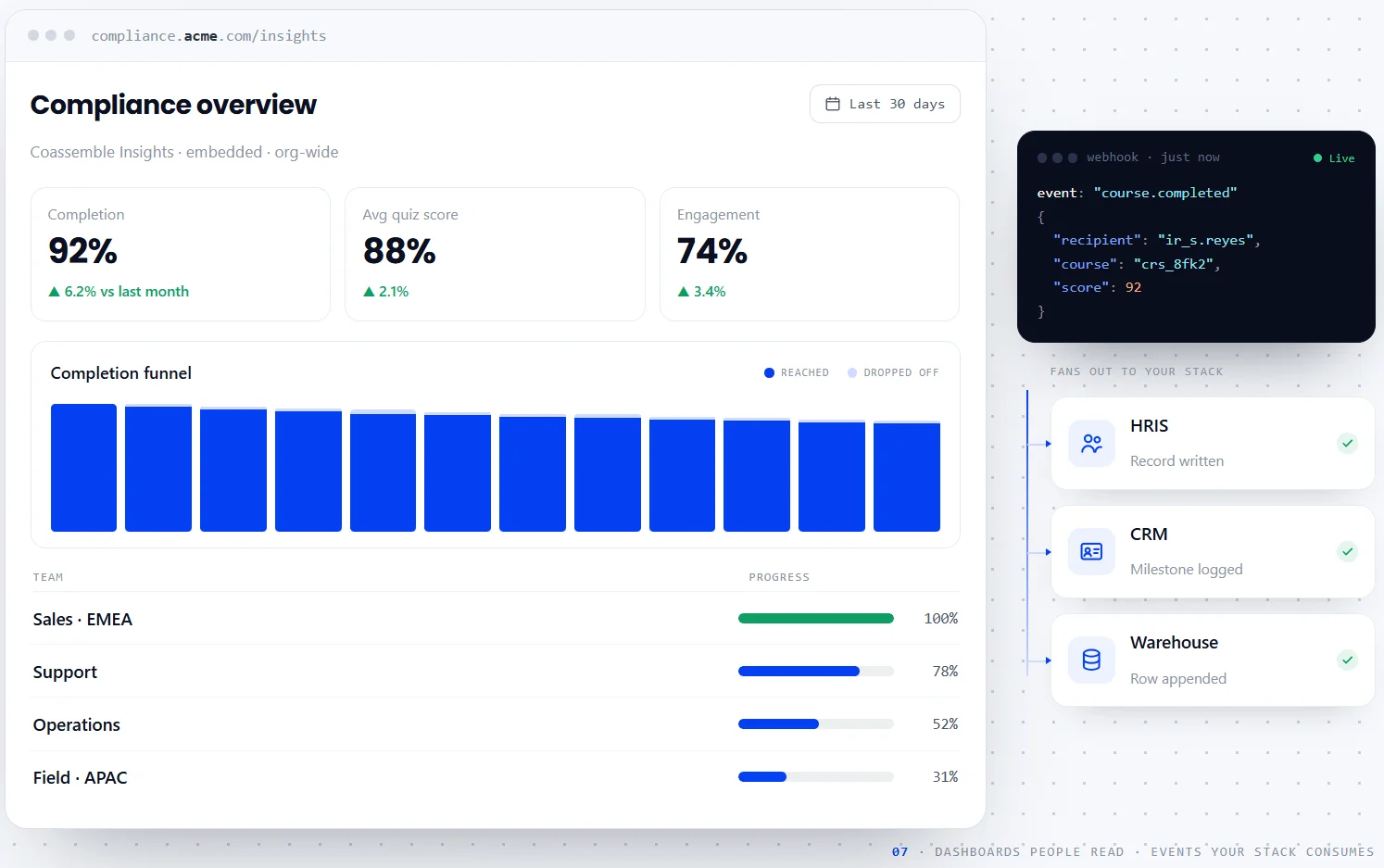
An embed that plays a course but reports nothing back is a dead end for reporting. You want the embed to push data into your own systems, not lock it inside a vendor dashboard.
Look for real-time events or webhooks, not just a CSV export you have to request manually. The data should flow the moment a learner interacts with the course.
Beyond the player, the builder and analytics as embeddables too
The same embedding approach that works for the player extends further. Course creation tools and reporting dashboards can be embedded the same way.
That matters if you want authors building content inside your own product. It also matters for teams that want reporting inside their existing admin panel instead of a vendor's analytics page.
How do you get started embedding courses with Coassemble?
Getting started follows the same shape as any API integration: get access, generate a course, request an embed. Here's the conceptual path.
You start with a free sandbox, which gives full access to the API, builder, and embeddables without a credit card. From there, you generate an API key tied to your workspace.
With a course ready and a key in hand, your backend requests a signed embed URL for that learner. That URL goes into an iframe, and the course renders inside your app.
The sandbox mirrors production, so what you build there is what you ship.
For the full technical walkthrough, including request formats and authentication headers, see the developer docs.
Building where your learners already are
The course doesn't need its own portal. It can live inside the product you're already building.
Iframes, static links, and signed, per-learner embeds each behave differently once they're inside your app. The right choice depends on how much control you need and how much setup you're willing to take on.
If you're evaluating options, start with a sandbox. See what an embedded course actually feels like inside your own product.
FAQs: Embedding courses inside a web application
What's the difference between an iframe embed and an API-driven embed?
A plain iframe points to a static, often unauthenticated URL. An API-driven embed uses a signed URL generated per learner, giving you access control, branding, and progress data streamed back to your app.
Do I need SCORM if I'm embedding a course directly in my own application?
No. SCORM is for exporting a course into a third-party LMS. If the course lives inside your own app, an API-driven embed with signed URLs is the right approach, not SCORM.
Can I track learner progress when a course is embedded in my app?
Yes, if the embed supports it. Look for real-time events or webhooks that report progress and completion back to your own systems, rather than locking that data inside a vendor dashboard.
Is iframe embedding secure enough for a production application?
It depends on the URL behind it. A static, unauthenticated iframe link isn't secure for gated content. A signed, per-learner URL inside an iframe is a different, much more secure pattern.
Can I embed more than just the course player, like analytics or the course builder?
Yes. The same embedding approach that works for the player extends to other components too, including course creation tools and reporting dashboards, depending on what the platform offers.
Keep reading
How do I build a customer training academy inside my application?
Most guides tell you to stand up a separate LMS. Here's the other way: build the customer training academy inside the product your customers already use, through an API.
Best practices for building an in-app customer training academy
What separates an in-app academy that gets used from one that gets ignored? Start from content you already have, keep lessons short, match your brand, segment, and trigger training in context.
Should we build our own learning infrastructure or buy a headless solution?
Build if learning delivery is core to your product and you have sustained engineering capacity. Buy a headless solution if you need training live inside your product within weeks — and want your team focused on your actual product. Here's how to decide.