Best practices for building an in-app customer training academy
What separates an in-app academy that gets used from one that gets ignored? Start from content you already have, keep lessons short, match your brand, segment, and trigger training in context.
Your customer support team keeps answering the same five questions. Your onboarding emails go unread. Your help docs sit one tab away from where anyone actually needs them.
The fix isn't a better help center. It's training built into the product itself. 69% of customers already want to resolve issues on their own, according to Zendesk.
Here's what separates an in-app academy that gets used from one that gets ignored.
Start from content you already have, not a blank course
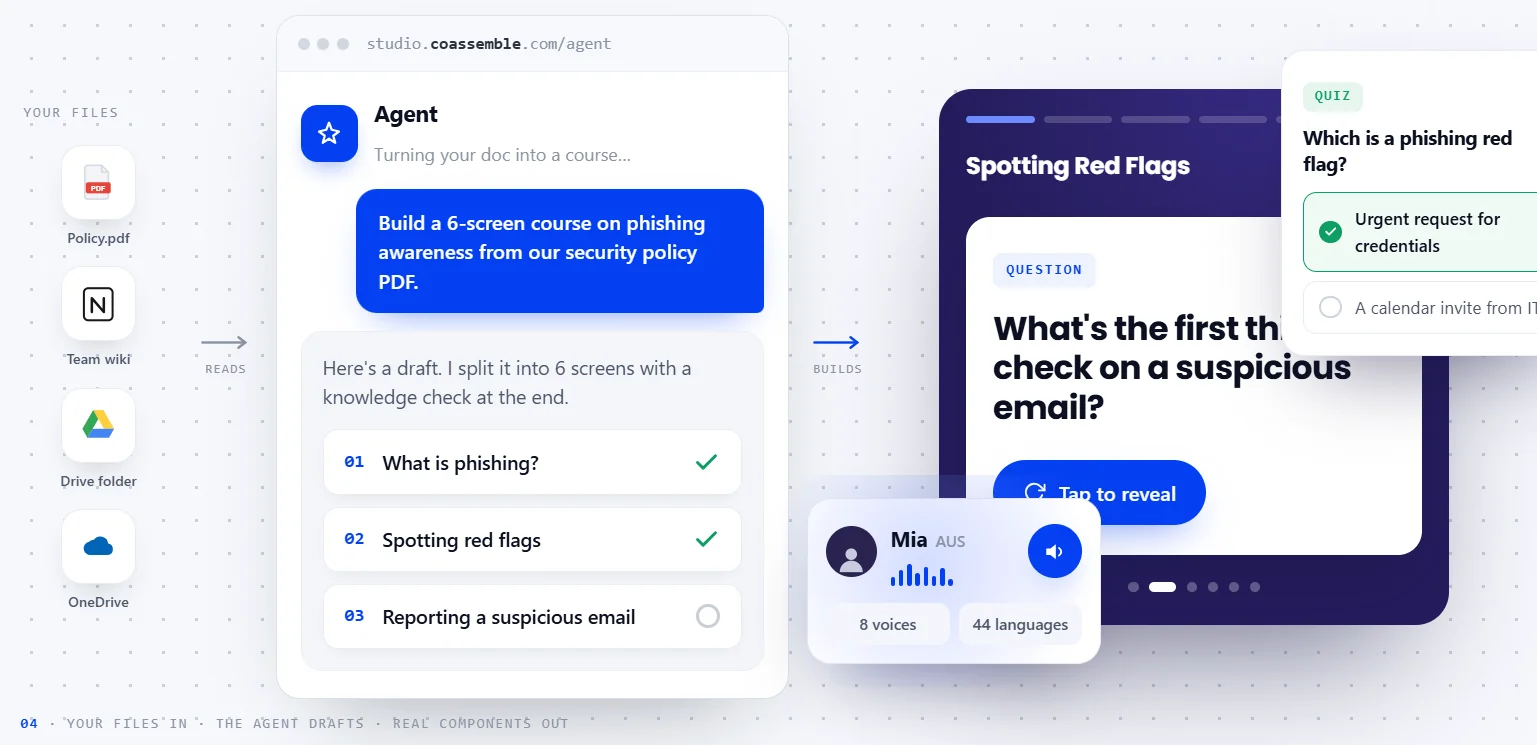
You already have the content: docs, support macros, product walkthroughs. Coassemble's create tools turn that material into a course automatically.
The AI Course Creator embeds that intake flow directly in your product. Users upload documents or describe a course, answer a few questions, and the agent builds it.
Run it headless with a single flag, and you get back a finished course ID with no builder UI involved. That's the difference between bolting on a separate authoring tool and making creation part of the product experience itself.
Keep lessons short
Short lessons match how people actually use in-app training: in between real work, not as a scheduled event. Microlearning courses see roughly 80% completion rates on average, compared to around 20% for long-form courses, per Continu.
Break a topic into its natural decision points instead of forcing it into one long module. "How to invite a teammate" is one lesson. "How to invite a teammate, manage roles, and set permissions" is three lessons pretending to be one.
This also makes lessons easier to trigger contextually later. A two-minute lesson on exporting data can fire the moment someone clicks export. A twelve-minute onboarding module can't.
Match your own branding, not a third-party academy look
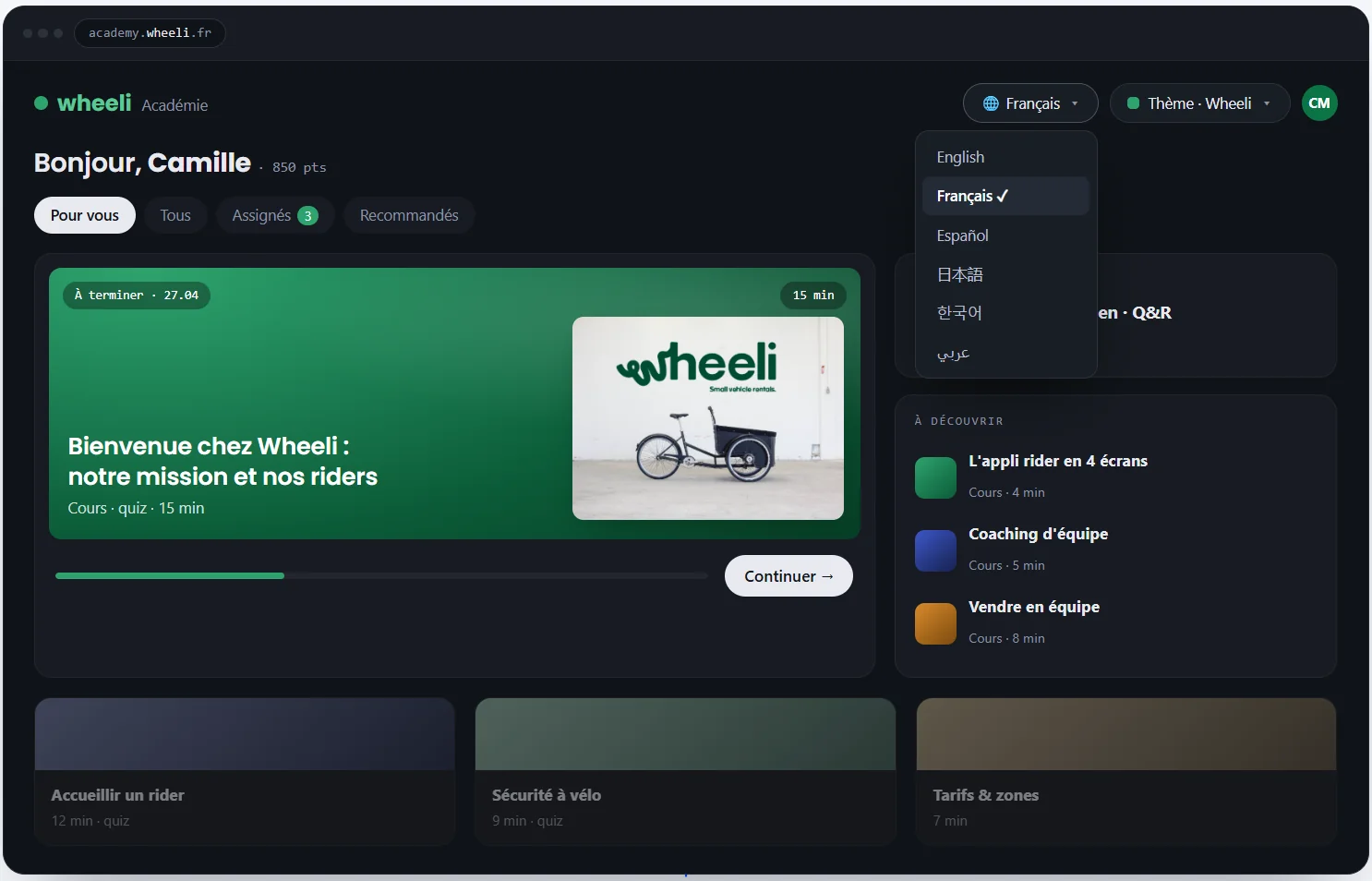
An academy that looks like a bolted-on tool tells customers it's an afterthought. One that looks like your product tells them it's part of what they paid for.
Coassemble's Brand tools automatically apply a per-tenant theme to the Course Player. Colors, logo, fonts, and voice update through the API. The same embeddable renders on-brand for each customer workspace, no rebuild required, and the Coassemble badge can be removed entirely.
This matters more for multi-tenant products than single-brand ones. If you're running one academy for one product, styling once is enough. If you're serving multiple customer workspaces, each one needs its own look applied programmatically, not maintained by hand.
Segment training by role, plan, or lifecycle stage
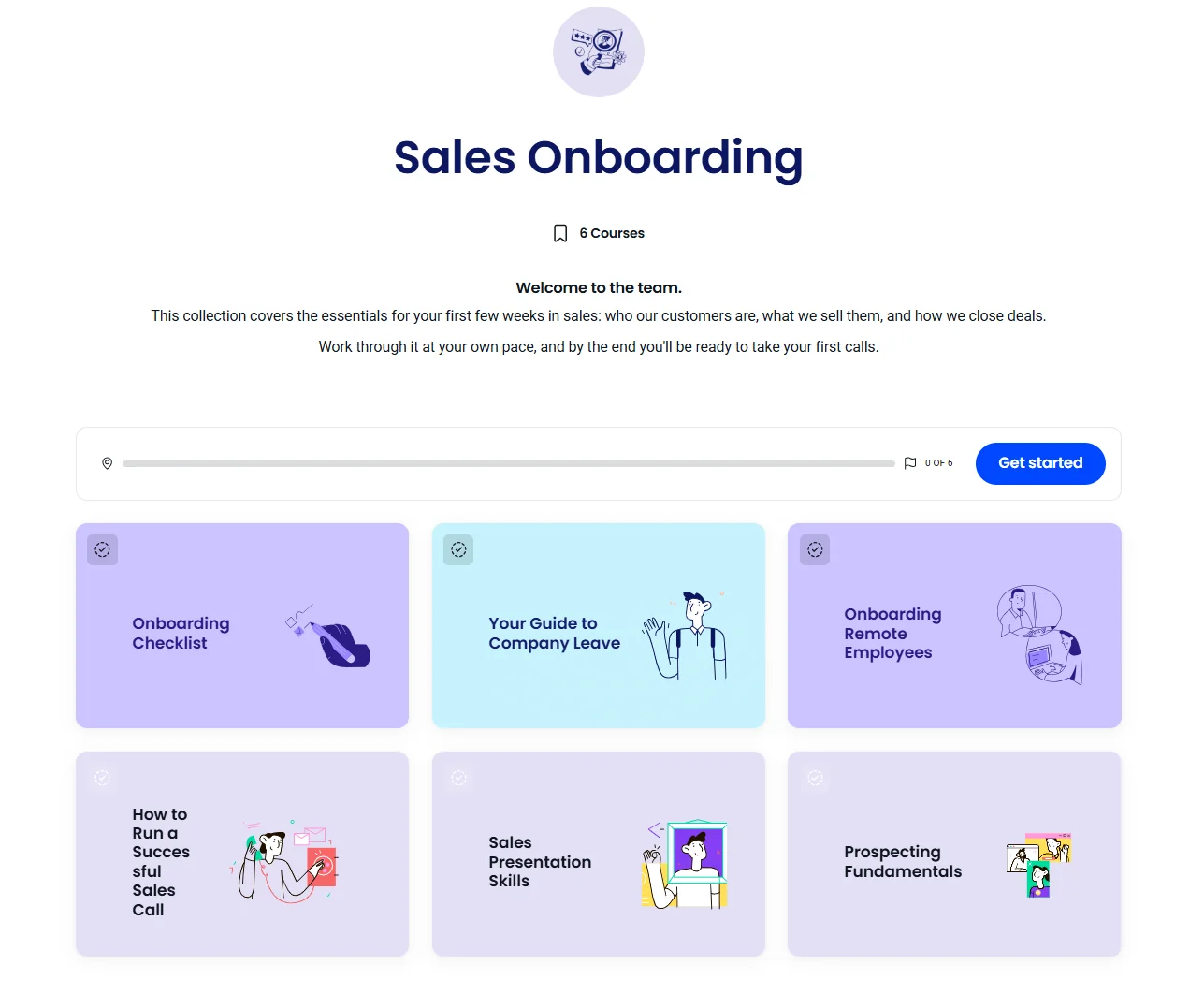
Not every user needs the same lesson. A new admin and a read-only viewer are learning different products, even inside the same app.
That's why building a separate learning path for each user type works better than one sequence for everyone. Gate advanced-feature training behind completion of the basics, or behind a plan tier.
Coassemble's Collection Player groups courses into one embeddable sequence. It's built for tiered training paths that move people from basics to advanced. A basic path might cover account setup and core navigation. An advanced path adds automation rules, API access, and custom reporting once the basics are done.
That distinction matters at scale. Ten segments means ten different orderings to maintain. A collection handles that ordering for you, per segment.
Trigger training contextually
The best lesson shows up exactly when someone needs it. Not a fixed sequence they have to sit through first.
Coassemble generates a fresh signed URL per user, per page load. Each request is scoped to a specific user at that moment. Your own backend decides which course to request based on their context.
Say a user opens the export screen for the first time. Your app could request the two-minute export lesson right then, instead of the onboarding sequence. That logic lives in your product, not in Coassemble.
This turns contextual triggering into ordinary product logic. Decide which course ID to request, and request it at the right moment.
Make it interactive
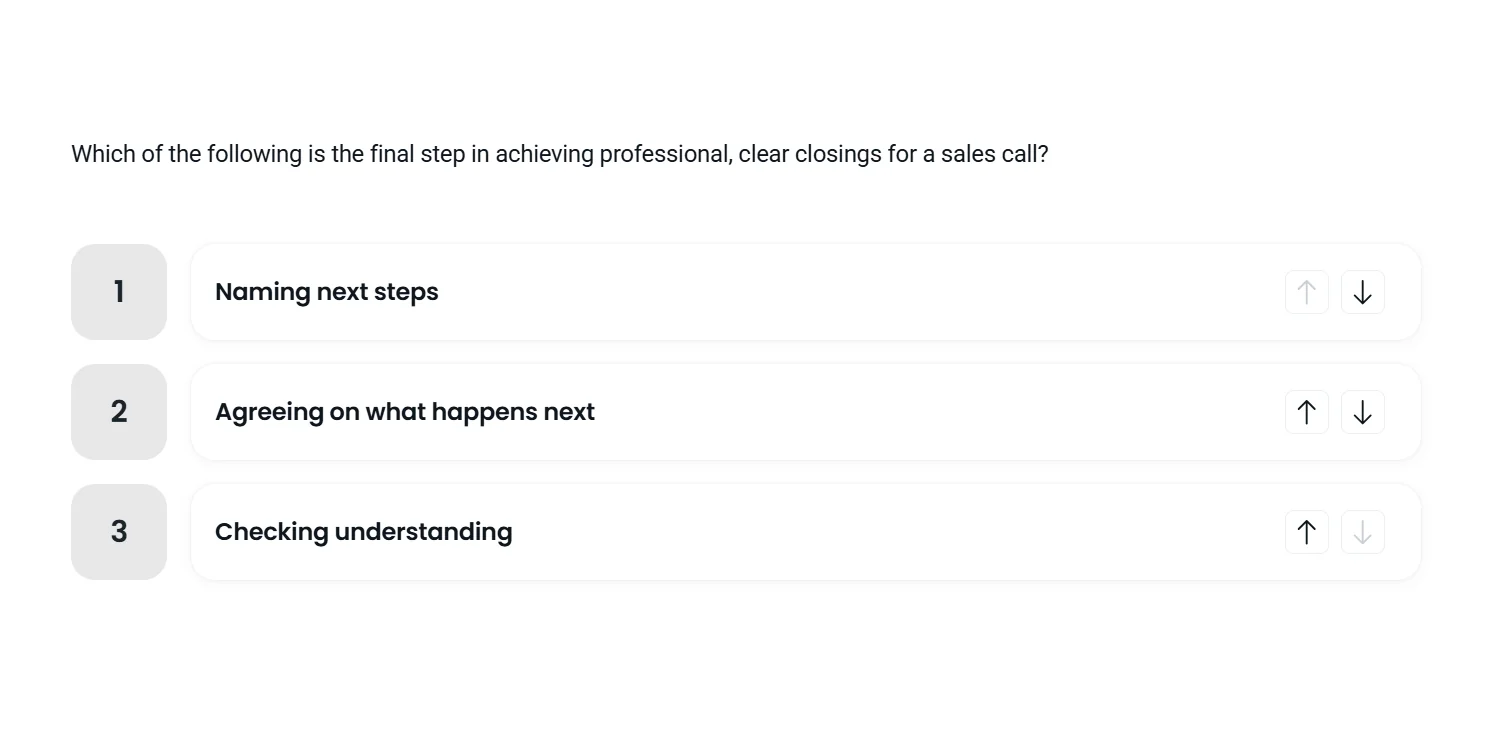
A course that's all reading is a course people skim, not finish.
Coassemble's Course Player supports knowledge checks anywhere in a course, not just at the end. Set a pass mark, allow retries, and show feedback that explains why a wrong answer was wrong.
Sequential navigation locks screens in order when a process must be followed step by step. Free navigation suits reference material instead. Both are set through the API, per course.
Coassemble's course builder also supports flashcards, hotspots, and process screens. Learners get something to do, not just something to read.
Keep the experience inside your product, no separate login
Every redirect to a separate portal is a chance for someone to close the tab and never come back.
The signed URL that powers the Course Player authenticates a specific user server-side. There's no second set of credentials or a separate account for the learner to create or remember.
Training that requires leaving your product to access it competes with everything else pulling someone's attention. Training that's already there doesn't.
Track progress and success
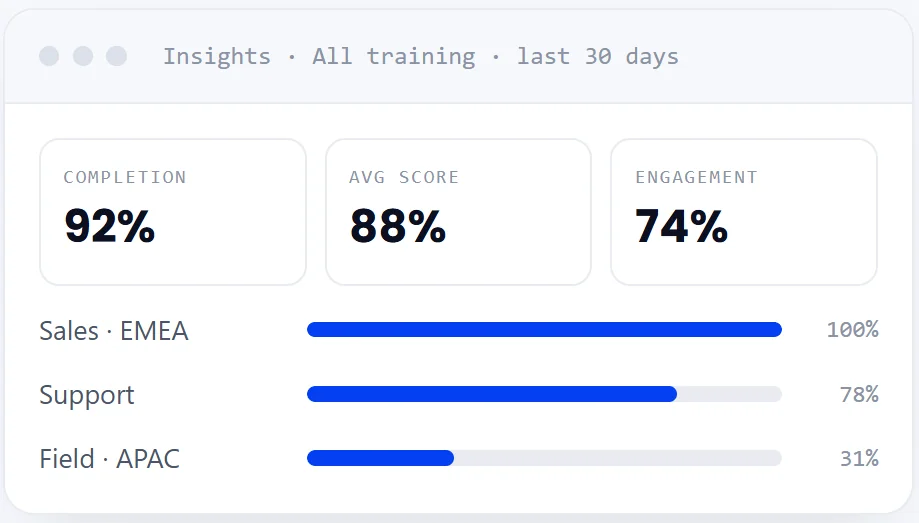
A completed course tells you almost nothing on its own. A progression funnel tells you exactly where people stopped paying attention.
Coassemble's Course Analytics embeddable surfaces completion rate and a screen-by-screen progression funnel for a specific course. A sharp drop at one screen, especially right before a quiz, is the lesson to fix first.
Acting on that data works. Teachery found students dropping off at three long lessons in one of its own courses. Splitting them into six shorter ones raised completion from 34% to 59%.
Every attempt, score, and completion also fires as a webhook, typically in under 200 milliseconds. It writes back to your own CRM, support tool, or data warehouse. No polling or export jobs.
Collecting feedback works best right after the lesson while the experience is still fresh. A prompt at the finish screen catches more honest input than a survey sent a week later.
Best practices are mechanics, not features
None of these practices require a separate platform. Each one requires wiring a few embeddable components into moments your product already has.
Start with content you already have, keep lessons short, and make it look like it belongs. Segment by role, trigger contextually, and track what actually happens after someone finishes. Each piece stacks on the last.
The training that gets used isn't the one with the most features. It's the one nobody has to leave your product to find.
If you want to see how the pieces fit together, request a free sandbox and wire up your first embed.
FAQs: Best practices for building an in-app customer training academy
What's the difference between an in-app customer academy and a standalone customer LMS?
An in-app academy embeds directly into your product via API, with no separate login or portal. A standalone LMS requires customers to leave your product and visit another platform to access training.
When should a SaaS company build a customer academy instead of just in-app tooltips?
Tooltips handle quick, contextual nudges. An academy makes sense once you need structured lessons, quizzes, or completion tracking, not just pointing at a button.
What metrics should you track for an in-app training academy?
Completion rate, screen-by-screen drop-off, quiz scores, and feature adoption after training. Enrollment alone doesn't tell you whether the training worked.
How do you avoid generic, one-size-fits-all training in an in-app academy?
Segment by role, plan tier, or lifecycle stage using collections. Trigger lessons contextually based on what the user is doing, not a fixed sequence everyone sees.
Keep reading
How do I build a customer training academy inside my application?
Most guides tell you to stand up a separate LMS. Here's the other way: build the customer training academy inside the product your customers already use, through an API.
How do I embed interactive courses inside a web application?
iframe, JavaScript component, API-driven signed URLs, or SCORM? Here's how each approach to embedding a course inside your own web app trades off control, security, and effort.
Should we build our own learning infrastructure or buy a headless solution?
Build if learning delivery is core to your product and you have sustained engineering capacity. Buy a headless solution if you need training live inside your product within weeks — and want your team focused on your actual product. Here's how to decide.