How to integrate an AI course builder into your learning platform
Every product team hits the same wall: users need training, but the tools live somewhere else entirely. The fix isn't another standalone portal — it's a course-building engine that lives inside your product, callable through an API. Here's what a headless AI course builder is, how to integrate one step by step, and how to evaluate a platform before you commit.
Every product team hits the same wall. Users need training, but the tools live somewhere else entirely.
A learner clicks Help or Get Started. They get redirected out of your product, into a separate portal with a different login. According to Asana, the average employee already juggles 10 different apps a day. One more login is one more reason adoption stalls.
The fix isn't another standalone tool. It's a course-building system that lives inside your product from the start, callable through an API. Here's what that looks like, and how to build it.
What is a headless AI course builder?
A headless AI course builder is a course-creation engine with no fixed front end. Instead of a standalone interface, it exposes its features through an API.
That API lets any platform call the engine directly. A team can trigger course generation, manage content, and pull learner data without leaving their own product.
The word headless describes the architecture, not the intelligence. The AI does the generation work — turning source material into structured lessons, quizzes, and assessments. The platform calling the API decides how that content looks and where it lives.
Headless vs embedded learning
That distinction matters once you start deciding what to build. A headless system is the API and the logic behind it; it has no interface of its own. Embedded learning is what gets built on top of that API: training that appears inside your product, under your brand, with no separate login.
For a product owner:
- Headless is what you integrate against
- Embedded is what you ship to your users
(This guide on headless authoring vs embedded learning goes deeper on the distinction.)
Embedded learning
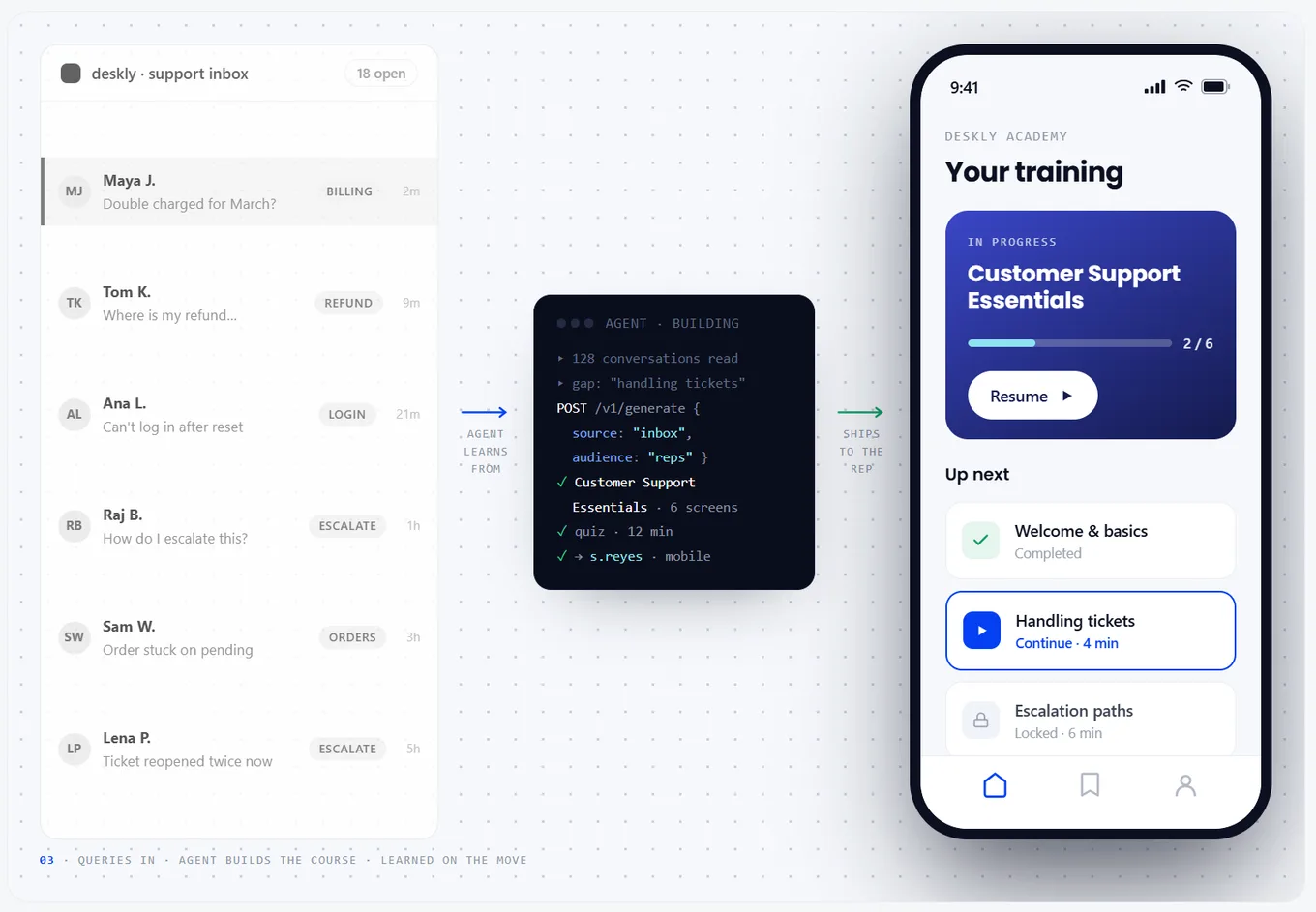
Coassemble Embed is one way this plays out in practice. Its course-creation engine sits behind an API, and product teams build the embedded experience on top of it:
- A course player, rendering training inside your product
- A course builder for creating and editing content
- Analytics for tracking completions and progress
Theming runs per tenant, so each customer sees their own brand rather than a shared, generic interface. Completions and progress report back through webhooks, so the same data can render inside your own product instead of a separate tool.
Coassemble's platform covers more ground than course creation alone, but that's the focus here: how a product owner brings course building into what they already ship. For the technical detail behind any of this, the developer docs cover the API and embeddable components directly.
Why platforms need embedded, workflow-integrated learning
Every redirect is a step in the wrong direction. Each time a learner leaves your product to build training elsewhere, you lose them. User expectations have shifted, too: people expect to create and share content where they already are, not in a separate tool bolted on the side.
It drives retention. A new login is a new place to lose someone. According to Okta, 66% of people abandon sign-up due to complex registration, and 83% abandon it over a difficult login. Training that lives inside your product skips that step entirely.
It accelerates time to market. Teams that build against a stable API can work in parallel instead of waiting on custom integration work. According to the MACH Alliance, 91% of IT decision-makers say composable technology is instrumental to their success.
It keeps you on brand. A white-labeled experience looks and feels like your own product, not a third-party tool. Every course, quiz, and completion screen carries your name, not a vendor's.
It changes the cost conversation. Usage-based pricing means you pay for what ships, not for chairs — a real counter to legacy per-seat licensing. It matters to a budget conversation, not just an engineering one.
Learning becomes part of the workflow instead of a separate destination. That shift is what the rest of this article is about: how to actually build it.
How to integrate an AI course builder into your learning platform
Connect your platform to a course-building API, authenticate it, then wire up the features you need. Here's how that breaks down.
Step 1: Define your integration requirements
Start with your users' actual needs. Are they educators building quick lessons, or enterprise teams rolling out compliance training? That answer shapes your scope. Work through a few questions early:
- How much customization does your use case require?
- What level of branding control matters most?
- Which workflows should stay native to your product?
- Will you need to export finished courses to a third-party LMS your organization already uses?
Early discovery like this helps a product team avoid overbuilding. It also surfaces whether you're starting fresh or migrating content someone else already built.
Step 2: Choose your integration method
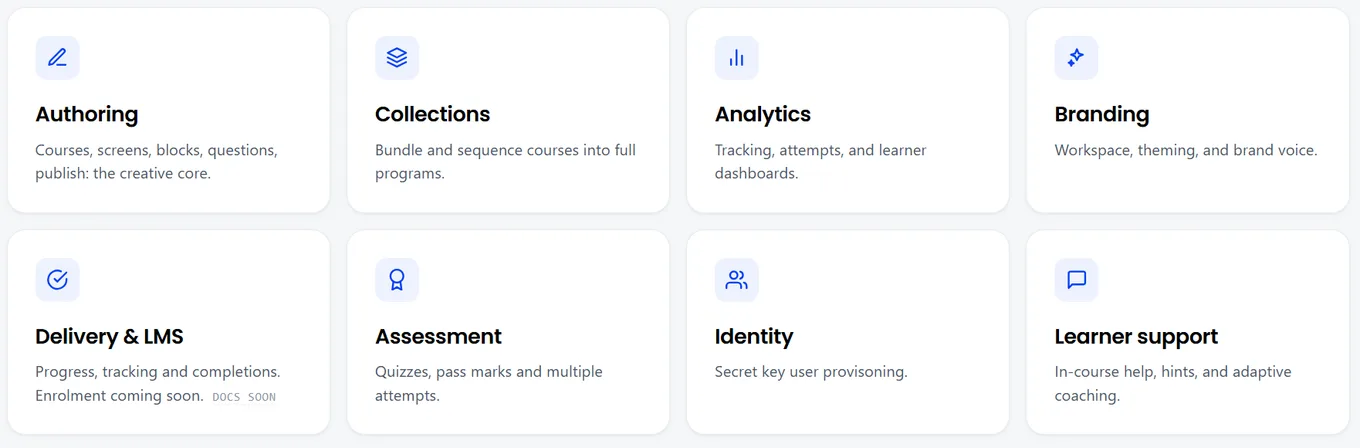
Your approach depends on timeline and technical lift. Some teams start small — embedding a single component, like the course player, to test usability first. Others build a fuller integration from day one, with SCORM export, learner analytics, and multi-account support included.
Not every feature comes bundled the same way. Authoring, analytics, advanced features, and SCORM export each require their own entitlement on top of base API access, so confirm what your plan includes before you scope the build.
Step 3: Set up authentication and security
Security isn't optional when learner data is involved. Coassemble's own setup makes this concrete: the workspace API key stays on your server and never touches the browser, and every learner gets a signed URL generated fresh per session, not cached or reused across users.
Look for these baseline standards in any provider:
- API keys stored server-side only
- Signed URLs scoped per person, per session
- SOC 2 certification, with dedicated or self-hosted options for stricter requirements
Step 4: Implement core course-creation features
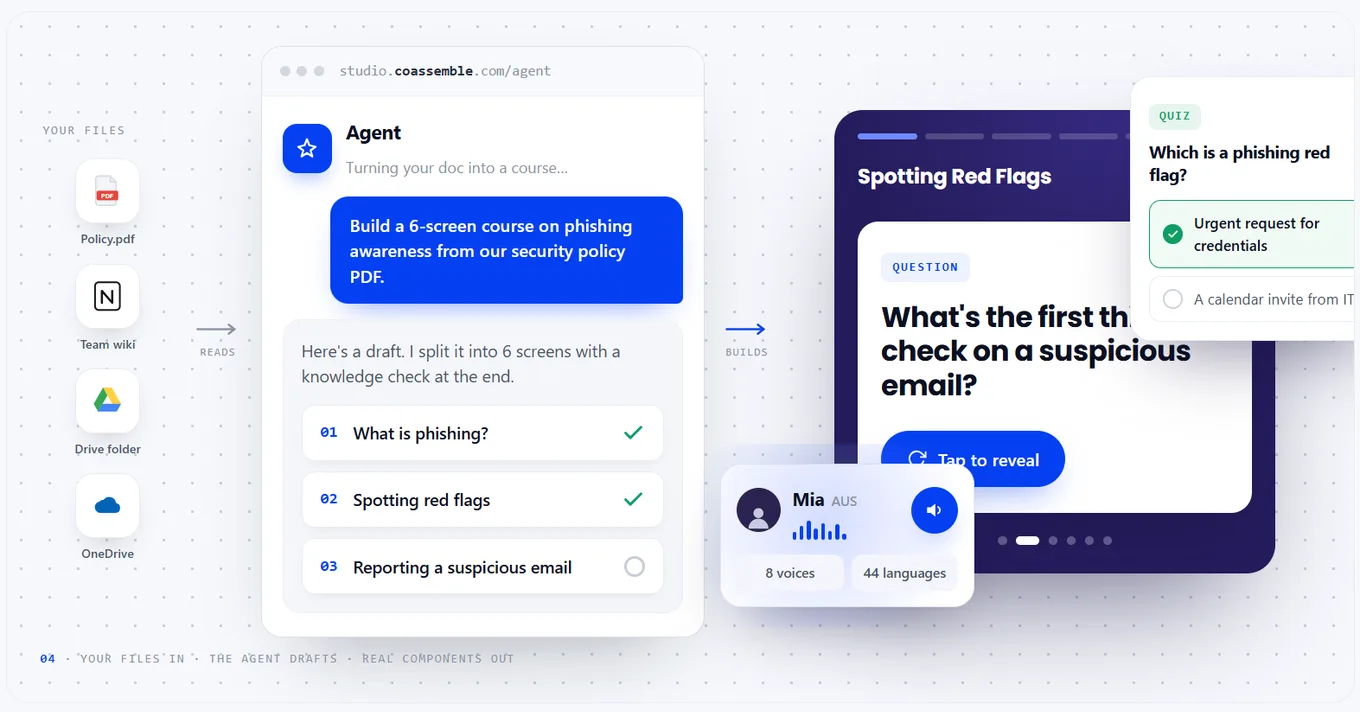
Once authentication is set, connect your platform's interface to the API endpoints. A few of the features that typically matter most:
- The course player, rendering finished training inside your product
- Course creation and editing directly in your product
- Turning existing PDFs, slides, or guides into a course automatically
- AI-powered generation for faster authoring from source material
- SCORM export, so a course built here can still reach a third-party LMS if needed
- Tracking for compliance and reporting
Coassemble's trust center documents these controls in detail. Learner data stays in your own systems while the course-building engine works in the background. Launch what matters most first, then expand as your platform grows.
Choosing the right platform for integration
Every step so far assumed you already picked a provider. Before that, there's a decision to make. When evaluating a course-building platform for embedded deployment, weigh what matters for a build-versus-buy call:
- API-first architecture. A genuinely headless, API-first platform hands your team full control of the front end and handles the heavy lifting behind the scenes.
- Modularity. Look for a platform where the course player, builder, and analytics ship as separate components, so you can adopt one piece now and add more later.
- White-label capabilities. Every course should look and feel like your brand, not a bolted-on third-party tool.
- Developer experience. Strong documentation and real API access shorten the path from proof of concept to production.
- Scalability. As your user base grows, the platform should support more accounts, more data, and higher concurrency without a rebuild.
- Commercial flexibility. Usage-based pricing lets you validate, prove value, and scale without getting locked into per-seat costs.
For the wider landscape of options in this category, see the best LMS alternatives for product teams.
Questions to ask vendors
- Can we validate the integration quickly, with real API access from day one?
- Is the documentation good enough that our own engineers can self-serve?
- Can we fully white-label the experience so it looks like our product?
- Does the platform meet enterprise standards like SOC 2 and data residency?
- Can we scale from a small pilot to production without re-architecting?
- Is pricing usage-based, or will it punish us for growing?
A platform that answers yes to all of these gives a product team what it needs: something fast to validate, easy to scale, and ready for enterprise review.
Wrapping up
Every piece of this, from the API to the security review, points to the same shift. Learning stops being a separate destination and becomes part of the product you already ship.
Building this yourself means development cycles, infrastructure costs, and ongoing maintenance that pull your team away from the product itself. Coassemble gives you the API, the components, and the infrastructure to skip that build.
From first scope to a real integration, the path stays the same. Start with a sandbox, connect it to what you already run, and put it in front of real users before you commit to anything.
Request a sandbox to see it running against your own stack.
FAQs: integrating an AI course builder into your learning platform
What learning API can I use to embed courses in my product?
Look for an API-first course-building platform with signed embeddable components, like a course player and builder. Coassemble offers this through a REST API, with webhooks for tracking completions back to your own systems.
What are the best API-first or developer-friendly platforms for building learning into an application?
Look for strong documentation, modular embeddable components, and usage-based pricing. Coassemble is one option built specifically for embedding course creation and delivery into an existing product.
How do I add training to a product?
Connect your product's interface to a course-building API. Start with one embeddable component, like a course player, then expand into full course creation as your needs grow.
Keep reading
How do I build a customer training academy inside my application?
Most guides tell you to stand up a separate LMS. Here's the other way: build the customer training academy inside the product your customers already use, through an API.
How do I embed interactive courses inside a web application?
iframe, JavaScript component, API-driven signed URLs, or SCORM? Here's how each approach to embedding a course inside your own web app trades off control, security, and effort.
Best practices for building an in-app customer training academy
What separates an in-app academy that gets used from one that gets ignored? Start from content you already have, keep lessons short, match your brand, segment, and trigger training in context.