Curating knowledge
AI voice changers for eLearning content creation
Voice narration supports accessibility and learner engagement, especially for global audiences. But only when narration stays connected to the course itself.

Ryan Macpherson
Jan 22, 2026

Editor:
Stephanie Chan
AI voice narration often becomes the slowest part of building training.
Studies show that learners retain around 25-30% more information when eLearning includes voice narration instead of text alone. Audio helps training land. But producing it is where many teams get stuck.
Most training teams already have the knowledge.
It lives in documents, slide decks, and process notes that explain how work actually gets done. The friction starts when that written content needs to become training that’s actually used, tracked, and kept up to date.
Voice narration is part of that shift. It supports accessibility and learner engagement, especially for global audiences. But only when narration stays connected to the course itself.
When voiceovers and narration need to be generated or recorded externally, updates slow down.
A small content change requires re-recording. Audio and text drift out of sync. Courses become harder to maintain, and knowledge slows down again.
This guide looks at how AI voice fits into course creation when the goal isn't better audio alone, but faster, clearer training that stays in motion.
What are AI voice changers for eLearning?
AI voice changers modify how a voice sounds, usually in real time. In eLearning, they’re sometimes confused with voice generation tools, but they serve a different purpose.
Voice changers alter an existing voice. They don’t create narration from written content.
That’s where the distinction matters.
Let’s explore the differences more clearly.
Voice changers vs. voice generators
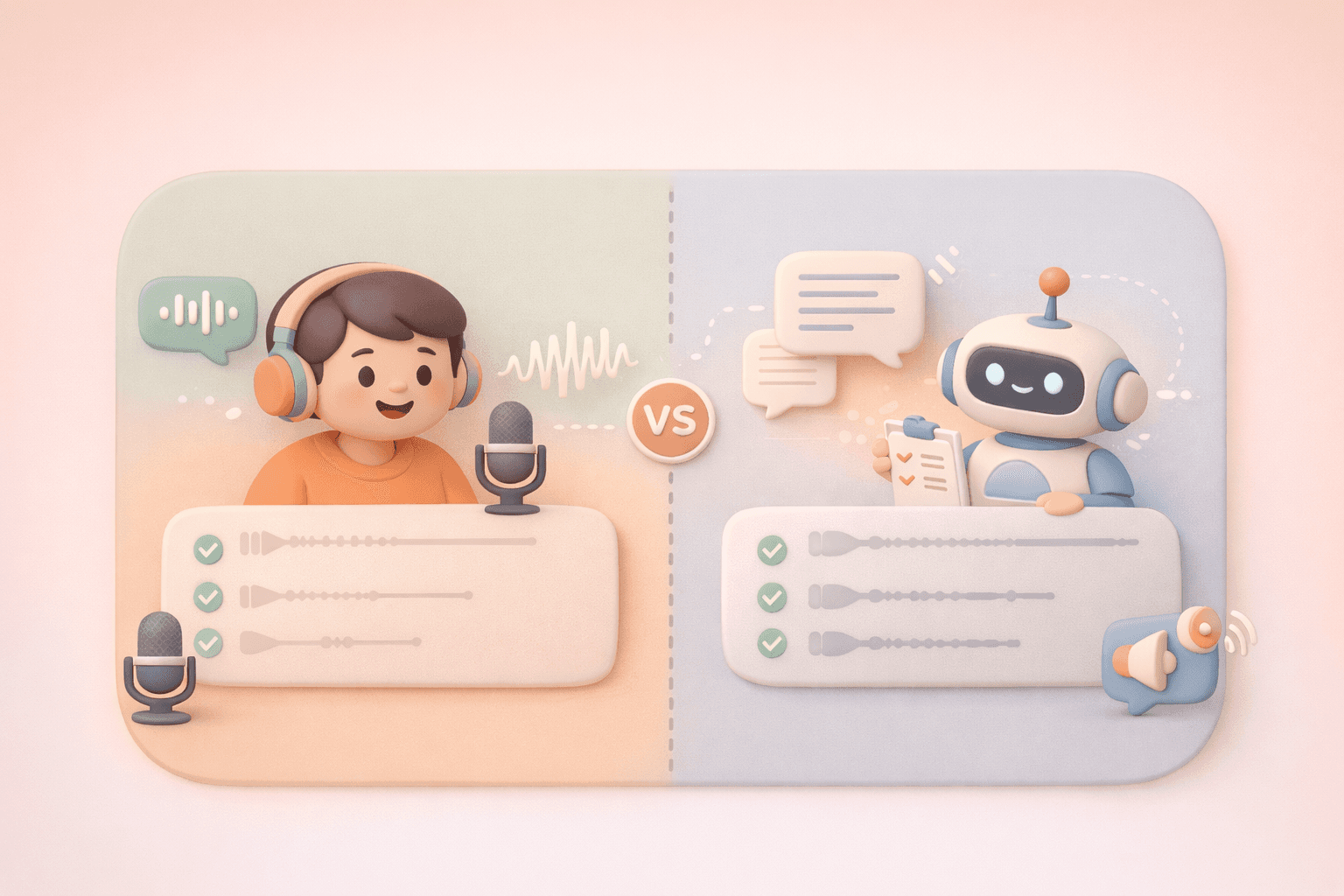
These terms are often used interchangeably, but they solve different problems.
Voice changers
Modify a voice in real time
Alter tone, pitch, or style while someone is speaking
Used in live settings, not course creation
Voice generators
Create human speech from written text
Use AI voiceover technology and machine learning
Designed for eLearning content and online courses
For most training teams, voice generators are the practical choice. Training starts as text, and narration needs to move with the content as it changes.
Types of AI voice tools
Not all AI voice tools serve the same purpose. In eLearning, they’re used in very different ways depending on whether the goal is live voice modification or course narration.
Text-to-speech (TTS) generators
Text-to-speech tools turn written text into spoken audio. For course creation, the practical question isn't which TTS engine sounds best. It's whether voice stays connected to your content.
Some platforms treat TTS as a separate export step. You write content in one place, generate audio somewhere else, then try to keep them aligned as things change.
Others build narration directly into course creation.
With Coassemble, narration isn’t treated as an afterthought or a separate export. You build and refine your course first, then generate voiceovers once the content is ready. Narration lives inside the course, alongside interactivity, branding, and tracking, and can be regenerated whenever updates are published.
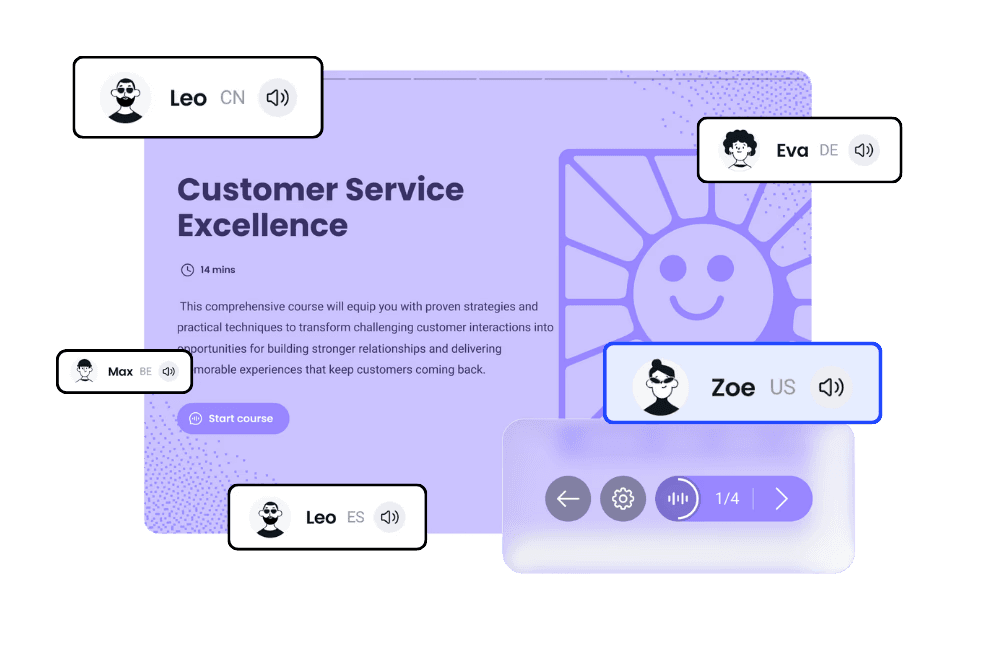
When to use this:
Turning existing documents into interactive training and need a voice to move with the content as your team's knowledge evolves.
Real-time voice changers
Real-time voice changers modify a voice while someone is speaking. They’re used during live audio, not after content is written.
A common example is Voicemod. It’s often used in live streams, webinars, or demos to change pitch, tone, or character in real time. Someone speaks into a microphone, and the software alters the sound instantly.
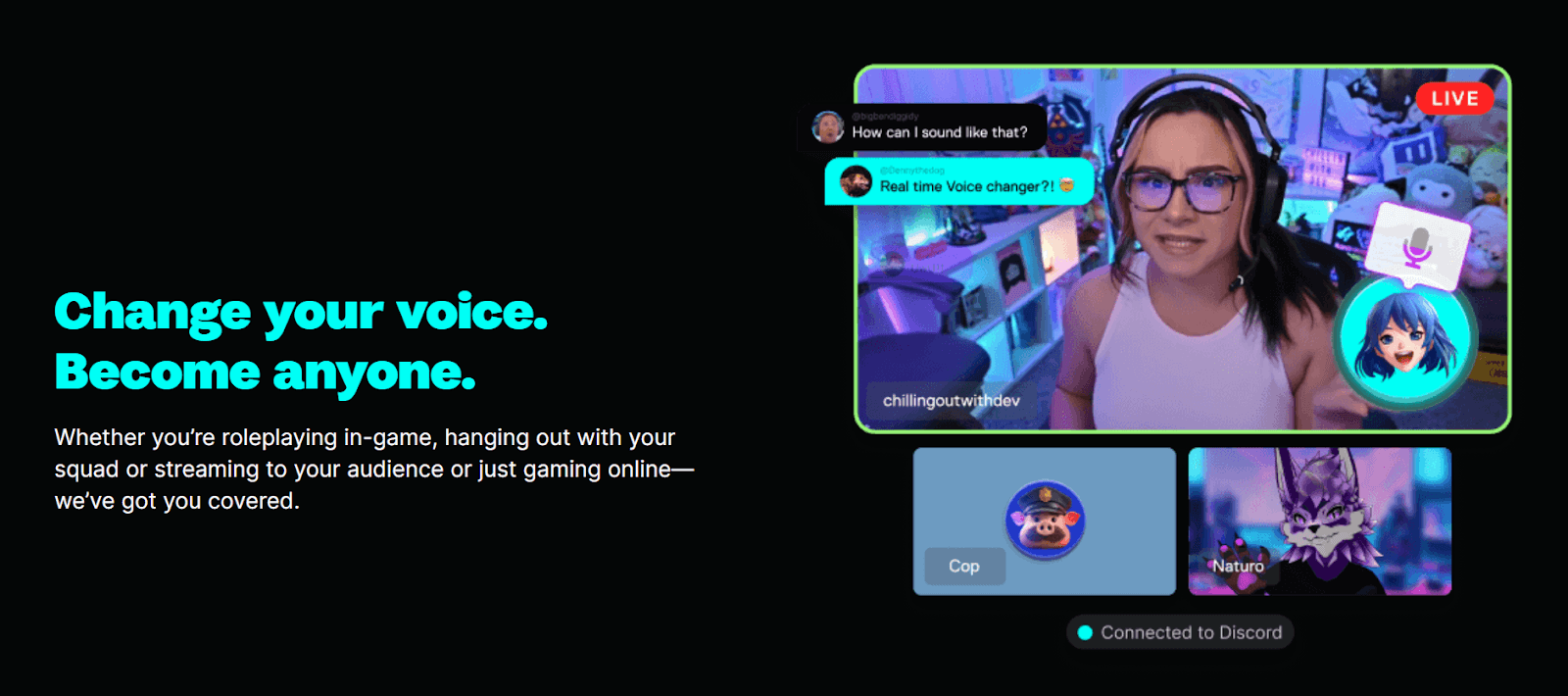
These tools work well when the goal is live delivery or anonymity. They don’t create narration from written text, and they don’t produce reusable voice-overs for training materials.
When to use this:
Live sessions, demos, or streamed content where the voice needs to change on the fly. Not for building or maintaining eLearning content.
Voice cloning
Voice cloning creates a synthetic version of your own voice, often trained from recorded samples. Tools like HeyGen are commonly used for this.
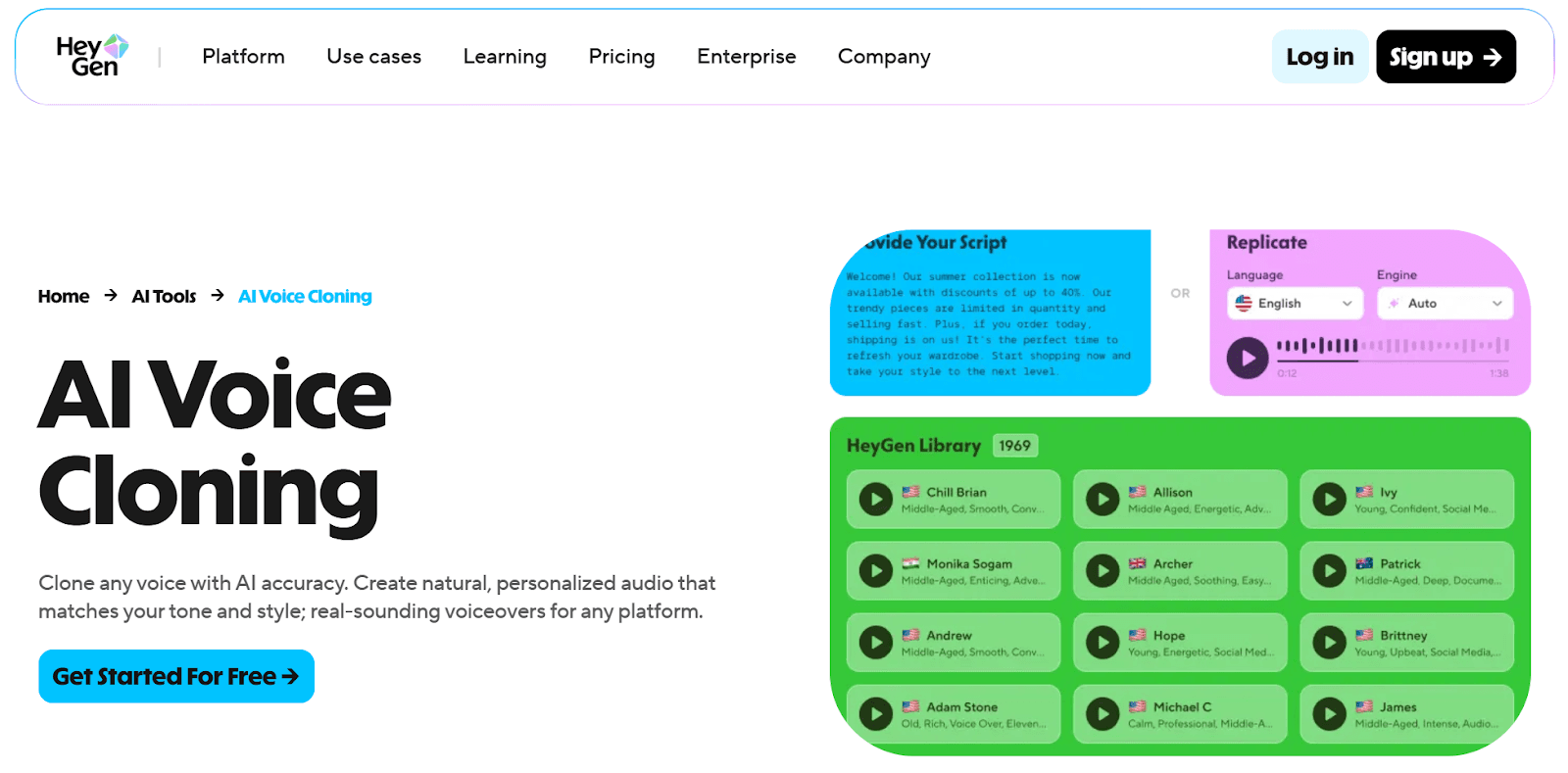
They’re often chosen when teams want:
A recognizable voice across videos
Localization using the same voice in multiple languages
Brand-specific voice styles
Voice cloning can work for polished video content, but it adds setup, governance, and review steps. For fast-moving training, that overhead matters.
When to use this:
High-production training videos where voice identity is critical.
How to use text-to-speech with Coassemble’s Narration
Before you add narration, you need a course. Not a script. Not a slide deck. An actual course that people can take, complete, and track.
That transformation from document to structured training matters more than the voice itself. Coassemble handles that in minutes.
You can learn how to create your course here: How to create an online course for free
Once your course exists, adding narration becomes a straightforward, in-context step. Voice stays tied to the content. When the course updates, narration updates with it.
Here’s how it works.
Step 1: Sign in and access your course dashboard
Log in to Coassemble to see all your courses in your dashboard.
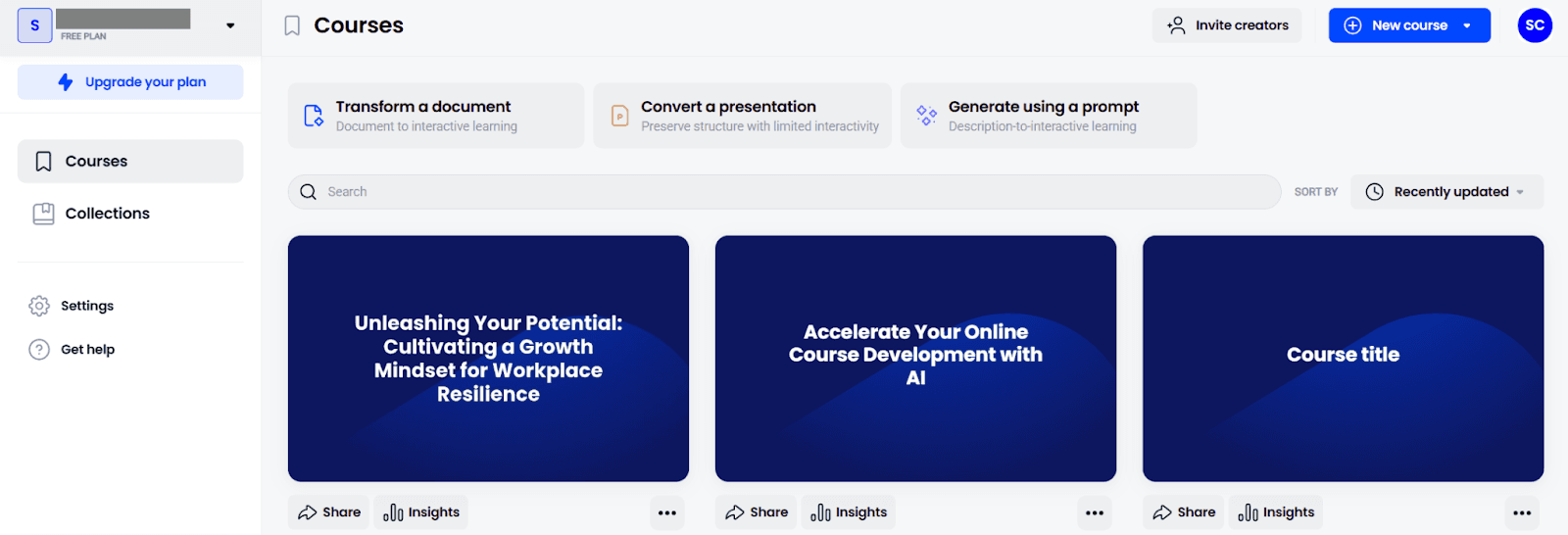
Step 2: Select the course you want to add narration to
Choose the course where you want to add eLearning voice-overs.
Step 3: Open course settings
Click the gear icon in the upper-right corner of the course editor.

Step 4: Go to Narration
From the left-hand panel, select Narration.
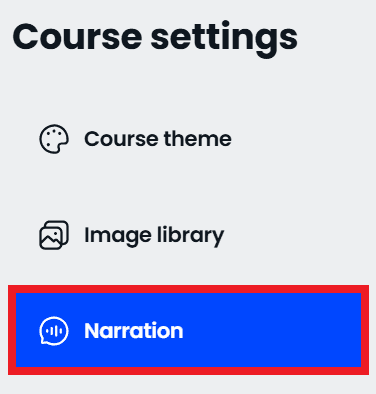
Step 5: Enable narration
Toggle Use Narration on.

Optional settings you can enable here:
Autoplay narration
Narration plays automatically on each screen and moves through interactive elements.Require learners to listen before advancing
Learners must hear the full narration before moving to the next screen.
Step 6: Select your language
Choose the language that matches your training content. This supports courses built for global and diverse audiences.
Step 7: Choose your voice
Pick the voice that fits your training tone:
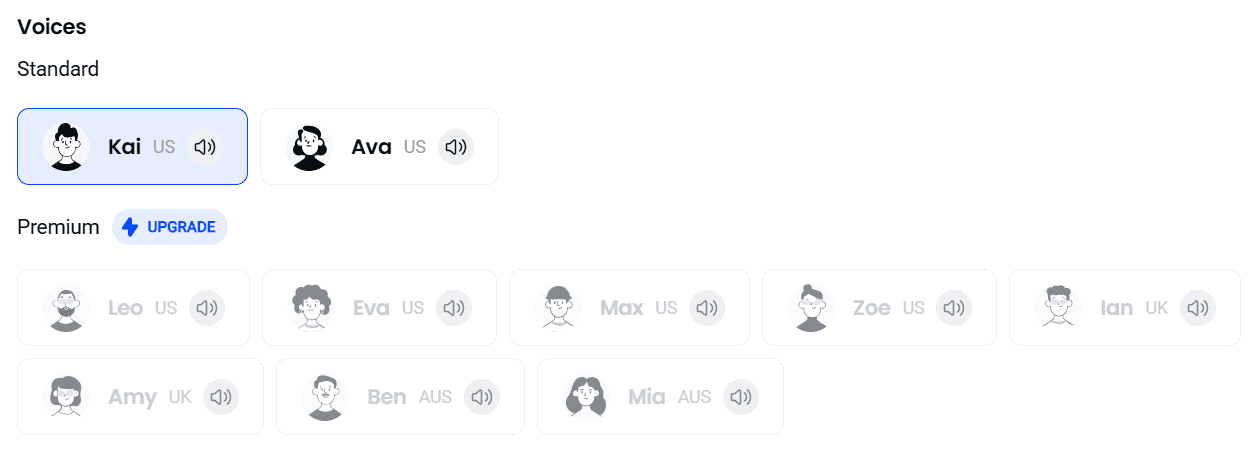
Standard voices: US-based AI-generated voices available on free plans.
Premium voices: Available on paid plans, with additional accents like UK and Australian options.
Once selected, Coassemble generates AI voiceovers directly from your written text. If the content changes later, the narration updates with it.
Wrapping up
Narration isn't the starting point. It's one layer of turning written knowledge into training people can actually use.
When voice lives outside your course creation workflow, things slow down. Scripts drift from content. Audio files go out of sync. Updates require coordination across tools. Training falls behind the work it's meant to support.
The real question isn't which voice generator sounds most natural. It's which platform lets you turn documents into complete, trackable, updatable training without managing five separate tools.
Coassemble keeps voice in motion with the course. Create training from your existing documents. Add narration that stays connected. Update both in minutes. Share it wherever your team already learns.
Your team already knows how to do the work. Coassemble just helps everyone else hear it.
FAQs about AI voice changers for eLearning content creation
What is the best AI voice generator for eLearning?
The best option is one that fits into your course creation workflow. For most teams, a text-to-speech tool built into a course creation platform works better than a standalone voice generator.
How do I integrate text-to-speech software for eLearning?
The simplest approach is using a platform where text-to-speech is built in. That way, voiceovers stay connected to your training materials as content changes.
Can AI voice changers completely replace human voice actors?
AI voiceovers work well for most training content. Human voice actors still make sense for high-production brand videos or marketing-led content.
What audio file formats do AI voice generators support?
Most tools generate standard audio files like MP3 or WAV. When narration is built into a course, you don’t need to manage audio files separately.
How much does an AI voice generator cost for training content?
Costs vary. Some platforms offer a free version with standard voices, while paid plans unlock premium voices, accents, and multiple languages.
Do I need technical expertise to add AI voiceovers to my training?
No. Modern tools are designed for course creators, not audio engineers. If you can edit text, you can create voiceovers.
Read More


Join the knowledge revolution today
Unlock knowledge. Boost engagement. Drive results
No credit card required

Join the knowledge revolution today
Unlock knowledge. Boost engagement. Drive results
No credit card required
Join the knowledge revolution today
Unlock knowledge. Boost engagement. Drive results
No credit card required