eLearning content development made simple
Struggling with slow course creation? Learn how AI makes eLearning content development faster, simpler, and easier to maintain.
Most teams already have the knowledge they need for training. It’s just buried in decks, PDFs, and Loom recordings.
Learners retain 25-60% of material through digital training compared to only 8-10% in traditional sessions, which shows why structured eLearning content matters.
The real challenge isn’t collecting information. It’s turning scattered content into something people can actually learn from.
Traditional eLearning content development models make this feel overwhelming. They assume instructional designers, complex authoring tools, and long timelines that growing teams don’t have.
Modern AI-powered tools changed that rhythm. They reshape existing materials into interactive content quickly, without the heavy workflows or technical skills the industry once required.
This guide explains how to make custom eLearning content development practical for fast-moving teams, using what you already know to build training people will use.
In this guide, you’ll learn how to:
- Move from scattered content to structured training
- Build interactive experiences without specialist skills
- Use AI-powered tools to create eLearning content in minutes
- Keep training aligned with real work, not long production cycles
What is eLearning content development?
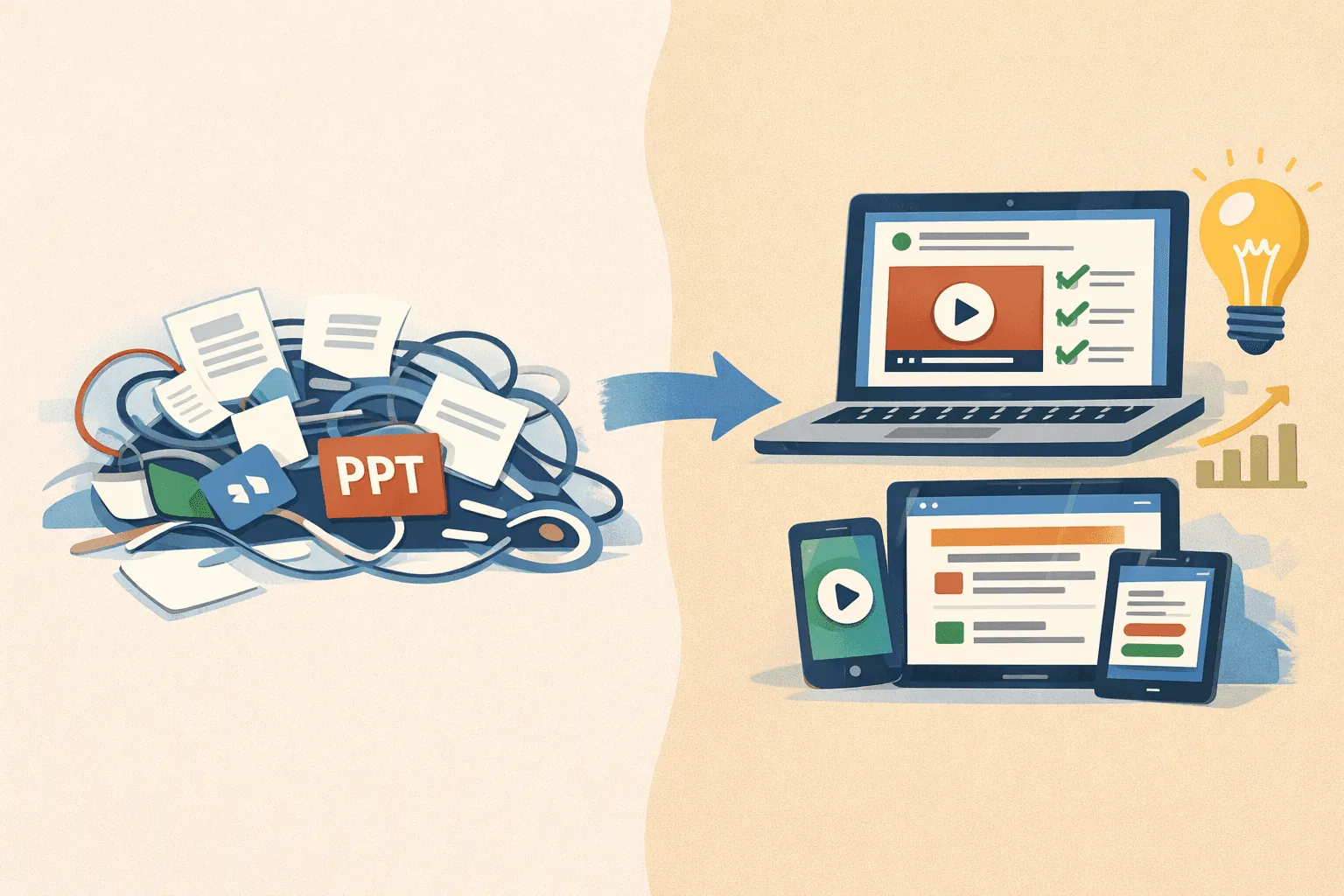
Traditionally, eLearning content development means designing, scripting, and producing digital learning materials using specialized tools and long, structured workflows.
But nowadays, eLearning content development is the process of turning everyday knowledge into structured, interactive training that people can move through at their own pace.
Instead of leaving information scattered across documents or chat threads, it reshapes what teams already know into clear, trackable learning experiences that support knowledge retention and real-world application.
Growing teams look for a way to create eLearning content using existing materials like:
- PDFs with policies, SOPs, or workflow steps
- PowerPoint slides from onboarding, sales, or product demos
- Loom recordings that show how a task actually gets done
- Google Docs with tribal knowledge no one can ever find
- Recorded calls or workshops that captured important explanations
No specialized authoring tools, technical skills, or dedicated instructional designers required.
In practice, this means turning your documents into interactive content, creating training that adapts to different devices and learning styles, and updating quickly as work evolves.
The goal: make knowledge usable, accessible, and easy to maintain.
Key components & process of eLearning content development
Most eLearning content development models were built for large teams with specialized tools and long timelines. Growing companies need something simpler: an eLearning content development process that starts with what they already have and moves quickly.
It comes down to a few essentials:
- Knowing your target audience
- Setting clear learning objectives
- Shaping existing course materials into interactive elements
- Relying on AI-powered tools to handle the structure using built-in instructional design principles
Think of it as a quick cycle rather than a long project: gather content, create, refine, publish, and update as work evolves.
Needs analysis: understanding audience needs and defining clear learning goals
A strong eLearning content development process starts with clarity. You need to understand who you’re creating for and what the learning objectives should be. This step doesn’t require complex frameworks, just real insight into how people work and where they get stuck.
To define clear goals, focus on:
- Your target audience and their current skill level
- Tasks they struggle with or repeat often
- Knowledge gaps that slow down the learning process
- Training needs tied to product updates, workflows, or compliance
Once these are clear, setting learning objectives becomes straightforward. It keeps the development process focused and ensures the final learning experience helps people do their work with more confidence.
Content creation: developing digital assets
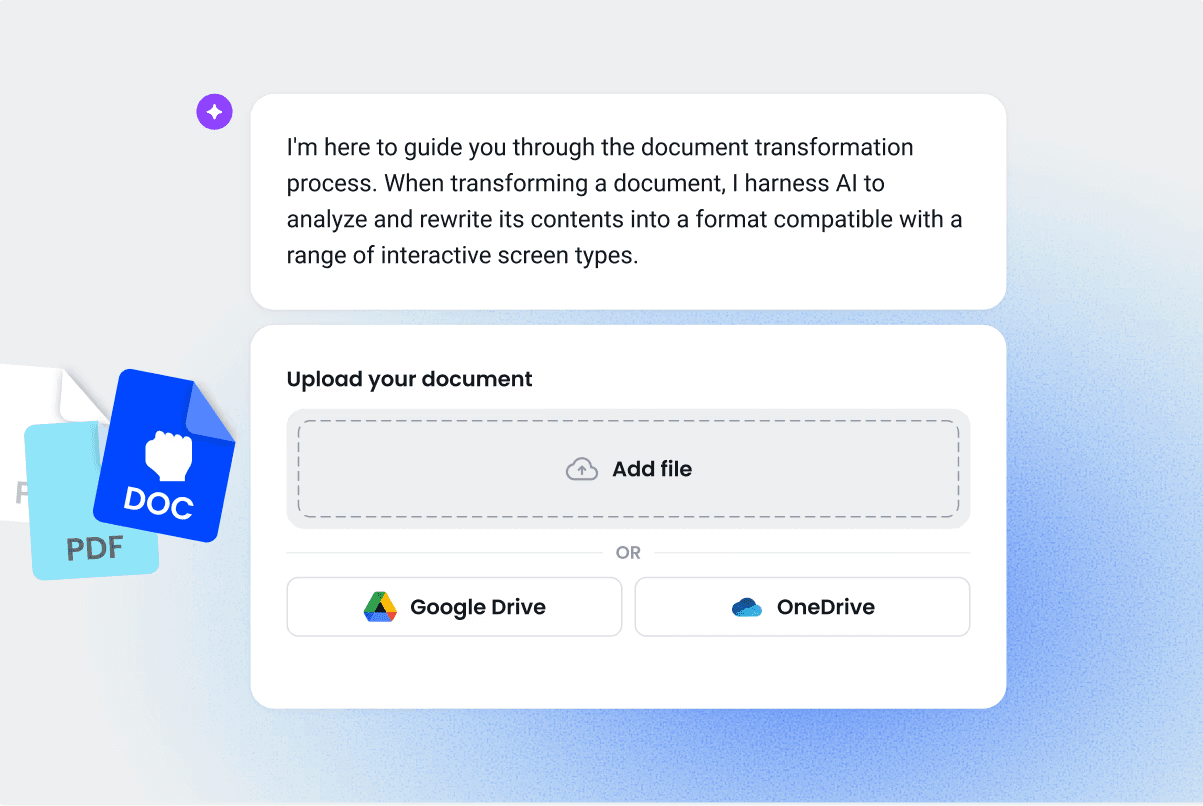
Once the goals are clear, the next step is to gather the course materials already within your company. Most teams don’t need to start from scratch.
The aim is to collect what reflects real processes and then shape it into digital learning that’s clearer, more structured, and easier for people to follow. Modern eLearning authoring tools make it simple to convert these resources into interactive content without requiring technical skills.
Instructional design: structuring content for effective digital delivery
With the right materials gathered, the next step is to shape them into a learning experience that people can move through.
Modern AI-powered platforms now bake instructional design principles into the workflow, so structure becomes easier to get right.
Good structure focuses on:
- Breaking dense information into smaller, clear sections
- Adding interactive elements that reinforce understanding
- Using visuals or multimedia elements to support diverse learning styles
- Guiding learners with a simple flow: learn → try → apply
Instead of building layouts manually, teams can rely on tools that organize content automatically, create interactive components with a click, and surface opportunities for engagement. The result is digital learning that feels intentional.
Interactive elements aren’t just nice to have. Training with active engagement can increase retention by up to 60% over passive content.
Development: building the actual course using specialized software
This is usually the stage that slows teams down. Traditional authoring tools require technical skills, long timelines, and dedicated instructional designers.
Growing teams need something faster: an AI-powered development process that turns existing course materials into interactive courses without rebuilding everything from scratch.
Coassemble makes this part simple. It reshapes PowerPoints, PDFs, and videos into structured training automatically, then gives you a clean drag-and-drop editor to refine the learning experience in minutes.
In practice, development looks like:
- Uploading documents or videos
- Automatically generating interactive content with quizzes and other interactive components
- Using a drag-and-drop editor to refine the flow
- Adding video-based learning or scenarios that support the training objectives
- Sharing the finished training through Slack, your learning management system (LMS), or a simple link
Development becomes less about assembling screens and more about shaping a learning experience that’s easy to update as work changes.
Evaluation: assessing effectiveness and refining the content
Once your eLearning course is live, the next step is understanding how well it works. You don’t need complex evaluation frameworks, just clear signals that show where learners succeed and where they get stuck. Modern learning analytics make this simple, helping teams refine content based on real behavior rather than guesswork.
Useful indicators include:
- Questions learners miss repeatedly
- Sections people skip or rush through
- Feedback about unclear explanations or missing steps
- Completion data that shows which training materials support knowledge retention
Tools like Coassemble make this iterative learning process easy. If a concept isn’t landing, like a pricing step or a workflow detail, you update the screen, republish, and every learner sees the improved version immediately. It’s continuous learning in action, shaped by real insights instead of long review cycles.
Types of content to develop
Teams create many forms of eLearning content, and most of it starts with materials already in use. Each format plays a different role in the learning process and supports different training needs.
Interactive modules & courses
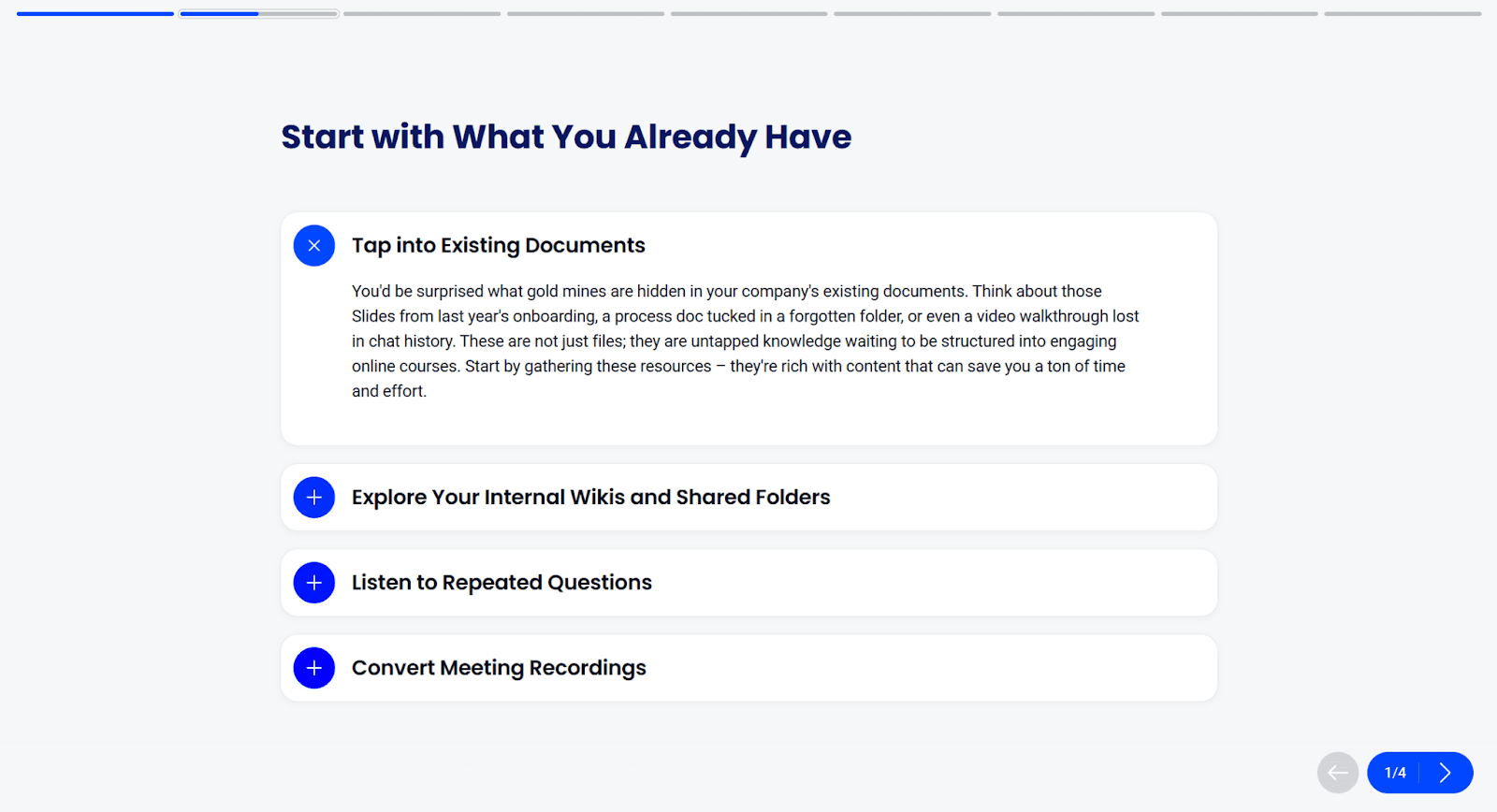
Interactive modules guide learners through a topic step-by-step using text, images, and interactive elements. They’re ideal for onboarding, process training, and product updates where clarity and structure matter.
Because they support knowledge retention and give learners a clear path to follow, they form the core of many effective eLearning courses. Platforms like Coassemble make it easy to turn everyday content into these guided, interactive lessons without the usual complexity.
Videos & animations
Videos and animations help learners see a process in action, making complex steps easier to understand. They’re especially useful for software walkthroughs, product demos, and workflow explanations that benefit from visual context.
Teams often start with Loom recordings, screen captures, or short demos and embed them into a larger learning experience.
With Coassemble’s Loom integration, you can record or insert those videos directly into your course. It’s a faster way to add personalized training content and build learning experiences that feel clear and real.
Quizzes & assessments
Quizzes and assessments confirm that learners understand key concepts, not just click through the material. They reinforce knowledge retention, highlight gaps, and provide useful learning analytics for future improvements.
AI-powered tools can generate questions automatically from your course materials, making it easy to check comprehension without writing everything manually. You can then refine the questions to match your training objectives and the complexity your target audience needs.
PDFs & digital handouts
PDFs and digital handouts support the learning process by giving learners quick references they can save, print, or revisit later. They work well for checklists, job aids, troubleshooting steps, and policy summaries.
For example, you can have a 30-day checklist for onboarding a sales team member. While they aren’t interactive on their own, they become more effective when placed inside a structured eLearning course, where learners use them in context rather than receiving them as standalone files.
How to create eLearning content with Coassemble
Coassemble helps turn those familiar documents, videos, and notes into interactive courses without the heavy lift of traditional authoring tools.
Here’s a simple step-by-step guide on creating eLearning content using Coassemble.
Step 1: Access Coassemble’s course builder
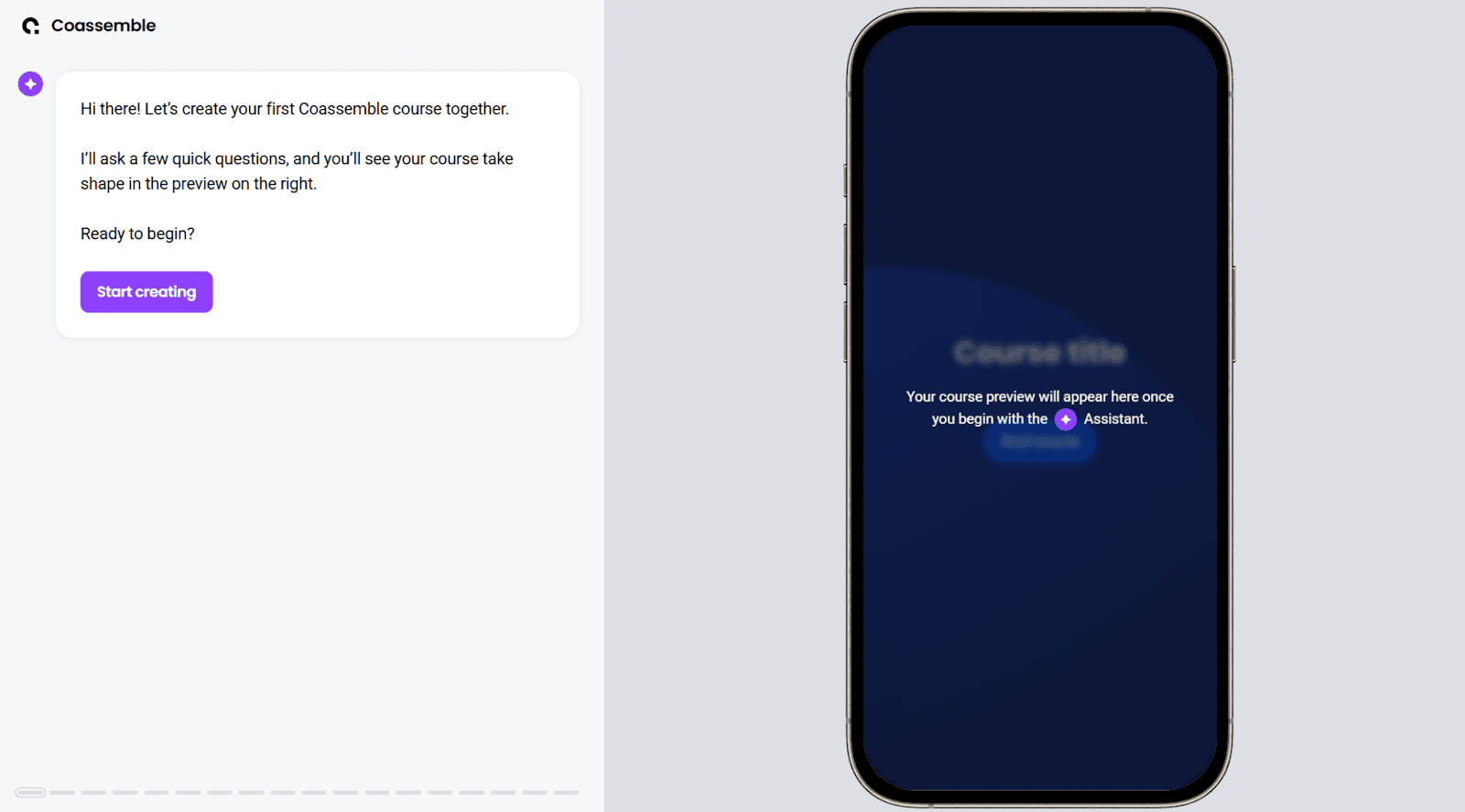
Head to Coassemble and click Start creating. You can open the course builder instantly. It loads right away so you can explore how the tool works before committing to anything.
Step 2: Choose how you want to create your course
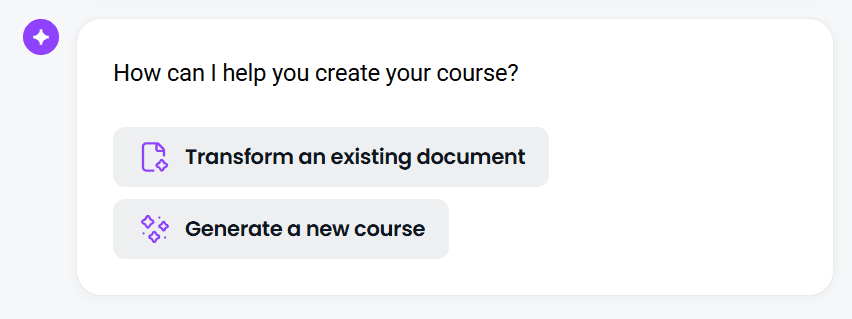
When the builder opens, you’ll see two options on the screen. For most teams, the quickest path is Transform an existing document. Upload a PDF, PowerPoint, or Word file, and Coassemble’s AI scans the content, pulls out the key points, and turns it into a structured online course.
Step 3: Answer a few quick questions about your course
After your document uploads, Coassemble will ask a few short questions to customize the course. You’ll see prompts like:
- What should your audience achieve from this course?
- How would you describe your audience?
Choose the options that fit your topic and target audience. These selections help the AI shape the content, tone, and learning objectives before generating your course.
Step 4: Watch the AI generate your course
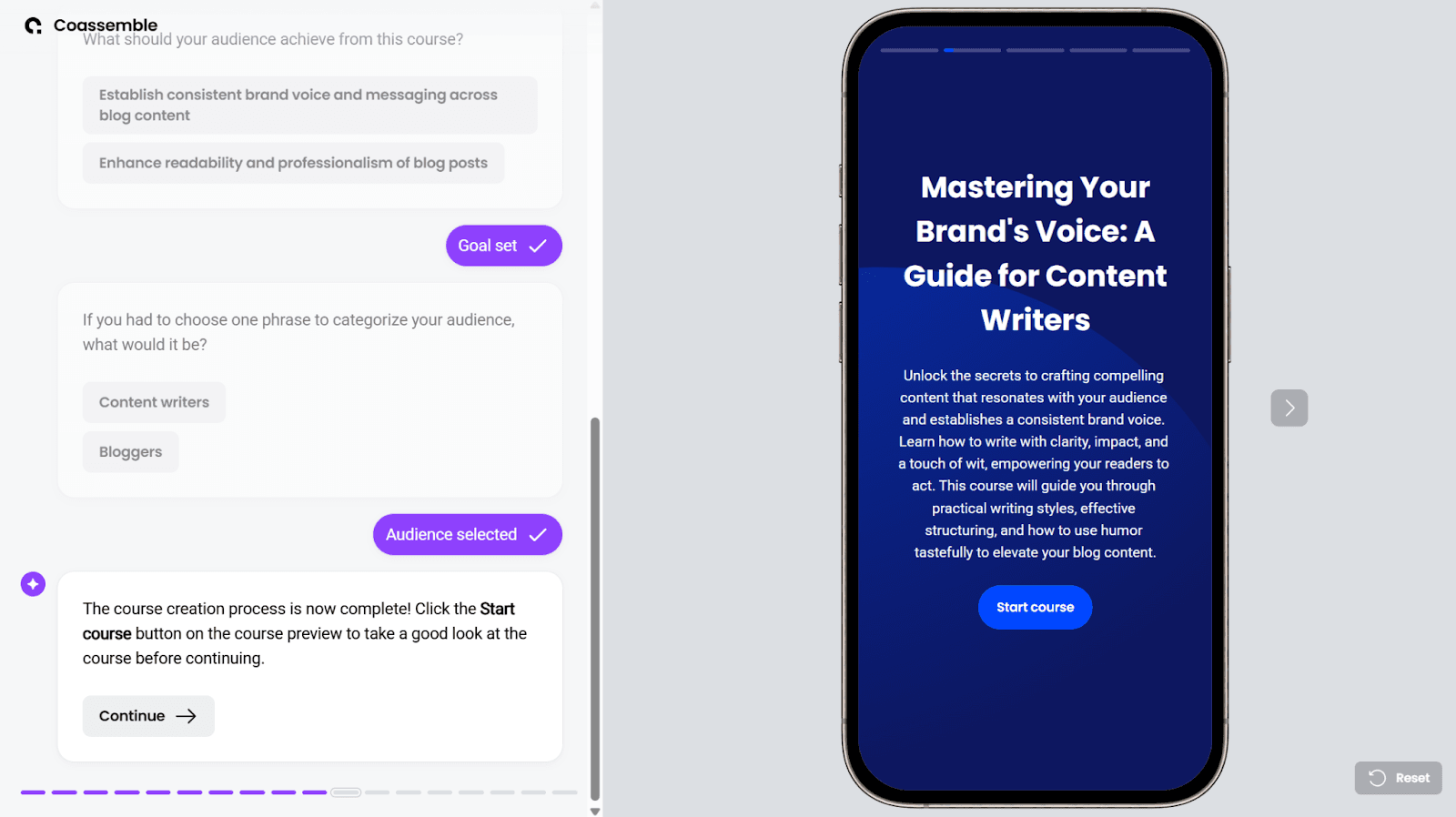
Once you answer the setup questions, Coassemble’s AI begins building your course automatically. Within seconds, a full draft appears on the right side of the screen. You can click through each lesson to check the flow, media, and structure.
As you review the draft course, click through each lesson to see how your content has been structured. This is your chance to get a sense of the flow and check that everything appears as expected. Once you're ready to refine the course, click Continue.
Step 5: Share your course
Next, Coassemble gives you a few optional add-ons, like generating quizzes or adding your company URL. You can skip these if you’d rather move ahead.
You’ll then choose how to publish your course. Coassemble offers several sharing options depending on your plan type:
- Send an email invitation
- Create a shareable link you can post in Slack, Teams, or your intranet
- Export a SCORM file for your HRIS or learning management system
- Embed your training directly into your platform using our API (available on higher-tier plans)
Pick the method that fits how your team delivers training, then click Proceed.
Step 6: Save and share your course
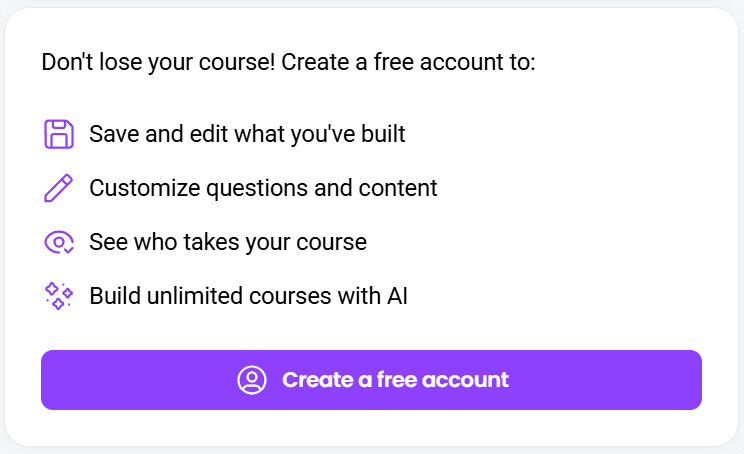
After previewing and choosing how you want to share your course, you’ll be prompted to save your work in Coassemble. The free way in is to request a free sandbox — the full platform at no cost to build and test a real course, with a quick check to confirm it’s a fit. Once you’re in, you can edit, personalize, and refine the course using the full course creator.
Learners can open the course directly without extra logins, helping them access information where they already work.
You’ll also gain access to a clean dashboard that shows completions and quiz results. Individual learner progress is available on higher-tier plans. It’s an easy way to see what’s landing and where people may need more support.
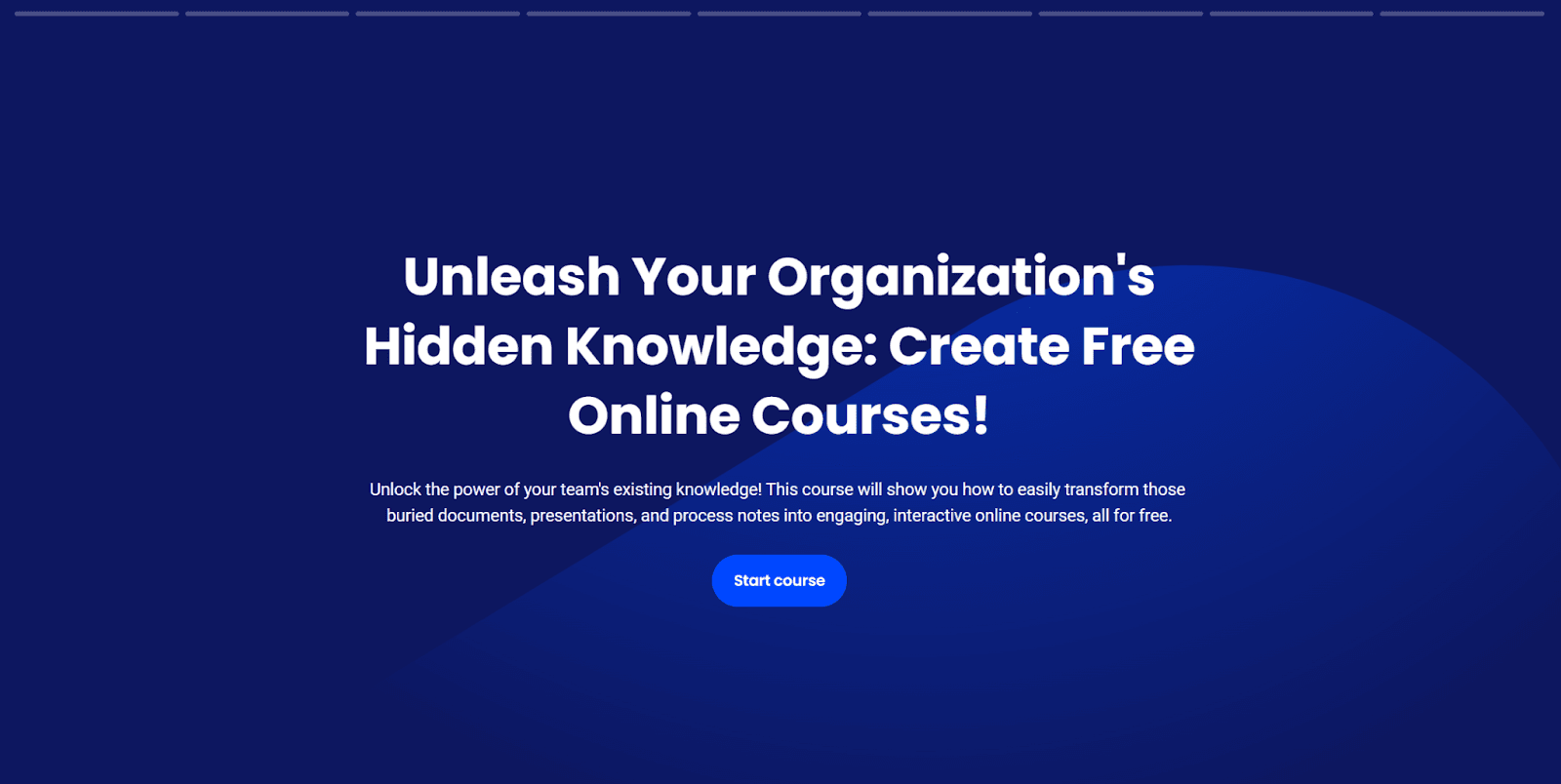
You can view a sample course generated using Coassemble here: Unleash Your Organization's Hidden Knowledge: Create Free Online Courses
Wrapping up
eLearning content development no longer needs to be slow, technical, or handled only by specialists. Most teams already have the knowledge. They just need a simple way to turn it into training that’s clear, interactive, and easy to update.
Coassemble makes that possible by transforming everyday documents into courses in minutes. No complex software. No long development cycles. Just a faster way to create training content that moves with your work.
When knowledge flows, teams learn faster, onboard smoother, and stay aligned as they grow. Your content is already there. Coassemble gives it somewhere to move.
Request a free Coassemble sandbox.
FAQs about eLearning content development
What is eLearning content development?
It’s the process of turning existing knowledge like documents, videos, and guides into structured online learning that’s easy to follow, update, and track.
What is the role of AI in eLearning content development?
AI helps organize content, create lessons, build quizzes, and apply instructional design principles automatically, so teams can create eLearning content faster with less manual work.
How long does it take to develop eLearning content?
With AI-powered tools, teams can build a full eLearning course in 30 minutes or less. It depends on the length of the content. Most of the time goes into reviewing and refining, not production.
Do I need instructional design experience to create eLearning content?
No. Modern tools guide the structure for you. You can start with your existing materials and shape them into interactive learning without specialized training.
Keep reading
Headless Authoring Tools: The Ultimate Guide to Embedded Learning
Most training tools force a choice: adopt a rigid platform, or bolt on tools that never fit your product. Headless authoring is the third option. This guide covers what headless authoring is, how it works, and why it matters when you're building learning into a product instead of deploying it as a standalone tool.
What is microlearning? And why your team should be using it
Microlearning breaks training into short, focused lessons that actually stick. Here's what it is, why it works, and how to use it.
What are the top AI platforms for converting documents into courses?
Tools like Coassemble show what happens when document conversion is built for real workflows. Knowledge moves from files into courses, without forcing teams to replace their existing LMS or processes.