Hosting eLearning outside of an LMS: your real options
No LMS, no problem. Here are five real options for hosting eLearning outside of an LMS — from Slack and cloud storage to video and dedicated course tools — plus what to think through (tracking, structure, access, and compliance) before you choose one.
If you've been handed responsibility for sharing knowledge across your team and you don't have an LMS or don't want one, this is for you.
The question isn't "how do I host my training without an LMS?" It's simpler: how do I get knowledge to my team, fast, in a way they'll actually use?
Here's what your real options look like, and what to think about before you choose one.
What is the best way to host eLearning outside of an LMS?
The most practical approach is a dedicated knowledge transfer platform shared via Slack. You build structured, trackable training. You deliver it where your team already works. But delivery is only half of it.
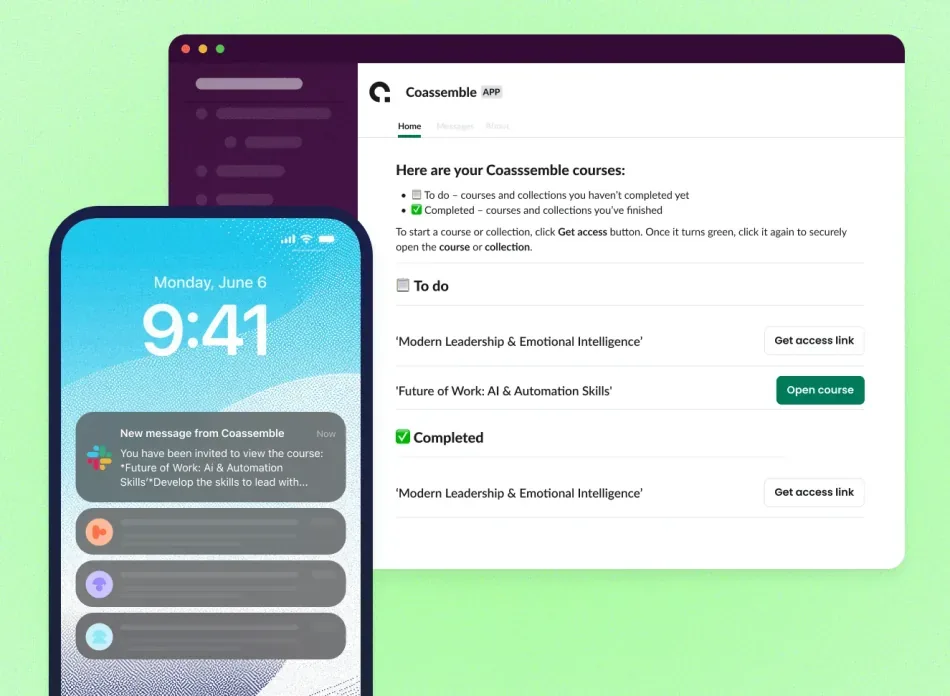
Tools like Coassemble turn Slack into a structured training hub. Knowledge lands with a path, a finish line, and a completion record. No separate portal required.
5 options for hosting eLearning without an LMS
Not every option here is equal. Some work well for simple content. Others fall apart the moment you need structure or accountability. Here's an honest look at each including where each one breaks down.
Dedicated course creation tools shared via link
This is where the argument lands. Tools like Coassemble let you build structured, interactive training with quizzes, branded design, and progress tracking. You share it where learning actually happens: Slack.
Knowledge delivered inside Slack gets used. Knowledge sitting in a separate platform gets ignored. That pattern shows up again and again in fast-moving teams, and it's not hard to see why.
When training lives inside the tool people already check a hundred times a day, the barrier to actually doing it drops to almost nothing. Turning Slack into a structured training hub is one of the highest-leverage moves a team can make and it doesn't require an LMS to pull off.
Coassemble offers a free sandbox to try the full platform at no cost, with paid plans depending on your team's needs. Check which plan works for you.
Slack channels and threads
Slack is already where work happens, which makes it a natural place to share knowledge. Teams pin resources, share links, post updates, and use threads for discussion. For informal knowledge sharing, it works well.
The problem is that Slack isn't designed to structure knowledge. Posts get buried within hours. There's no completion tracking and no way to know who actually read the update versus who scrolled past it. "Check the #resources channel" is not a training strategy on its own, but paired with Coassemble, it becomes one. Coassemble handles the structure and tracking. Slack handles the delivery. Together, they cover what neither does alone.
Company intranet or SharePoint
Intranets work if your team already lives in them. You can embed or link training content directly into pages people visit regularly, which means knowledge shows up in context rather than in a separate system. For teams with a well-maintained intranet, this is a legitimate option.
The limitations are real though. SharePoint doesn't natively open HTML files, progress tracking is manual, and if your intranet is somewhere people only visit when they absolutely have to, you're fighting an uphill battle before anyone even opens the content.
Cloud storage (Google Drive, Dropbox, OneDrive)
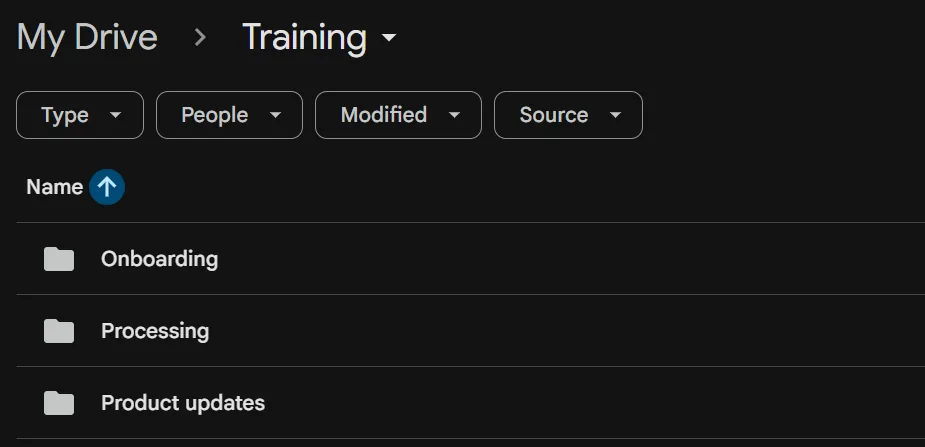
Cloud storage is the most common informal solution and it's easy to see why. Most teams already have it, setup takes minutes, and anyone with a link can access content without an account.
In practice, teams create folder structures that mirror how they think about training: an Onboarding folder, a Product Updates folder, a Processes folder. It works until it doesn't.
The deeper problem is that cloud storage has no concept of a learning journey. There's no sequence, no checkpoints, no way to know if someone opened a file or understood it.
Video hosting (Loom, Vimeo, YouTube)
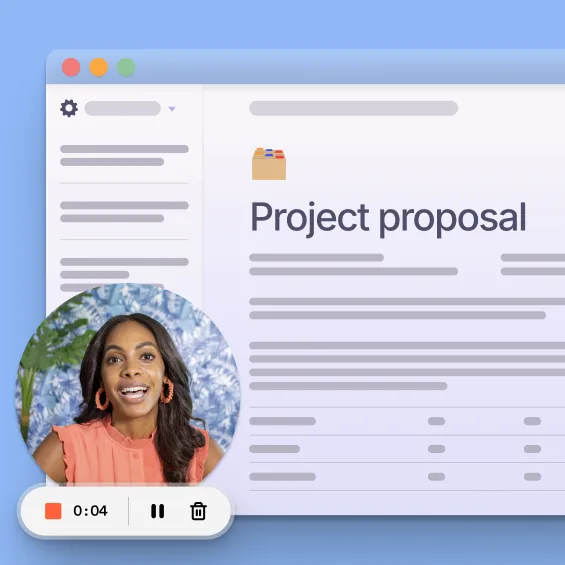
Via Loom
Great for walkthroughs, product explainers, and anything that benefits from seeing someone actually do the thing. Free, fast, and easy to share via link or Slack.
The gap shows up when you need more than passive watching. There's no interactivity, no checkpoints, and no way to verify that someone actually understood what they watched. Pairing Loom recordings with structured training closes that gap without adding complexity; the video stays, but now it sits inside something with a path and a finish line.
Why teams are moving away from LMS infrastructure
The LMS has a clear place in compliance-heavy organizations, regulated industries, and enterprise reporting requirements. It's built for formal, managed programs where documentation and audit trails matter.
For most internal training at modern tech companies, the dynamic is different. Knowledge needs to move fast, priorities shift weekly, and the people closest to the work need to create and update training without routing everything through a central team. That creates real friction:
- A separate system means a separate login, a separate habit, and a separate place people have to remember to check
- Only certain people can create and publish; everyone else waits
- Updates are slow; by the time training is live, the information has already changed
SCORM isn't the only way to share training, and it's often not the one teams reach for. Many share via direct links, embeds, and Slack, making knowledge usable inside the tools where work already happens. That's a fundamentally different model, and for fast-moving teams, it's a more useful one.
What "no LMS" actually requires you to think about
Ditching the LMS doesn't mean ditching the problems it was solving. A credible non-LMS setup handles these things. A bad one just trades one problem for another. Here's what to think through before you commit to an approach.
Tracking
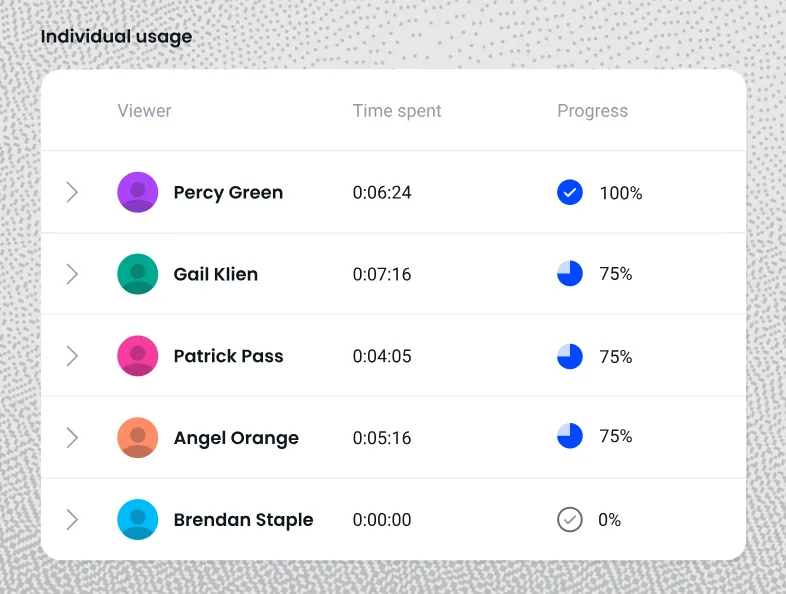
Without an LMS, how do you know who completed training? This is the question that kills most informal setups. Tools like Coassemble track completion and engagement at the link level. You can see who's done it and who hasn't, without chasing people on Slack. For teams that need to go deeper, individual tracking versus aggregate tracking is worth understanding before you choose a tool.
Structure
Dropping a PDF into Google Drive is not a course. Whatever tool you choose, learners still need a clear path through the content: a beginning, a middle, and a finish line. Without that, you're not delivering training. You're just sharing files.
Access control
LMSs manage who sees what. If you're sharing via link, think about whether your content needs to be gated or secured. For internal training at most teams, an unlisted link is fine. For anything sensitive (compensation frameworks, legal procedures, customer data), you'll want a tool that lets you control access properly.
Compliance requirements
If your industry requires documented completion records, you may still need an LMS layer or a tool that exports completion data in a format your compliance team will accept. Healthcare and financial services are good examples; both carry regulatory obligations that require verifiable proof of completion, not just a shared link. This isn't a reason to avoid non-LMS options. It's a reason to ask the right questions before you pick one.
Conclusion
"Hosting eLearning outside of an LMS" sounds like a constraint, like you're making do with less. For most internal training today, it's actually the smarter starting point.
The right question was always about reach, not hosting. Where does your team actually work, and how do you get knowledge there fast enough to matter?
The tools exist. They're fast to set up, easy to update, and built to sit inside the workflows your team already uses. The shift happening across modern tech teams isn't away from structure; it's away from infrastructure that slows knowledge down.
If your team has a mandate to move knowledge quickly, Coassemble is built for that. Start with a free sandbox — the full platform at no cost to build and test a real course, no procurement approval needed to get going. Paid plans start at $2,500/year.
FAQs: Hosting eLearning outside of LMS
Can you host eLearning without an LMS?
Yes. Tools like Coassemble let you build and share structured, trackable training via direct link or Slack. No LMS infrastructure required.
What is the best way to share eLearning without an LMS?
Build in a dedicated course creation tool, then share via Slack or direct link. That combination gives you structure, tracking, and delivery where your team already works.
Do you need SCORM if you're not using an LMS?
No. SCORM was designed for LMS environments. Most teams sharing training via link or Slack don't need it and most don't use it.
What are the best LMS alternatives for internal training?
It depends on your needs. Coassemble covers structure, interactivity, and tracking. Slack handles delivery. Loom works well for walkthroughs. Most fast-moving teams use a combination rather than a single tool.
Can Slack replace an LMS?
Partly. Slack is excellent for delivery and visibility; knowledge shared there gets seen. But it lacks structure and completion tracking on its own. Paired with Coassemble, it covers both.
Keep reading
What is the best embeddable training software for SaaS platforms?
Embeddable training software puts course creation, delivery, and tracking inside your product instead of a separate portal. Here's what to look for, and how the top SaaS options compare in 2026.
How do I build a customer training academy inside my application?
Most guides tell you to stand up a separate LMS. Here's the other way: build the customer training academy inside the product your customers already use, through an API.
How do I embed interactive courses inside a web application?
iframe, JavaScript component, API-driven signed URLs, or SCORM? Here's how each approach to embedding a course inside your own web app trades off control, security, and effort.