The truth about free authoring software
Free authoring software can be a game-changer for teams creating online training — but most tools that promise “free” come with hidden limits. From trial expiries to watermarks and upload caps, the fine print often turns speed into frustration. This guide cuts through the noise: what truly free authoring software looks like, how to spot the traps, and how to choose the right tool — including when a free trial or evaluation sandbox beats a limited free tier.
Type “free authoring software” into Google and you’ll find a hundred promises. But most come with the same catch: free to start, costly to finish. For teams trying to move fast, that’s frustration.
Here’s the truth this guide is built on: free, unlimited, and professional-grade rarely all hold at once. Genuinely free tools exist, but every one involves a trade-off. Knowing which trade-off you’re accepting — and when a free trial or an evaluation sandbox beats a capped free tier — is how you avoid rebuilding your training somewhere else later.
What is free authoring software?
Free authoring software helps teams create courses, design interactive content, and share knowledge without needing advanced technical skills. It’s the engine that powers modern rapid authoring tools, turning everyday files like PowerPoint presentations or process docs into trackable, engaging interactive courses.
In simple terms, it’s how organizations capture what they know and make it easy for others to learn. A good authoring tool gives subject experts the freedom to build training content without waiting for designers or developers.
But here’s the problem: “free” rarely means what it says. Many tools market themselves as free authoring software, but the reality looks different after signing up: limited uploads, watermarked interactive courses, or a countdown clock that ends in a paywall.
Free vs. freemium vs. free trial
To understand what’s actually free, it helps to separate the models:
- Free tier: A genuinely free plan you can keep, but usually capped — a small number of learners, no custom branding, or limited export. Fine for light or personal use.
- Freemium: A free version with clear trade-offs — 1–3 course limits, file-size caps, or a watermark on every lesson. Best for testing ideas, not managing long-term training.
- Free trial: Full access, but only for 7–14 days. Once it ends, your content is locked until you upgrade. Good for exploration, not sustainable training.
There’s also a fourth path worth knowing: a free evaluation sandbox — the full platform at no cost so you can build and test a real course before paying, with someone helping you scope it. Not forever-free, but the most honest way to judge a serious tool.
Understanding these differences saves you from building the perfect course, only to lose it two weeks later.
What to look for in authoring software
Most free versions sound appealing until you start building. Then you realize how much time disappears into technical setup, or how quickly the “unlimited” plan runs out of room. The best authoring tool is the one that lets you create, test, and share real training content without getting tangled in admin or design work — whatever its pricing model.
Here’s what to look for before you invest your time.
Ease of use for non-designers
You shouldn’t need instructional design software or tech skills to build a great course. A strong AI eLearning authoring tool offers an intuitive interface that feels natural from the first click.
Look for:
- Drag-and-drop editing and premade templates that help anyone create slide-based courses fast.
- Built-in AI that can convert PowerPoint presentations or documents into ready-to-publish interactive courses.
- A design system that keeps your interactive elements clean and consistent without deep authoring skills.
Coassemble, for instance, lets you upload a simple doc or deck and turn it into a branded, trackable course in minutes.
No hidden costs or surprise paywalls
The model should be clear before you invest. Many freemium tools limit how many courses you can make, how much content you can host, or how many learners can join — and free trials expire.
When you test a platform, check:
- Can you publish courses publicly or embed them?
- Can you see how your training is being consumed?
- Are there hidden fees for exports, analytics, or collaboration — and what happens to your work when a trial ends?
Flexibility in sharing and deployment
Your tool shouldn’t trap your content. A good cloud-based authoring tool lets you:
- Export SCORM courses for your existing learning management system (LMS).
- Share direct links with teams.
- Embed interactive courses into your intranet, wiki, or HR system.
This kind of flexibility keeps your learning content moving freely, inside or outside an LMS.
AI-powered features as a baseline
AI should be a baseline, not a bonus. The best authoring tools include smart helpers that cut hours from your build time:
- Document-to-course conversion using AI.
- Auto-generated quizzes or branching scenarios to engage learners.
- AI recommendations that refine tone, visuals, or course content instantly.
Common free authoring tools (and their real limitations)
Every “free” option comes with a trade-off. Some demand tech skills, others stop short of letting you publish courses, and nearly all limit how far your training projects can scale.
Here’s what you’ll really find when you dig in.
Open source options
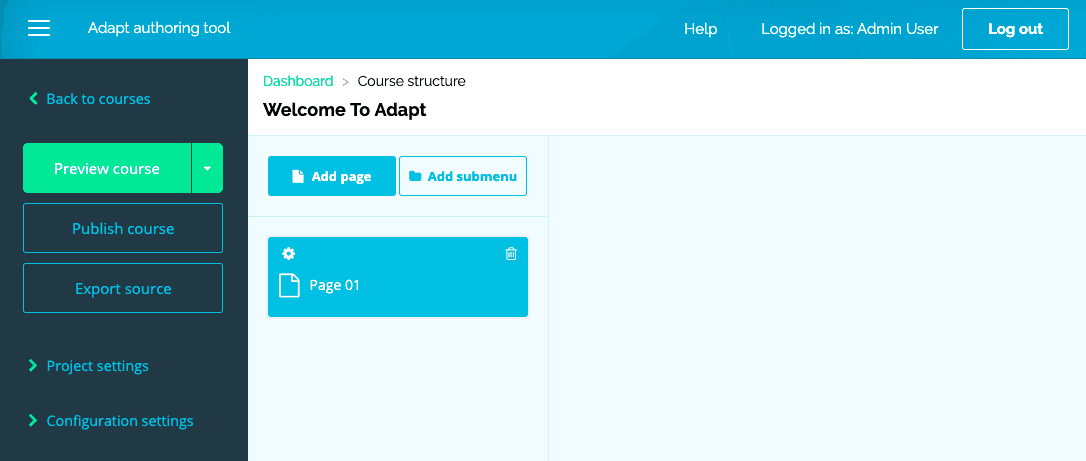
Image from Adapt
Open-source free authoring tools like Adapt Learning offer full control over your training content. You can build interactive courses, customize layouts, and export SCORM-compliant files to your LMS.
The trade-off? A steep learning curve. Setting up tools like Adapt requires tech skills, server access, and time for maintenance. What starts as “free” quickly becomes a technical project, not a quick win for busy L&D teams.
Best for: Tech-savvy teams with IT support who want total control over their training content.
Freemium platforms
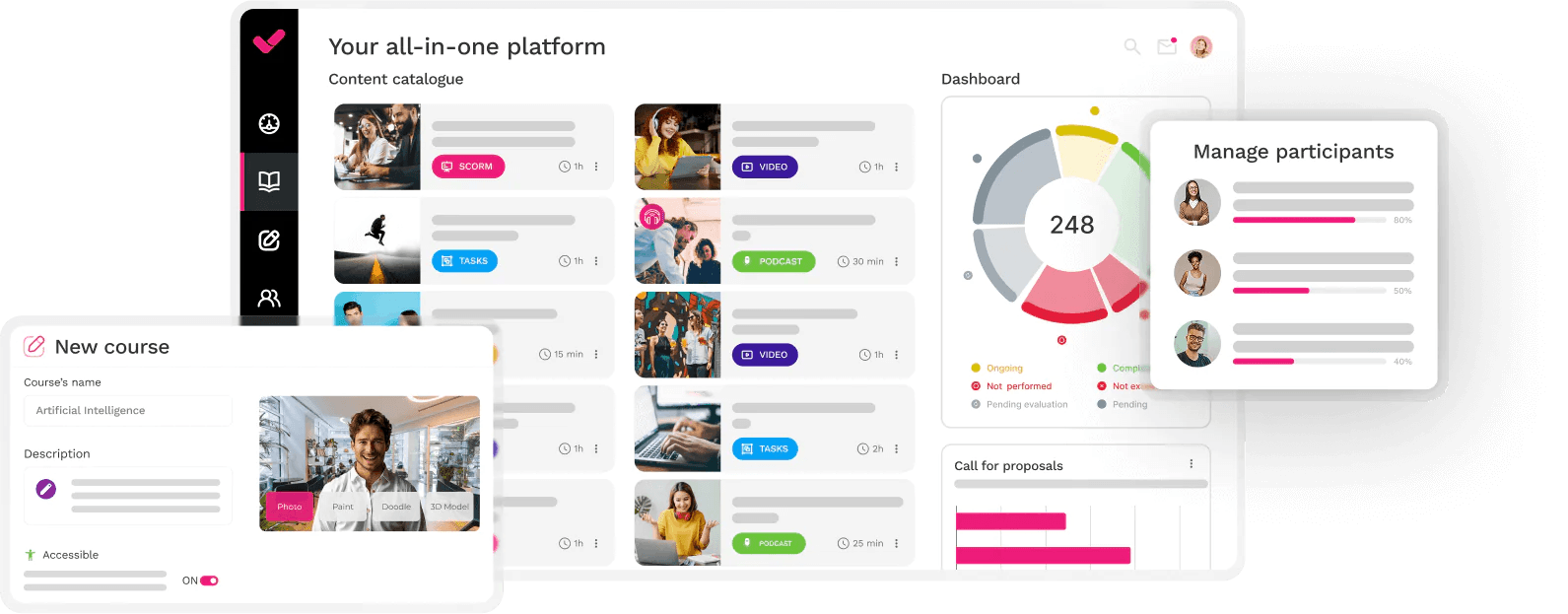
Image from isEazy
Freemium authoring tools feel generous at first. Tools like isEazy or Elucidat let you create courses and experiment with interactive elements. But the limits appear fast: watermarks, 1-3 slide-based courses, and small storage caps that block progress.
These free versions are great for testing layouts or building a quick eLearning course, but they’re not built for scale. As soon as you try to expand training content or collaborate across teams, the upgrade prompt appears.
Best for: Small teams or creators testing short projects before investing in a paid plan.
LMS-integrated tools
Some LMSs come with built-in authoring tools. Think of platforms like Moodle. They make it easy to design and deliver interactive courses in one place.
The downside? You’re locked in. Content built inside these systems rarely moves elsewhere. Exporting SCORM packages can be limited, and customization often stops at basic interactive content or text-based modules.
For teams that value flexibility, this setup can feel restrictive, especially if you want to share training content beyond one management system.
Best for: Organizations already committed to a single LMS and not planning to scale learning across multiple tools.
When you need to actually run training
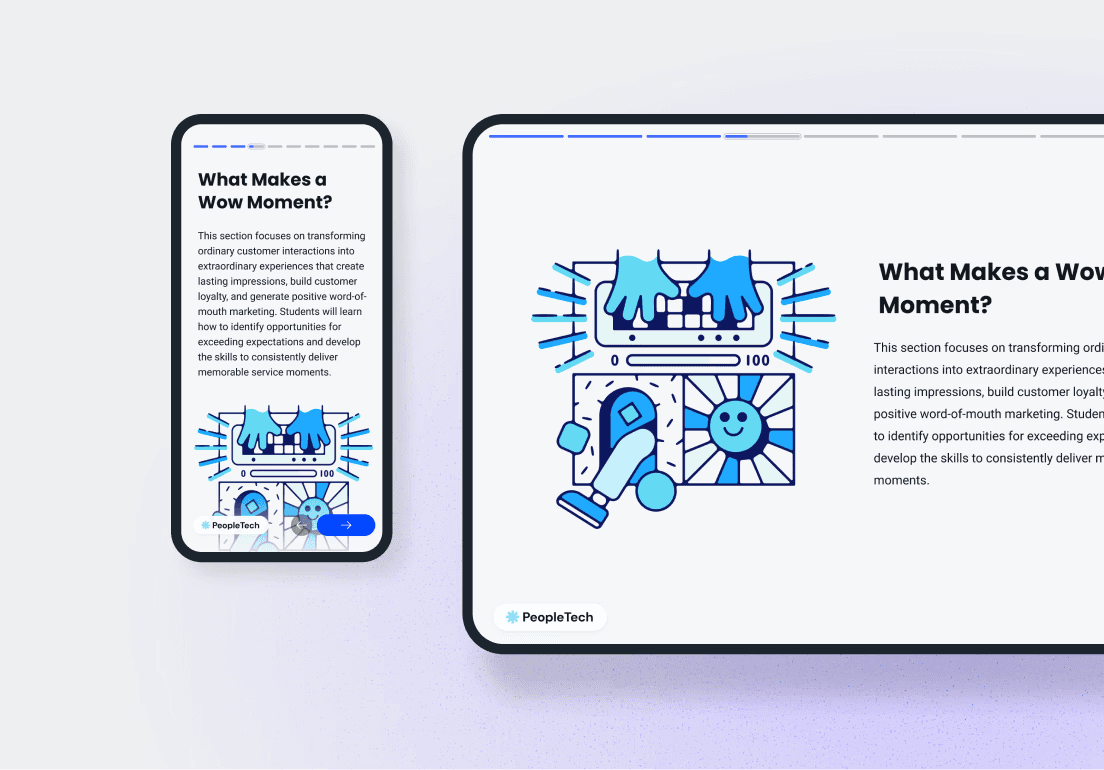
Free tiers and open-source tools are fine to start with, but most teams eventually hit a wall: a learner cap, a watermark, or a maintenance burden. That’s where a full platform earns its place.
Coassemble is a cloud-based authoring tool built for speed and flexibility. Build interactive courses, add branching scenarios, monitor engagement in real time, export SCORM to your LMS, or share directly through links or embeds.
It doesn’t have a free-forever plan. The free way in is a Sandbox: request one and you get the full platform at no cost to build and test a real course before committing, with paid plans from $2,500/year. Request a free Sandbox →
Best for: Teams who need to build, share, and track real training — and want to try it properly before paying.
How to choose the right authoring software
Choosing the right authoring software is about finding one that fits how your team actually works.
Start with what you need today, but think about how you’ll grow. A good tool should feel simple on day one and still work when your training projects multiply.
Start with your use case
What problem are you solving? Authoring tools vary widely, so the best fit depends on your training goal.
If you’re onboarding new hires, look for tools that let you create interactive courses with branching scenarios or video prompts. For product training, choose something that supports multiple formats and allows you to upload media directly.
For example, an HR team can take their onboarding checklist and turn it into an interactive eLearning course that tracks learner progress. No tech skills required.
Consider your team’s skills
Who will build the courses? Instructional designers? Subject experts? A mix of both?
If your team isn’t technical, prioritize an easy-to-use editor with drag-and-drop controls and premade templates. A platform that lets you create slide-based courses or reuse PowerPoint presentations helps non-designers work confidently without a steep learning curve.
Think about scale
What happens when your training library grows?
Some free versions limit you to a few courses or a handful of users. That might work at the start, but scaling becomes expensive fast. Be honest about when you’ll outgrow a free tier, and check for SCORM compatibility early if you plan to integrate with your LMS — it’ll save you headaches later.
A platform that fits into existing systems through a headless approach connects easily across tools. Learn more in our ultimate guide to headless authoring.
Test before you commit
The best way to judge any tool is to build something real with it. Whether that’s a free tier, a free trial, or an evaluation sandbox, test how fast you can create content, publish it, and share it with a learner. See how it performs on mobile, and how easy it is to update later.
If you can’t move from idea to published interactive content in under an hour, it’s probably not the right tool for your team.
Wrapping up
Most “free” authoring tools come with strings attached: time limits, watermarks, or upgrade prompts that appear just when your courses start to take shape. Genuinely free tools do exist, but each involves a trade-off — tech overhead, learner caps, or lock-in.
The honest move is to be clear about which trade-off you’re accepting, and to try a serious tool properly before you pay. Coassemble lets you do exactly that: request a free Sandbox, build and test a real course, and only move to a paid plan when you’re ready to run training for real. Request a free Sandbox · See pricing
FAQs: free authoring software
What are free eLearning authoring tools?
They’re software platforms that let teams create interactive courses or training content without coding, often including templates, AI tools, and export options. They range from genuinely free tiers to freemium plans and time-limited trials.
How can I access free eLearning authoring tools?
Most offer a free plan, free trial, or free version you can sign up for directly. For a full platform like Coassemble, there’s no free-forever plan, but you can request a free Sandbox to evaluate it at no cost.
What kind of content can I create with free eLearning authoring tools?
You can build interactive courses, slide-based training, or SCORM courses using text, images, video, and quizzes.
Do I need coding skills to use free authoring tools?
No. Most modern authoring software includes an intuitive interface that lets you drag, drop, and design with zero coding.
What is the best free authoring software?
It depends on your needs — genuinely free tools all involve trade-offs (tech overhead, learner caps, or lock-in). If you need to actually run training, Coassemble isn’t free-forever, but it offers a free Sandbox to build and test a real course before you commit.
Keep reading
What is the best embeddable training software for SaaS platforms?
Embeddable training software puts course creation, delivery, and tracking inside your product instead of a separate portal. Here's what to look for, and how the top SaaS options compare in 2026.
What is a learning infrastructure, and how is it changing?
Learning infrastructure is the systems that create, deliver, and track training. Here's what it includes, how it differs from an LMS or a learning ecosystem, and how embedded learning and AI agents are changing the model.
What training software has the best API and developer documentation?
A robust API means little if the docs are unclear or support-gated. Six practical checks for evaluating a training platform's API and developer documentation before a sales call.