Best Developer Tools for Adding Learning Content to an App
You already have ideas for the training content your product needs. What you don't have is a way to get it living inside the app you already ship. Rendering it in your product, tied to your own users and data, is where most projects stall. Here are the developer tools that make it possible — starting with an API-first course platform and the stack that fills in around it.
You already have ideas for the training content your product needs. What you don't have is a way to get it living inside the product you already ship. Writing the content is easy. Rendering it in your app, tied to your own users and data, is where most projects stall.
You don't need to build that from scratch either. This list covers the learning content development tools that make it possible: an API-first platform handles course creation and embedding, and the rest fills in the infrastructure around it.
What's the best developer tool for adding learning content to an app?
Coassemble is the API-first option built specifically for this job. It handles course creation, embedding, and tracking through a white-label API, so learning content lives inside your product, not a separate portal. The rest of this list covers complementary tools for content, video, and testing.
The best developer tools for adding learning content to an app
Search for the best learning and development tools and you'll mostly find full LMS platforms built for L&D teams. This list is the developer's version: the best developer apps and tools for building learning straight into the product you ship.
Coassemble answers the question above: it's the API-first layer for course creation and embedding. But it doesn't work alone. Five more tools make up the rest of this stack. Some handle content structure, some handle video, and one handles validation before a package ships. Together they cover what a technical team needs beyond the training layer itself.
1. Coassemble: API-first course creation and embedding
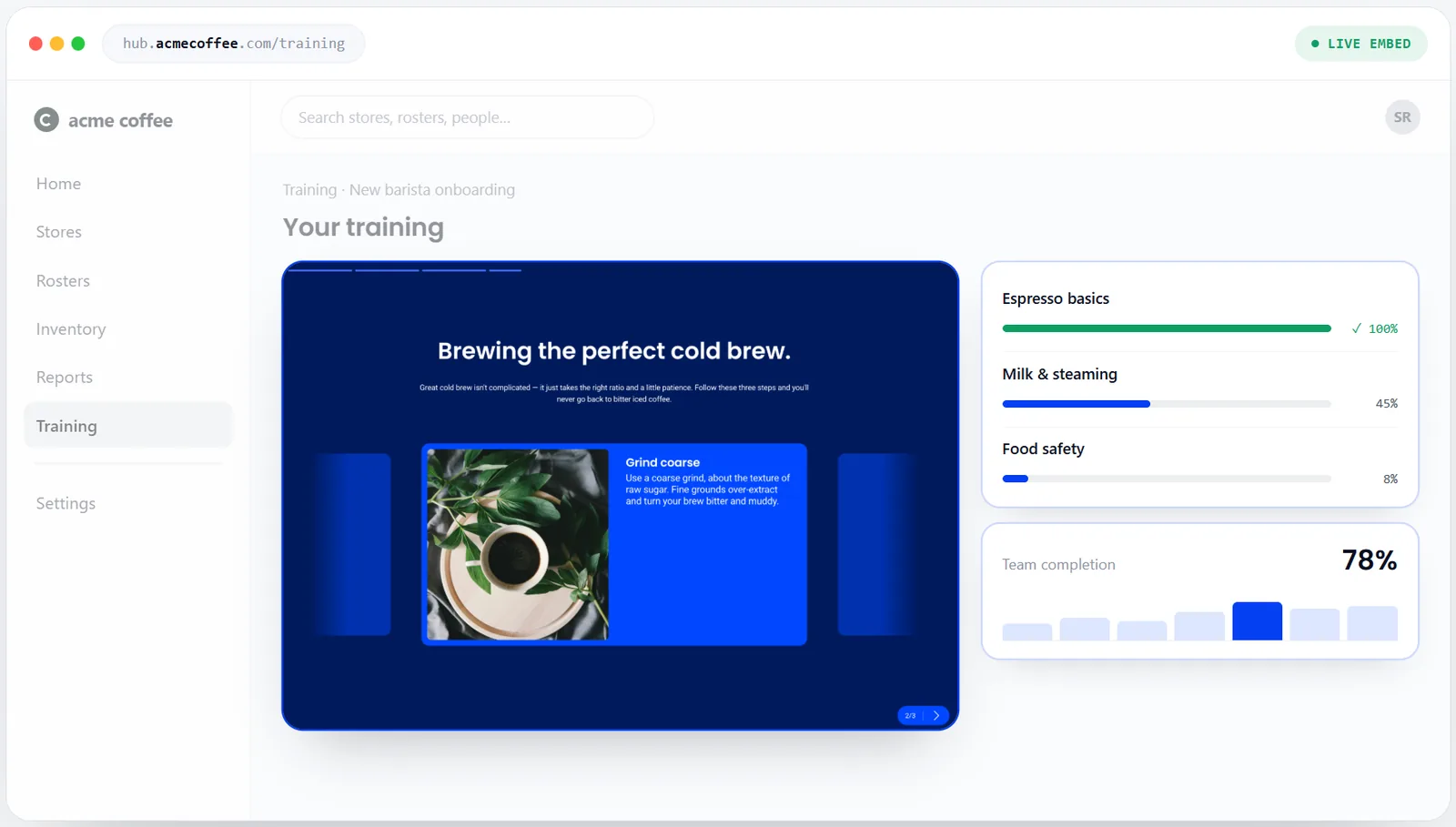
Coassemble is an API-first training platform for course creation and embedding. Content can be built by hand in the visual builder, or generated from existing docs and PDFs.
Either way, the output renders through a signed-URL embed. This means each learner opens their course without a separate login.
Key features:
- Course creation and embedding through a headless API
- AI generation from existing docs and PDFs, or manual building in the visual builder
- Completions and progress tracked through webhooks
- Full branding control: remove Coassemble branding entirely, or keep a small "Powered by Coassemble" badge
For teams evaluating this category, run a short paid pilot against your current setup. It settles the fit faster than any spec document.
2. Strapi: Headless CMS for structuring course content
Strapi is a headless CMS for modeling lesson and module content before it reaches a training API. Teams define their own content types, fields, and relationships, and Strapi then turns that model into a REST or GraphQL API.
It's a natural fit for teams that want source material organized first, especially across multiple products or brands.
Strapi is a general-purpose content framework, not a dedicated training platform. It works well alongside a purpose-built course tool rather than instead of one.
3. SCORM Cloud: Testing SCORM/xAPI packages
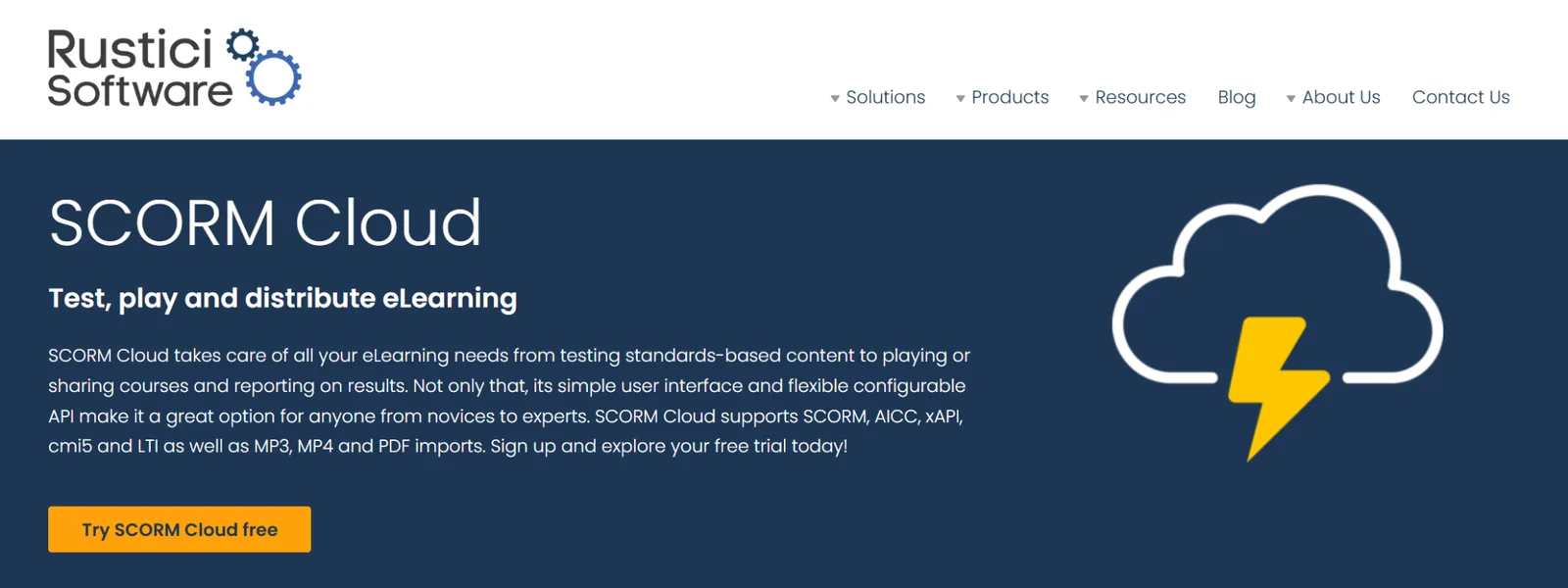
SCORM Cloud is a sandbox for testing, playing, and reporting on SCORM, xAPI, AICC, and cmi5 packages. Teams upload a package and launch it to check tracking and completion before a real LMS sees it.
It's not a strict conformance tester, but it shows exactly what happens as a course imports and runs.
It also offers an API, so testing and playback can run inside your own platform instead of a separate dashboard. For teams shipping SCORM output, this catches a broken manifest in minutes, not after a client complains.
4. Mux: Video hosting and streaming API
Mux is an API-first video streaming platform built for developers. Upload a file or POST a URL, and Mux handles encoding, adaptive bitrate, and delivery automatically. It works with any video player, so it drops into an existing frontend without a rebuild.
For lesson video specifically, this matters once training content grows beyond a handful of clips. Reliable streaming and playback analytics become worth the dedicated infrastructure.
5. Canva: Design and content asset creation
Canva is a tool for designing graphics, videos, and presentations without a design team. Its drag-and-drop templates cover thumbnails, slide graphics, and social assets.
For a technical team, it's the fastest way to produce branded visuals that support a course without hiring outside help.
It won't replace a dedicated video or interactive tool, but for static assets it's hard to beat on speed.
6. Synthesia: AI avatar video generation
Synthesia turns a script into a video with an AI avatar, so you no longer need a camera or an actor. It supports 240+ avatars and 160+ languages, with branded backgrounds, colors, and logos built in.
For process walkthroughs or explainer lessons, this replaces a full production shoot with a text input.
It's built to integrate with an existing LMS, so finished videos embed directly into courses. That makes it useful for teams producing training videos at a volume filming can't match.
How to evaluate a headless training API before committing
Picking a tool for each category above still leaves one open question: how do you actually judge the training layer itself?
Three signals matter most:
- How cleanly the API separates from your frontend
- How fast a team can actually integrate using the documentation
- Whether there's a low-risk way to prove it works before committing
API-first architecture and white-labeling
The core question is whether your frontend stays fully yours while the API handles the backend logic. A truly API-first tool never forces its own UI into your product.
White-labeling should go all the way too. Check whether branding carries through completely, or whether the vendor's UI leaks through somewhere in the experience. That leak is often invisible in a demo and only shows up once real users are in the product.
Documentation and developer experience
Good documentation and a working sandbox turn interest into an actual integration faster. That is often the biggest hidden cost difference between vendors. Real code examples across languages are more important than a polished reference spec that nobody can act on.
Coassemble's own guide to embedding eLearning walks through what a good integration path actually looks like. It's worth reading before comparing vendors on paper.
A way to validate before you scale
Look for MVP or sandbox access, so a team can build a real integration before signing anything. Usage-based pricing helps here too, since it lets a team prove the fit at small scale first.
Coassemble's own pricing reflects this directly: a free sandbox gives you the full API and builder, so you can build a real integration before paying anything.
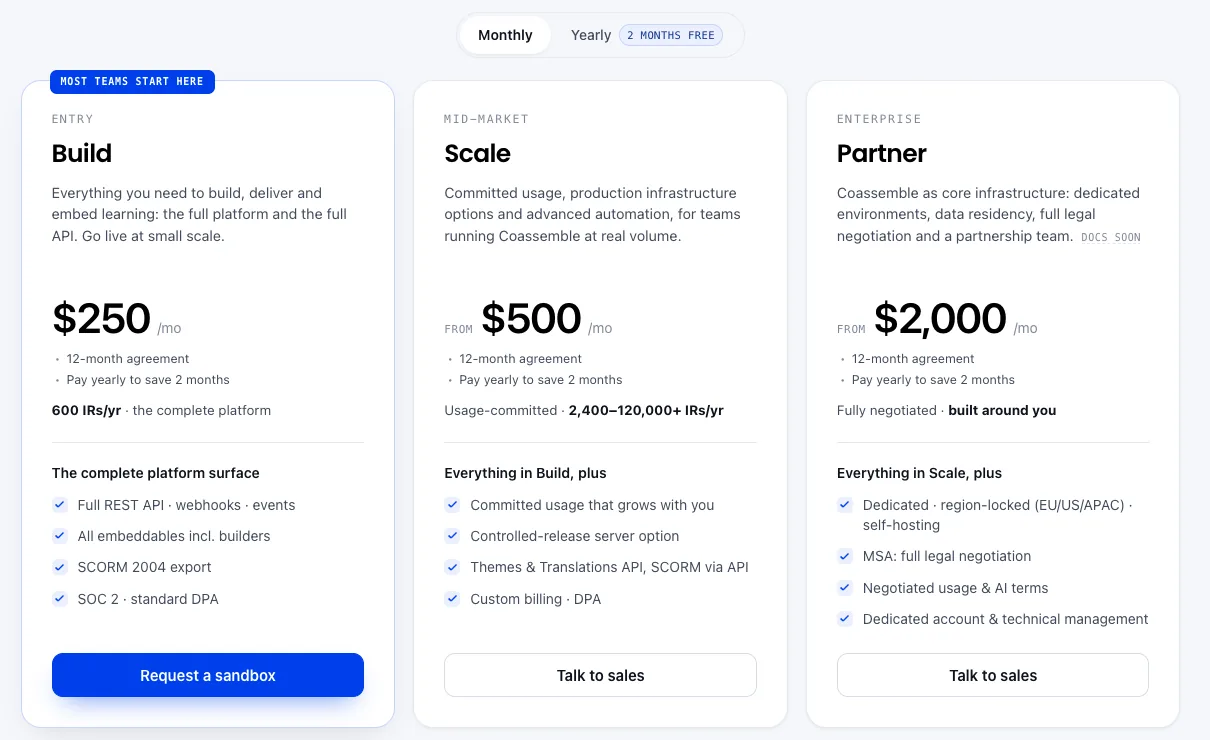
The entry paid tier (Build) is a fixed annual price with the complete platform included, and you can pay it monthly across the 12-month term. Higher tiers add committed usage and infrastructure options as volume grows, not new core features.
That structure lets a team validate first, then scale spend to match actual usage.
Wrapping up
Six tools, one direction. None of this requires waiting on a full engineering roadmap or a build-from-scratch project. Coassemble handles course creation and embedding, and the rest of this stack fills in around it.
Start with a sandbox. Explore the developer docs or read the full integration guide for the step-by-step version, then connect it to what you already run, put it in front of real users, and decide from there.
Request a sandbox → Free, no card required, and set up around what you're actually building.
FAQs: developer tools for adding learning content to an app
Should I build a custom LMS or use a headless API?
Building from scratch takes months and ongoing maintenance. A headless API like Coassemble handles course creation, embedding, and tracking, so your team ships faster and can focus on the product itself.
How do I embed training content into my own app?
Connect to an API-first platform, authenticate with a workspace key, then render courses through a signed embed URL inside your product.
Is SCORM required if I embed learning content via API?
No. Embedded courses render directly through the API. SCORM only matters if you also need to export content to a separate, third-party LMS.
Keep reading
How do I build a customer training academy inside my application?
Most guides tell you to stand up a separate LMS. Here's the other way: build the customer training academy inside the product your customers already use, through an API.
How do I embed interactive courses inside a web application?
iframe, JavaScript component, API-driven signed URLs, or SCORM? Here's how each approach to embedding a course inside your own web app trades off control, security, and effort.
Best practices for building an in-app customer training academy
What separates an in-app academy that gets used from one that gets ignored? Start from content you already have, keep lessons short, match your brand, segment, and trigger training in context.