Voice and tone
How tone works when you build with the AI agent, how it works in Classic, and how to change it once a course exists.
Tone sets the emotional temperature of a course. It signals how learners should engage with the material and shapes the whole experience, so choosing one is a learning design decision rather than a cosmetic one.
How you set it depends on where you're building.
Building with the AI agent
You don't pick from a list. The agent asks about tone while it's scoping the course, and suggests one based on what you've told it you're building: the topic, who the learners are, and what you want them to be able to do afterwards.
You answer in your own words, so you can describe the feel you want as loosely or as precisely as you like:
- "Warm and plain-spoken, these are new starters."
- "Formal and evidence-led, this is compliance training."
- "Energetic, it needs to get people moving."
If the suggestion isn't right, say so and ask for something different. You can also change the tone after the course is built, and the agent will rewrite across the screens you name or across the whole course.
Choosing a tone in Classic
Classic asks you to pick one of three tones when you generate a course.
Informal & Conversational. Approachable and human, this tone creates psychological safety and reduces friction in learning. Best for personal development, creative topics, general interest courses, or lighter workplace content.
Academic & Research-Based. Precise, structured, and authoritative. Use it when learners expect depth, rigour, or evidence, such as scientific, technical, or compliance-heavy topics. A good fit for something like cybersecurity training, where accuracy and clear procedures matter.
Motivational & Persuasive. Energetic and confidence-building, this tone creates momentum and inspires action. Ideal for self-improvement or leadership courses, like a professional development course on stepping into management.
Changing the tone of one passage
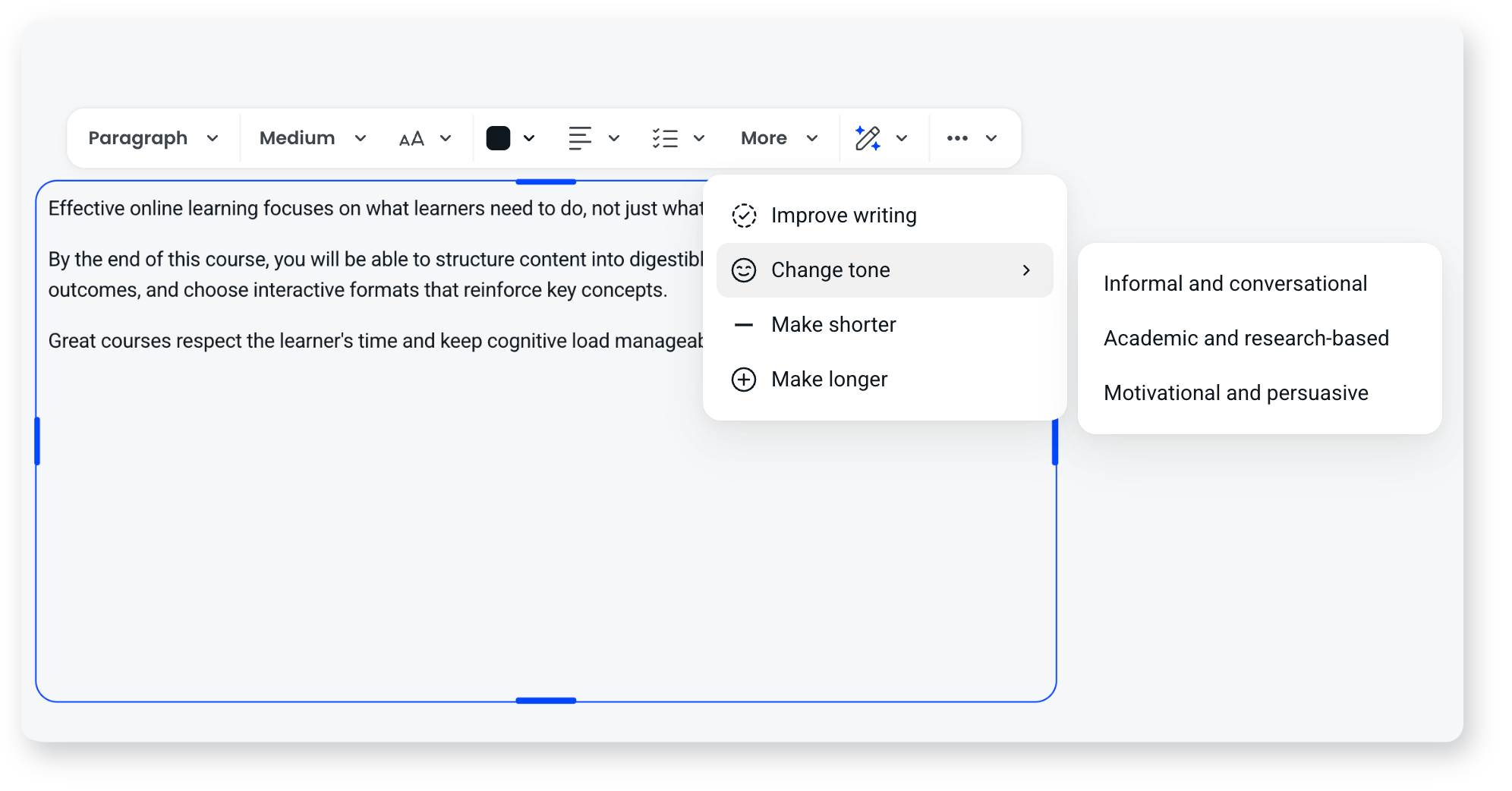
While editing, highlight the text you want to change and use Refine to change its tone. That applies to the passage you've selected rather than to the whole course.
How to choose
Match tone to both your content and your learners. Think about their goals, their context, and what will keep them engaged. The same information lands very differently depending on the tone. If you're not sure, describe your learners and what you need them to do, and let the agent suggest something you can react to.
Tone is a per-course choice. If you want a consistent style across every course your workspace produces, that's brand voice, which is a saved workspace-level setting.
Frequently asked questions
What's the difference between tone and brand voice?
Tone is the feel you pick for a specific course. Brand voice is a saved, workspace-level setting that shapes how AI writes across all your courses, including traits, perspective, and vocabulary.
Do I have to choose from a set list of tones?
Not when you're building with the AI agent. It suggests a tone based on what you're building, and you describe what you want in your own words. Classic works from the fixed set of three above.
Can I change the tone after generating?
Yes, in two ways. Ask the AI agent to change the tone across a set of screens or the whole course, or highlight text while editing and use Refine to change that passage.
Does changing the tone rewrite my content?
Yes. Changing tone rewrites the wording of the text it applies to. The structure of the course, its screens and its media stay as they are.