End-user (learner) experience
What taking a Coassemble course is like for a learner: how they move through it, how they're assessed, and how it's localised.
Learners take courses in any browser, on any device, with no app and no login required. Courses are interactive, resume where they left off, and support 50+ languages.
The people taking your courses get a clean, interactive experience that works anywhere, with no app to install and no account needed. You control how they move through a course, how they're assessed, and how it's localised, and the experience is built to be accessible by default.
Works on any device
- Responsive: courses adapt automatically to desktop, tablet, and mobile, with no extra setup from you.
- No app required: learners open courses in a browser, with nothing to install.
- Resume where they left off: progress is saved, so a learner who leaves can pick up where they stopped.
The new builder's learner view
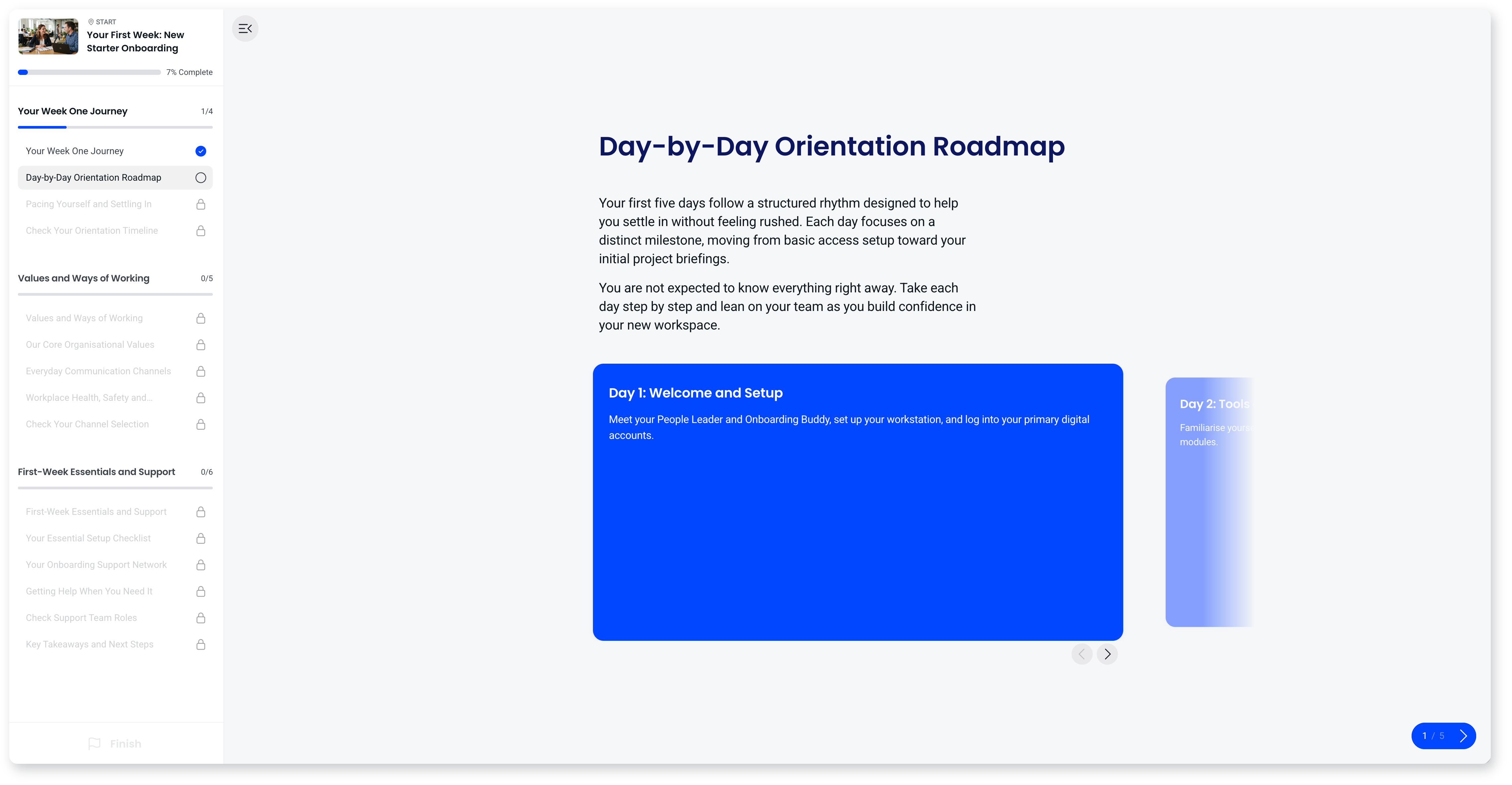
Courses built in the new builder have a rebuilt learner experience, designed to keep people oriented and moving:
- One button drives progression. There's no hunting for what to do next.
- Progress you can see. A bar across the top shows position in the course and progress through the current screen.
- A course outline sidebar. Sections, screens and what's been completed, at a glance.
- A resume prompt. Returning learners are offered the option to pick up where they left off.
- Sections read as chapters. Screens are grouped into sections, and learners see each one as a chapter with its own progress.
Navigation and progression
- Sequential navigation: lock a course so learners complete each screen in order, keeping an intentional learning arc.
- Free navigation: let learners move freely between screens, good for reference material or self-directed content.
- Enforce video completion: require a video to be watched in full before learners can continue.
Knowledge checks and assessment
- Knowledge checks anywhere: add interactive questions throughout a course, not just at the end, to reinforce learning as people go.
- Pass/fail thresholds: set a minimum passing score, with retries for learners who don't meet it.
- Answer feedback: show explanatory feedback on a wrong answer, turning a question into a learning moment.
Feedback and motivation
- Completion celebrations: a celebration moment marks the end of a course, reinforcing progress and a sense of achievement.
Languages and localisation
- 50+ languages: courses can be translated with AI, so learners get the course in their own language without you maintaining separate versions.
- Right-to-left support: scripts like Arabic and Hebrew display correctly in the course player.
Accessibility
The course player is built to WCAG 2.2 Level AA:
- Keyboard navigation: learners can move through and interact with a course using only a keyboard.
- Screen reader compatibility: content is structured with proper headings, alt text, and labelling for common screen readers.
- Captions on narration: AI narration auto-generates captions that play in sync, which you can review before publishing.
- Captions on video: add captions to a video you have uploaded by choosing the caption language and uploading an SRT or WebVTT file. Video from YouTube or Vimeo carries the captions set on those platforms. Captions aren't generated for video, so the file comes from you.
- Colour contrast: themes and default styles meet WCAG 2.2 AA contrast requirements.
Frequently asked questions
Do learners need to install anything or log in?
No. Courses open in any browser with nothing to install, and no login is required unless you choose to identify learners.
Will a learner lose their place if they leave?
It depends on whether they're identified. If a learner is an identified recipient (for example, they accessed the course with an email or invitation), their progress is tied to them and they resume from where they left off, even on a different device.
If a learner is an anonymous recipient (opened the course via an open link), their progress is saved on the same device and browser, so they'll resume if they return there. On a different device, or after their session lapses, an anonymous learner starts again, because there's no identity to tie their progress to. If resuming across devices matters, identify your learners rather than sharing anonymously.
Do videos have captions?
Only where you add them. Captions aren't generated for video, so you upload an SRT or WebVTT caption file to a video you have uploaded and choose the language it is in. Video embedded from YouTube or Vimeo carries the captions set on those platforms.