What does it mean to build with Coassemble?
How the five pillars of building with Coassemble work: creating content, delivering the learner experience, branding it to your product, sharing to any surface, and reporting results back to your stack.
Building with Coassemble means using its authoring tools and API to deliver structured, tracked learning inside your own product, rather than sending people to a separate portal. You create courses in Coassemble, embed them as drop-in components in your own interface using a signed URL per person, and completions write back to your stack in real time through webhooks. No LMS to stand up, no portal to migrate to.
Create: authoring and course generation
Most courses start with Create with agent: describe what you need, or point the agent at your own files (PDFs, handbooks, decks, wikis, or a SCORM package) and get a built course back. With a single document or SCORM package you also choose how closely it follows your source: Verbatim, Structured or Adaptive.
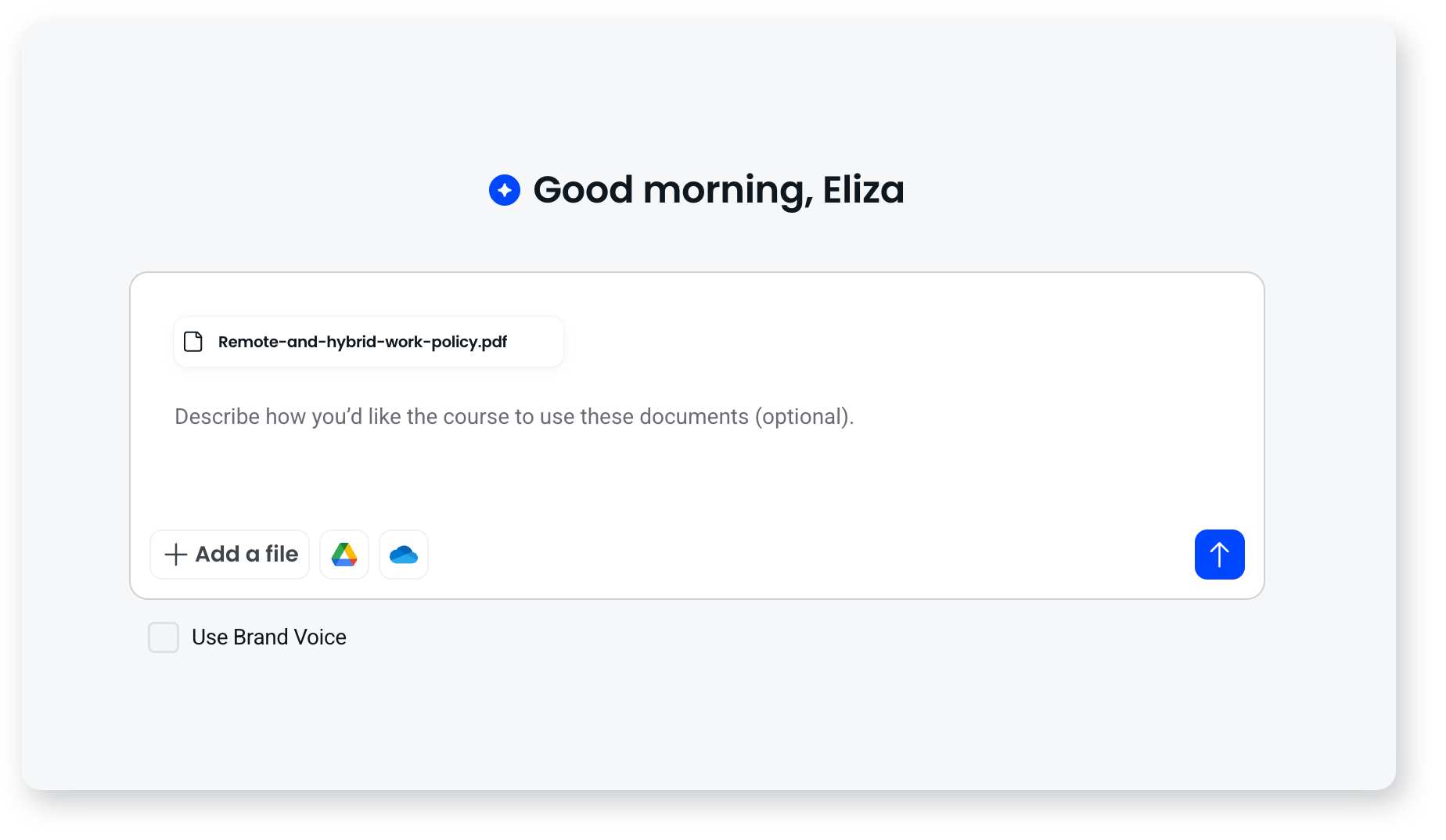
There are other routes in, depending on what you're starting from:
- Build it yourself screen by screen, choosing a layout each time and arranging blocks on it
- Upload a SCORM package to host it exactly as it was authored, tracked by attempt
- Classic options: transform a document, convert a presentation, or generate using a prompt
- The Generate API to create and update courses programmatically, without anyone touching the Coassemble interface
- A connected AI assistant over MCP, or your own product driving the Coassemble agent over MCP or REST
However you author, the output is the same: a course of screens grouped into sections, each screen built from blocks on a six column grid, with quizzes, narration and images. The agent handles the heavy lifting; you review, refine and publish, either by editing directly or by asking the agent. The exception is a hosted SCORM package, which runs as its original authoring tool built it rather than being rebuilt from Coassemble blocks.
The Generate API lets your own backend drive course creation. Point it at a source, pass a prompt and an audience, and get a course back. Useful when you want to generate training automatically from your own content sources or workflows.
Learner experience: embedded, signed, in your product
The learner experience runs inside your product, not in a separate portal. Once a course is published, you render it using signed embeddable components: drop-in players, builders and analytics dashboards, embedded with one line of markup. Each component is signed per person and per session, so access is controlled and tracked at the individual level.
Coassemble provides components in three modes:
- View mode: course players, collection players and screen players for learners to take courses, or a single screen, inside your product
- Edit mode: builder embeddables so your users can create and edit courses, or a single screen, without leaving your platform
- Analytics mode: dashboards showing course views, completion rates, sentiment and per-person progress, embedded directly into your admin interface
Courses built in the new builder carry a rebuilt learner view: one button drives progression, a bar shows position in the course and in the current screen, a sidebar shows the outline, and returning learners are offered a resume prompt.
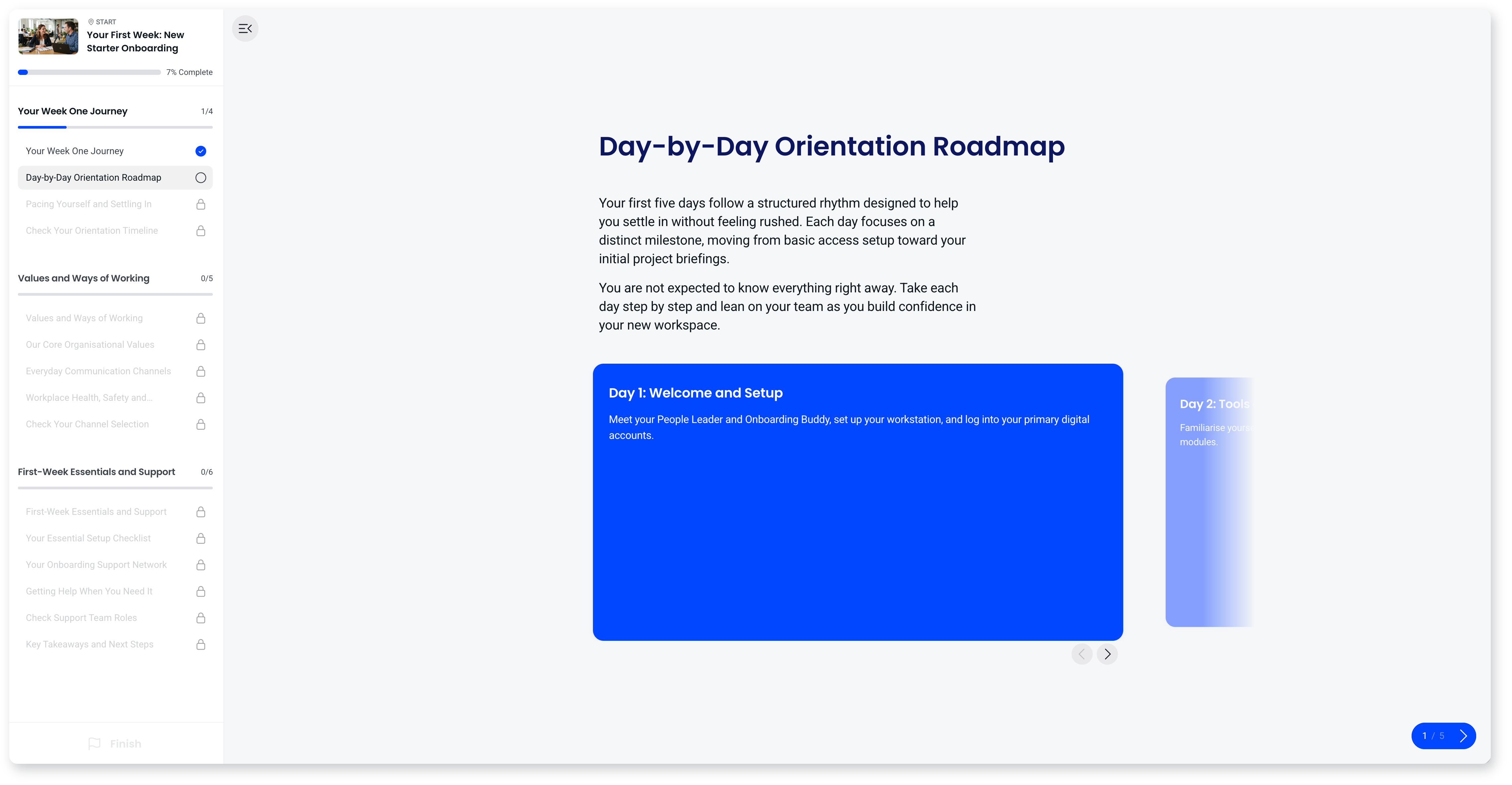
The embed experience is cookie-less by design, so it works reliably inside iframes without third-party cookie issues. Your learners never need a Coassemble account or login.
Brand: per-tenant themes, languages and voice
The embedded experience runs inside your product, themed to your brand. Colours, logo, fonts and voice are applied automatically across every course and set per-tenant through the Themes API, so each client or team gets their own branded experience with no rebuild. Machine translation via the Translations API ships courses in your learners' languages without rebuilding the course.
Share: publish to any surface
A course built in Coassemble can be delivered anywhere your learners already are. Options include:
- Embedded in your product via signed web components, one line of markup per surface
- Shared by link as a signed URL, one per person
- Sent via email as an invitation with tracked access
- Shared in Slack as a direct message, tracked like every other surface
- Embedded in tools like Notion, Confluence or your intranet
- Exported as SCORM for delivery through another LMS
Same course, same tracking, any surface.
Report: completions written back to your stack
Every attempt, score and completion is captured in Coassemble's reporting dashboards and streamed to your stack in real time through the Tracking API and webhooks. Events like course.completed and course.commenced fan out to your HRIS, CRM or data warehouse, so your system of record stays in sync without manual exports.
Learners tracked this way count as Identified Recipients (IRs), and IR allowances are measured per year. Each unique person counts as one IR for the year, regardless of how many courses they take. You control the identifier used to track each learner: your own user ID, an email address, or any string that maps to a person in your system. Coassemble doesn't require you to pass any personally identifiable information.
One-click CSV export is available when you just need the file.
Frequently asked questions
Do my users need a Coassemble account?
No. Learners taking embedded courses don't need a Coassemble login. They're identified through the identifier you pass via the API.
Is the embedded experience secure?
Yes. Each component is signed with a short-lived token generated server-side using your API keys. You create and manage API keys in the Developer console, under Developer, then API keys. Coassemble is SOC 2 Type II certified, with data residency options across the US, EU, UK and Australia, and a no-train AI policy: your content and learner data are never used to train third-party models.
How do I get started?
Go to coassemble.com, select Get started and fill in the form with a work email address. Your free Sandbox is provisioned automatically. It gives you the builder, the embeddables and the embed and player APIs on an evaluation budget, so you can prove an integration end to end, and your workspace carries straight over when you're ready to go live.