Video captions
How to add captions to a video in a new builder course, the file formats that work, and what happens with YouTube and Vimeo video.
Add captions to a video you have uploaded by opening the Video menu on the video block, choosing Captions, setting the language your captions are in, and uploading an SRT or WebVTT file. Captions aren't generated for you, so you bring your own caption file.
Caption upload is part of the video block in the new builder.
How do I add them?
- Select the video on the screen so the video toolbar appears.
- Open the Video menu and choose Captions.
- Set the language your captions are in, then drag your caption file onto the upload area, or select it to browse.
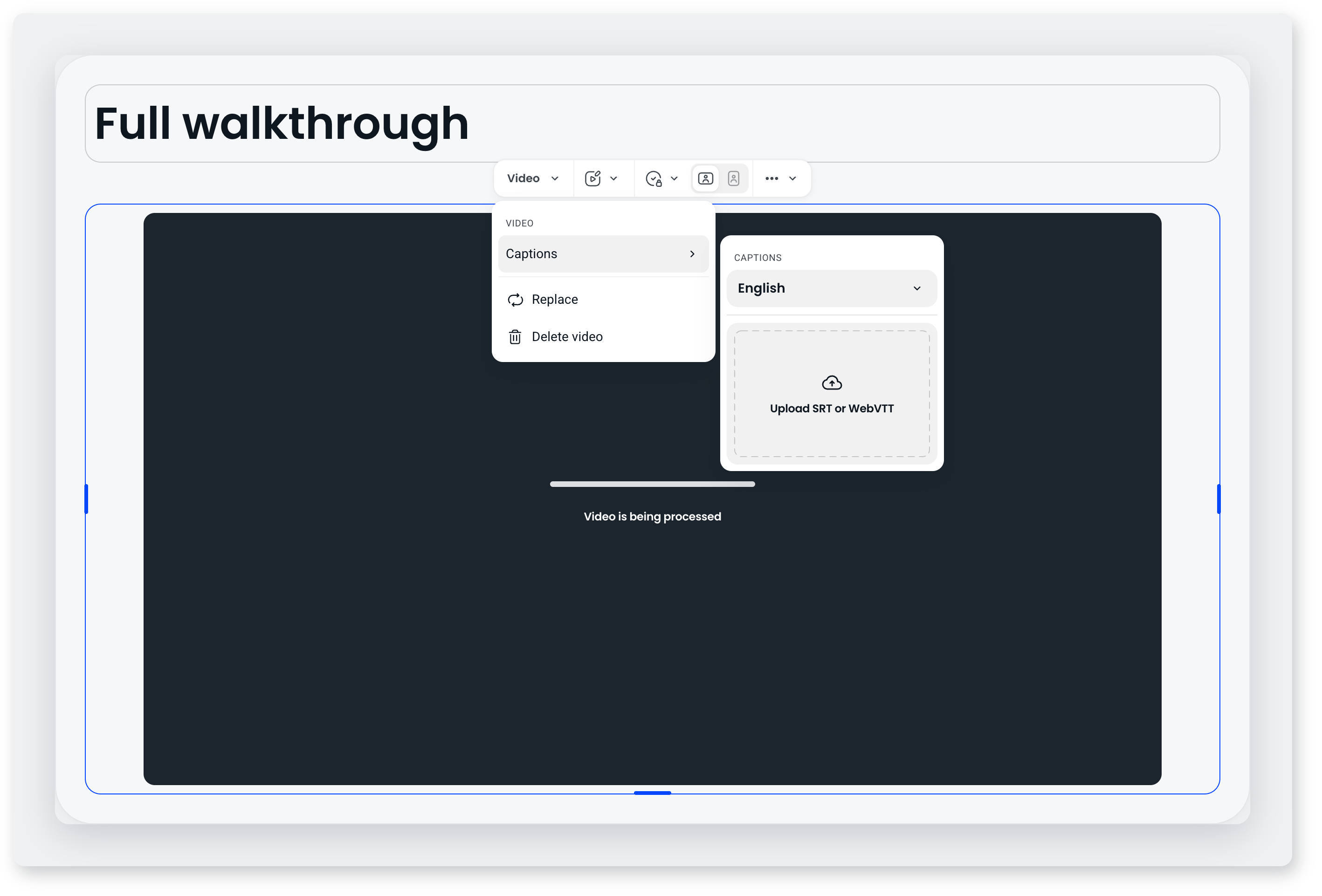
The captions are attached to that video, so they travel with it wherever the screen goes.
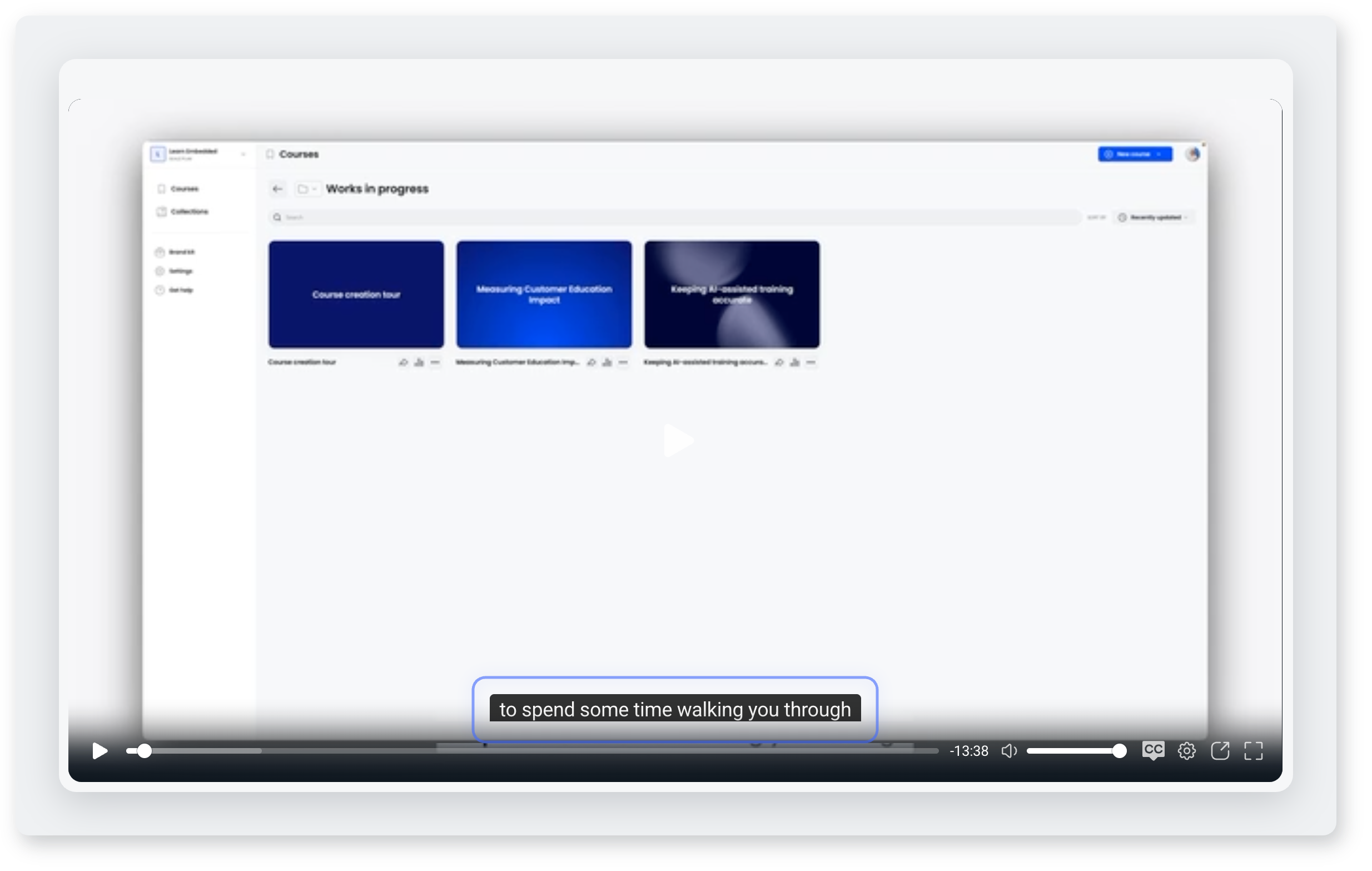
What file formats work?
SRT (.srt) and WebVTT (.vtt). Both are plain text caption files with timings in them, and both are standard exports from captioning tools, video editors and transcription services.
If you have a transcript rather than a caption file, it won't work as it is. A transcript is text with no timings, so it can't be synchronised to the video. Run it through a captioning tool to produce an SRT or WebVTT file first.
Does Coassemble generate captions for me?
No. Captions come from you, as a file you upload. This applies to AI narration too: narration doesn't create captions.
What about YouTube and Vimeo video?
Video you embed from YouTube or Vimeo carries whatever captions are set on those platforms, so caption it there and it plays in the course with captions already on it. You don't upload a caption file for embedded video.
What about a video linked from my own hosting?
A video you link with a direct .m3u8 or .mp4 URL plays in Coassemble's own video player, and the Captions option is available on it, so you upload an SRT or WebVTT file the same way as for an uploaded video. Captions already inside an .m3u8 stream also show in the player.
Frequently asked questions
Can I add captions while the video is still processing?
Yes. The captions option is available while an uploaded video is converting, so you don't have to wait for processing to finish before adding your caption file.
Why should I caption video?
Captions are how learners who are deaf or hard of hearing get the content of a video, and they help anyone watching without sound, in a noisy room, or in a second language. The agent's Review tab flags missing alt text and missing headings, but it doesn't check whether your video has captions, so that one is on you.