Learners & tracking
The difference between Identified and Anonymous Recipients, what you can see for each, and how identity gets captured.
It depends on whether the people taking your course are identified. Anyone can take a course as an Anonymous Recipient, and you'll see aggregate data like views, drop-off, completion and sentiment. When someone is captured as an Identified Recipient, you also get per-person data: who started, who finished, how long they spent, and how they scored.
Identified Recipients and Anonymous Recipients
An Anonymous Recipient (AR) opens a course without their identity being captured. Their activity still counts, but it isn't tied to a real person. In your individual usage list they show up under a random name like "Brown Tiger" rather than a real identity.
An Identified Recipient (IR) has had their identity captured, usually an email address, when they accessed the course. Their activity is recorded against them by name, so you can see exactly what that person did.
These are also the two units your plan allowance is measured in, so the distinction is commercial as well as practical.
What you can see for each
For Anonymous Recipients, you get the aggregate picture: the number of views, the progression funnel showing where people drop off, completion rates, and course sentiment.
For Identified Recipients, you also get per-person data: who started, who completed, how long they spent, and how they scored on any quizzes. You can download it as a CSV for your records or to roll up into other systems.
Identified Recipients are available on all current plans, but not on the legacy Flow plan, which is anonymous only.
How recipients get identified
There are a few ways to capture identity when you share a course:
- Asking for an email address before someone can open it.
- Building a list ahead of time of who's allowed in.
- Restricting access to an approved email domain.
- Capturing identity through Slack when you share that way.
- Passing an identifier through the API, if you deliver Coassemble inside your own product.
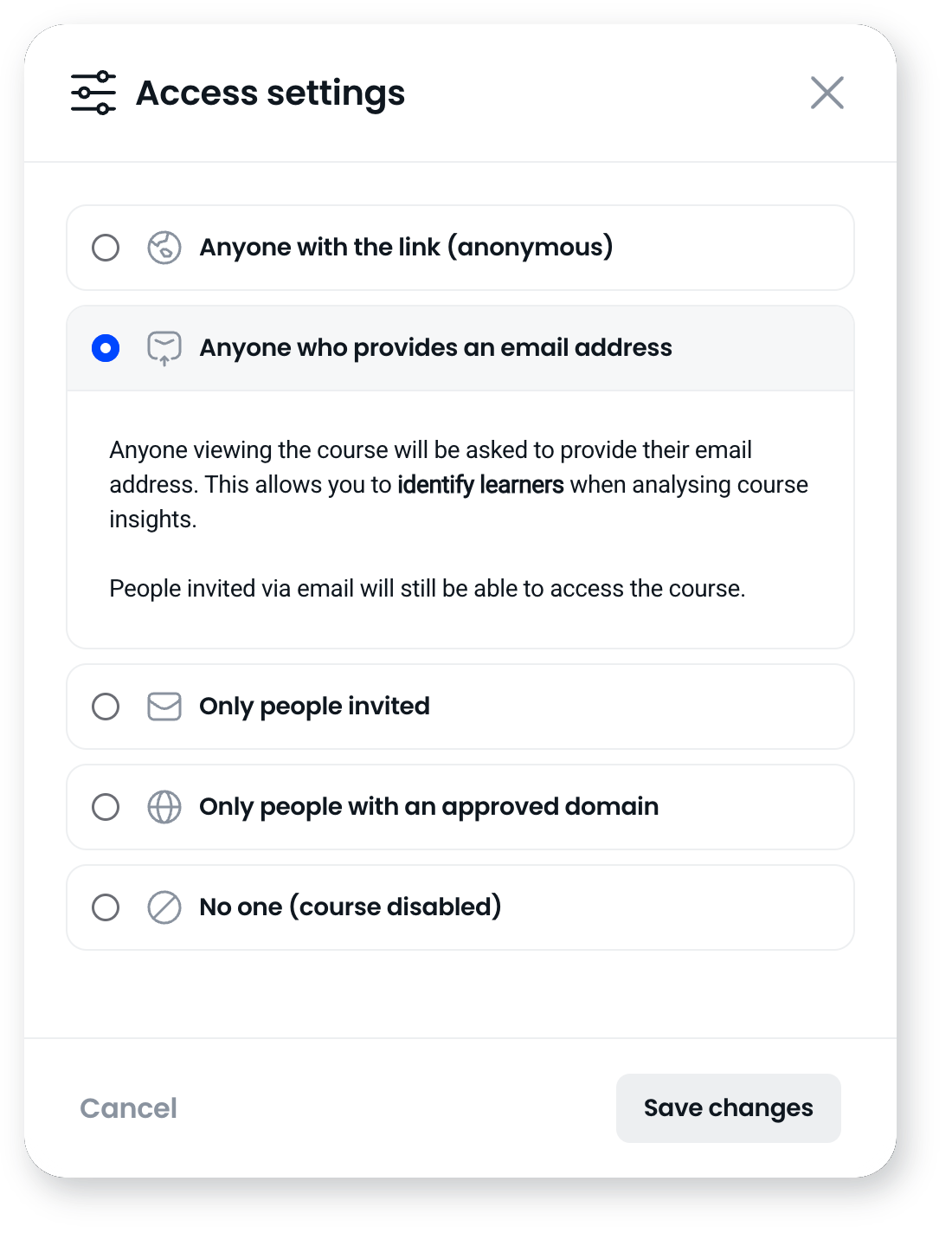
Once someone is identified by one of these, they become an Identified Recipient and their activity is tracked against them.
Tracking Anonymous Recipients reliably
When people aren't identified, Coassemble works out unique individuals as best it can from their device, browser and session. That has limits worth knowing: there's no perfect way to count unique people while keeping them fully anonymous, especially on shared devices. If two people use the same device without separate identification, their activity can be counted together.
The reliable way to tie activity to a specific person is to collect an email or identifier, which makes them an Identified Recipient and by definition reduces anonymity.
Tracking inside your own product
If you deliver Coassemble inside your own product or platform, you identify each recipient with a stable identifier from your own system when you request the embed, so activity is tracked against your users without them needing a Coassemble account. A separate identifier can scope a recipient to a specific tenant.
You then read progress, completion and quiz data through the tracking API, and manage recipient identities through the identities API, to bring results into your own product.
Frequently asked questions
Can I track people without identifying them?
Yes, at an aggregate level. You'll see views, drop-off, completion and sentiment for Anonymous Recipients. To see what specific people did, you need to capture them as Identified Recipients.
Why do some recipients show up with names like "Brown Tiger"?
Those are Anonymous Recipients whose identity wasn't captured. Coassemble gives them a random placeholder name instead of a real one.
How do I see per-person completion and scores?
Capture people as Identified Recipients when you share the course. Their individual progress, completion and quiz scores then appear in your reports and can be exported as CSV.
Does someone count twice if they take two courses?
No. Each unique person counts as one Identified Recipient for the period, however many courses they take.
Can I tie recipient activity to my own user accounts?
Yes, if you deliver Coassemble inside your own product. You pass your own identifier when you load the embed, so activity is tracked against your users as Identified Recipients, and you read it back through the tracking API.