AI course creation
How AI course creation works in Coassemble, how faithful it is to your source, and how to offer it to your own users.
Yes. AI can build a complete, structured course from a prompt or from content you already have, and with Embed you can offer that same AI course creation to your own users.
Coassemble's AI can create a full, ready-to-refine course for you, either from content you already have or from a prompt when you're starting fresh. It's informed by learning design, not just a reformatted document, and everything it produces is editable afterwards.
Create with agent is available on every plan. On some legacy plans, the agent isn't available inside the builder once a course is created, so you edit the course yourself and the Keep building with AI section below doesn't apply.
Create with agent
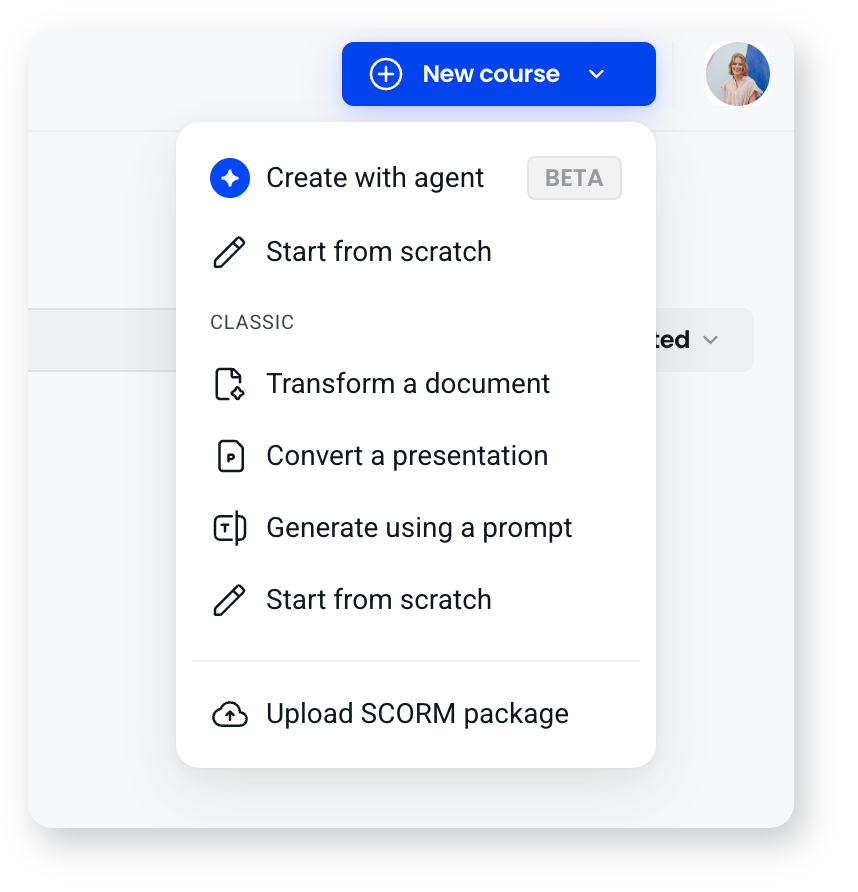
Create with agent is the main way to build a course with AI. Describe what you need in plain language, or give the agent your own material to work from: a document, a presentation, or a SCORM package. It asks a few questions about your audience and how you want the course to read, then builds the structure, the screen content and suggested quiz questions, as screens grouped into sections.
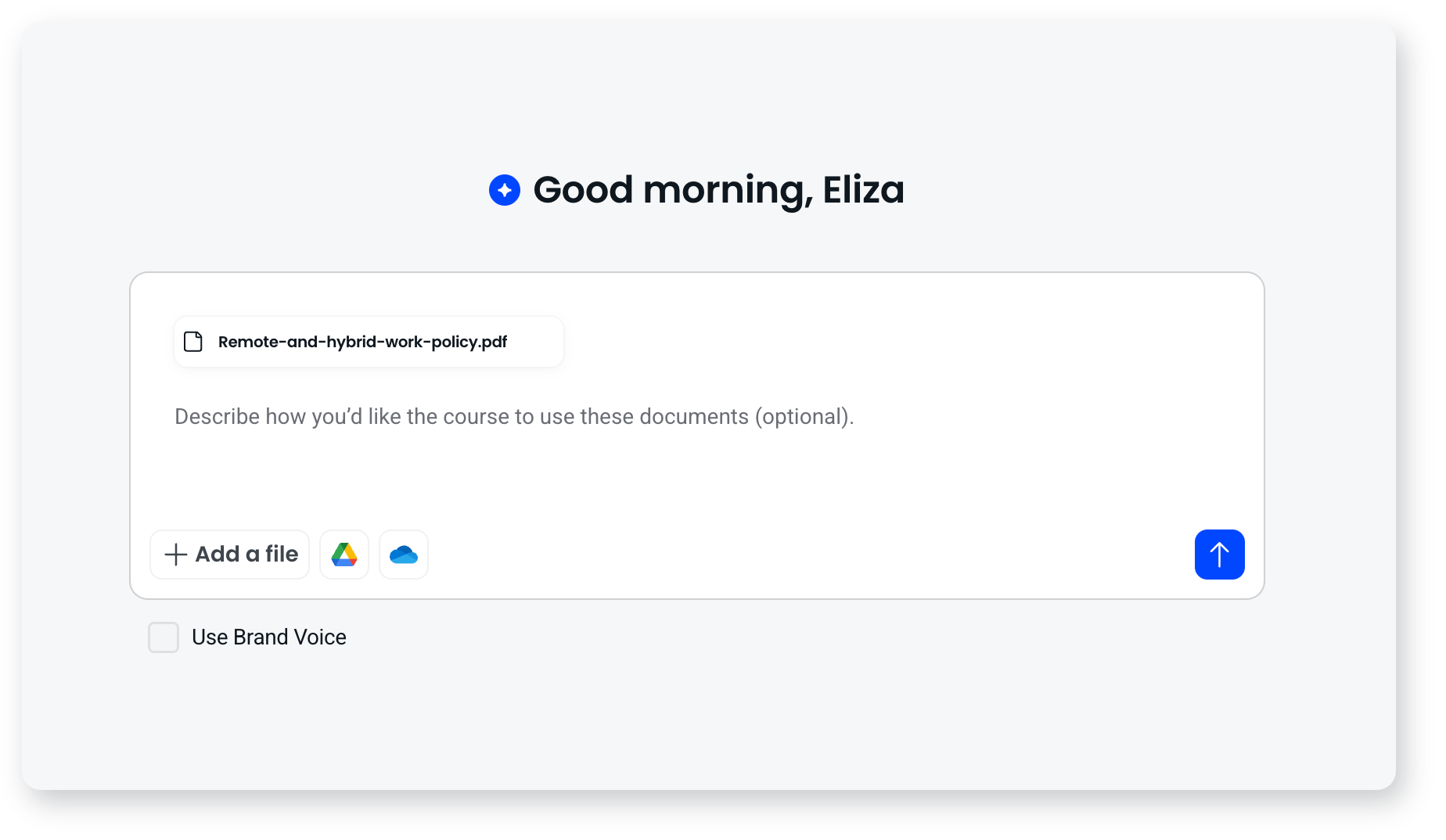
Uploading a SCORM package here converts it into a fully editable Coassemble course made of blocks, rather than running it as it was authored.
How closely it follows your source
When you give the agent a single document or a SCORM package, it asks how faithful to be:
- Verbatim: keeps your wording exactly as written, for policies, compliance and approved content.
- Structured: reorganises your material into a clear learning flow, keeping the content itself.
- Adaptive: rewrites and expands your material into a fuller course.
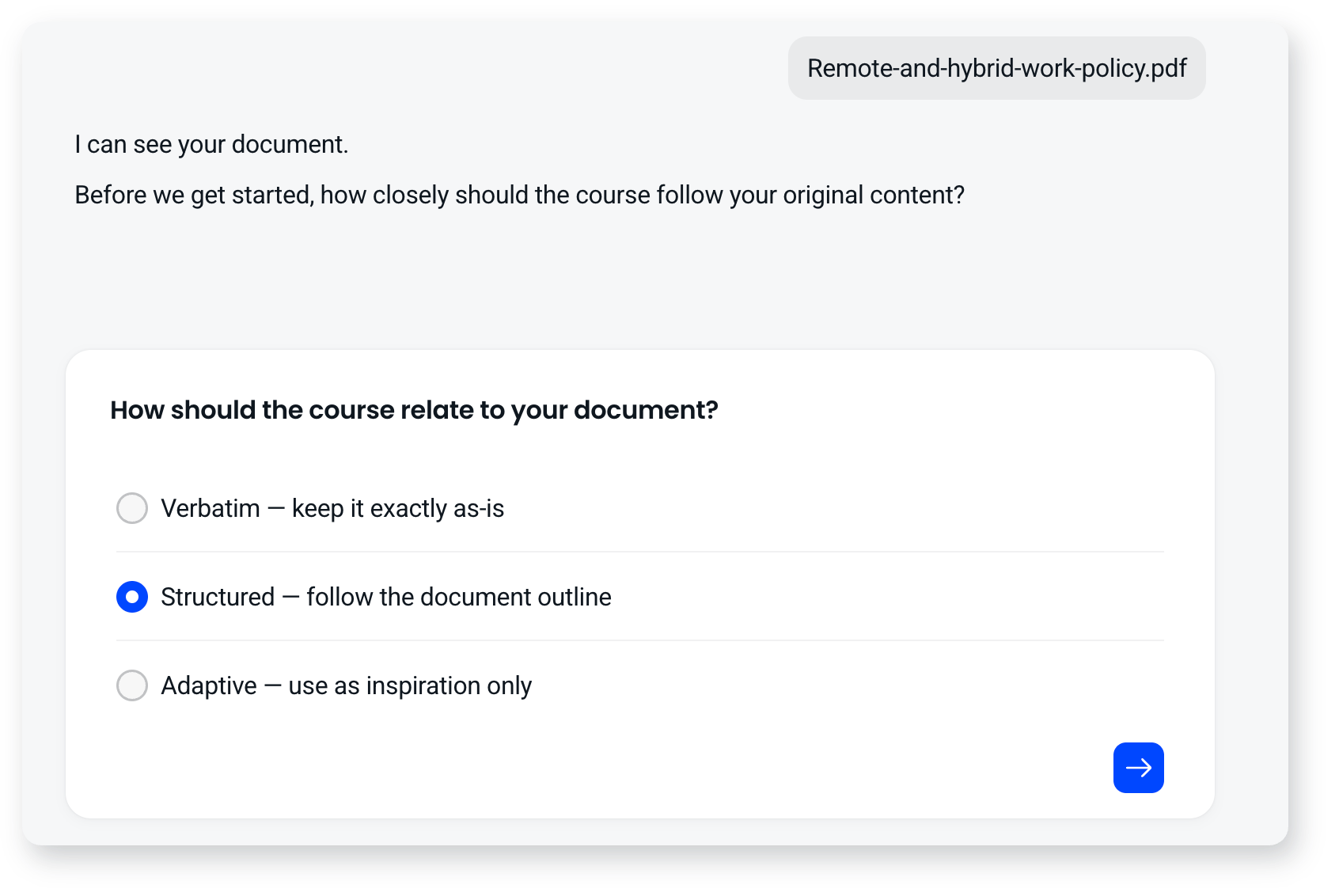
It doesn't ask this for a prompt on its own, or when you upload several documents at once.
Classic AI creation options
The Classic group in the New course menu holds the earlier AI creation methods. These build in the classic builder, which uses fixed screen types.
- Transform a document: upload a Word doc or PDF, and AI structures it into a multi-screen course with headings, body copy, and suggested knowledge checks. You can also upload several documents alongside a guiding prompt to merge different sources into one cohesive course.
- Convert a presentation: import a PowerPoint or Google Slides deck and turn it into a course, keeping the structure, text, and imagery.
- Generate using a prompt: describe what you need in plain language, and AI builds the structure, screen content, and suggested quiz questions.
Keep building with AI
AI doesn't stop at the first build. The agent stays with you in the builder, so you can ask it to generate a block, a screen, several screens or a whole section, rewrite and adjust the tone of your text, add assessment, restructure a course by reordering screens or splitting sections, generate images, add narration, and translate.
Two more tabs sit alongside the chat:
- Review gives you expert feedback on the course you've built, covering instructional quality, engagement and accessibility, with each finding linked to the screen it refers to. This is what Coassemble calls Course Coach, though that name doesn't appear in the builder.
- Insights reads your course analytics, so you can ask where learners are dropping off and fix that screen in the same conversation. Nothing shows there until a few learners have been through the course.
You can also connect an AI assistant such as Claude to your workspace over MCP and have it create courses for you from outside the app.
Offer AI course creation to your own users
With Embed, you don't just use AI course creation yourself, you can give it to others. Embed Coassemble's AI-powered course builder inside your own product so your users can create courses with AI without leaving your platform. This lets you offer course creation to a cohort, your customers, or internal teams as a feature of your own product, under your brand. It's powered by the builder embeddables and the generation API.
You can also drive the agent itself from your application over MCP or REST, pinned to a single course, with the tools you choose, or read-only.
There's also an optional AI assistant in Screen Builder, for when your users are working on a single screen rather than a whole course. It's off by default, and when it's turned on it's scoped to editing the screen it's on.
You stay in control
Everything AI creates is fully editable. Accept what it produces, edit any of it yourself, ask the agent to change it, or build screen by screen. The level of AI is always your call.
Frequently asked questions
Can AI build a course from my existing files?
Yes. Give the agent a document, several documents with a guiding prompt, a presentation, or a SCORM package, and it builds a course from them. The Classic options can also transform a single document or convert a presentation.
Will AI rewrite my wording?
Only if you want it to. Choose Verbatim when the agent asks how closely to follow your source and your text is carried across as written.
Can I let my own users create courses with AI?
Yes. With Embed, you can put the AI-powered course builder inside your own product, so a cohort, your customers, or your teams can create courses with AI themselves, under your brand.
Can I edit what AI creates?
Yes. Everything is editable, you can rewrite text, swap images, and add, remove, or reorder screens.